

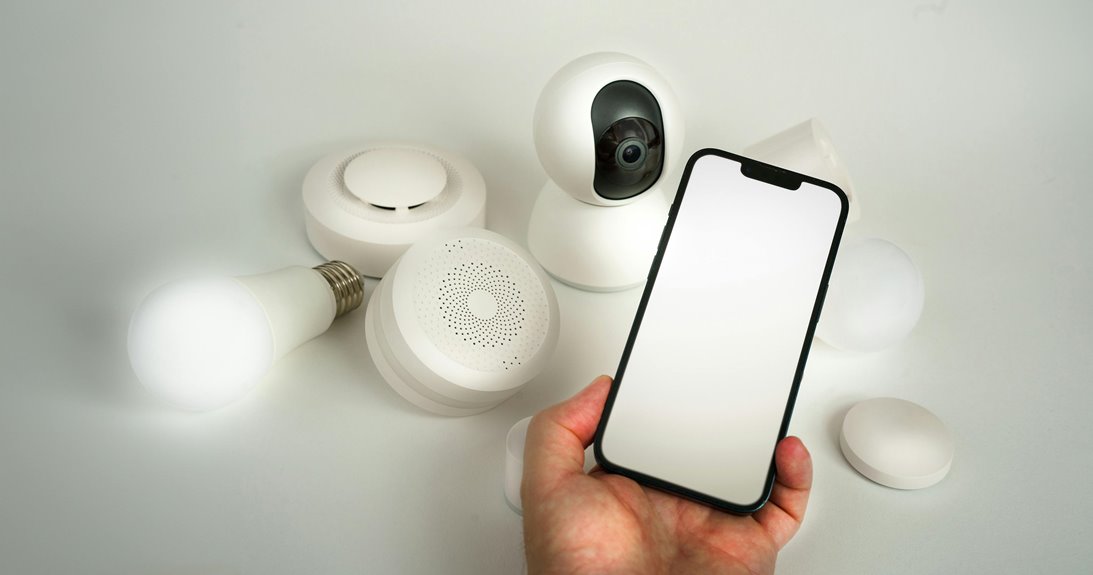
Your phone tracks more than taps and swipes. You’re using a network of sensors that measure motion, distance, light, identity, direction, and location in real time. Accelerometers and gyroscopes detect movement, proximity sensors manage calls, light sensors tune brightness, and biometrics control access. Magnetometers and GPS add orientation and positioning, but the real shift comes as these inputs combine into actions you didn’t trigger yourself.
What Smartphone Sensors Detect
Smartphone sensors detect a wide range of physical and biological inputs, from motion, orientation, and proximity to light, pressure, temperature, and biometric signals.
You rely on motion sensing whenever accelerometers and gyroscopes track direction, tilt, and rotation with real-time precision. You also depend on proximity sensors to sense nearby objects and adjust display behavior during calls.
Environmental sensors measure illumination, humidity, pressure, and internal temperature so your device can respond safely and efficiently. For secure access, biometric detection reads fingerprints or facial features to verify you quickly.
These sensing systems help your phone interpret your environment, support responsive apps, and keep you connected to the experiences your device is built for, whether you’re gaming, opening, or monitoring conditions.
How Smartphone Sensors Work Together
You don’t use smartphone sensors in isolation; sensor fusion combines motion, proximity, environmental, and biometric inputs into one model.
The phone’s processor coordinates these data streams in real time, filtering noise and resolving conflicting readings. That integration lets you detect situation such as orientation, nearby objects, user activity, and device state with higher accuracy.
Sensor Fusion Basics
Although each smartphone sensor measures a different physical property, sensor fusion combines their outputs to create a more reliable and useful view of what the device and user are doing.
You get stronger motion estimates whenever accelerometers, gyroscopes, and proximity readings agree.
- Sensor data calibration aligns offsets and scale.
- Multi sensor redundancy reduces single-sensor errors.
- Motion, light, and pressure data can cross-check setting.
- Correlated signals improve orientation and gesture confidence.
- Fused outputs help you feel connected to responsive apps.
Your phone can then infer posture, movement, or nearby objects with less noise than any one sensor alone. Calibration keeps each input comparable, while redundancy helps the system reject glitches, brief occlusions, and drift. Whenever you rely on fused sensor streams, you’re working with a device that feels more consistent, accurate, and in sync with you.
Coordinated Data Processing
Once sensor fusion has aligned noisy inputs, coordinated data processing turns those inputs into timed decisions the phone can act on. You rely on sensor data orchestration to schedule accelerometer, gyroscope, proximity, and environmental streams so each sample reaches the right module at the right moment.
Cross sensor calibration removes drift, offsets, and gain mismatch, so one sensor can validate another instead of competing with it. Your phone then weights confidence, suppresses outliers, and resolves conflicts before it updates orientation, screen state, or authentication logic.
This shared pipeline helps your device respond with the precision you expect while staying lightweight. Once sensors cooperate under a common clock and policy, you get consistent behavior that feels seamless and belongs in everyday use.
Real-Time Context Detection
As sensor streams update in real time, your phone combines motion, proximity, environmental, and biometric inputs to infer situational awareness and trigger the right action. You get situationally aware switching: brightness drops near your face, audio routes to speaker or earpiece, and apps adapt once you move, walk, or rest.
- Accelerometer and gyroscope data detect orientation, shake, and falls
- Proximity sensing confirms closeness with infrared reflection limits
- Light, temperature, humidity, and pressure support environment state profiling
- Fingerprint and face sensors verify you before sensitive changes
- Fusion logic reduces false triggers and keeps responses fast
This layered model helps you belong to a device that feels aware, not intrusive. It reads patterns, confirms intent, and acts in milliseconds, so everyday use stays smooth, secure, and personal.
Accelerometer and Gyroscope in Phones
Your phone’s accelerometer detects directional movement and orientation, while the gyroscope measures exact angles and rotation direction with much greater precision. You get responsive sensing because both chips sample motion in real time and feed data to apps instantly.
That lets motion based gaming track tilt, steering, and quick turns with low latency, so you feel fully in control. The same sensor fusion supports stable camera rotation, smoother AR tracking, and accurate step analysis.
In safety use cases, fall detection alerts rely on sudden acceleration spikes and rapid angular change to flag possible emergencies. Whenever you carry your phone, these sensors work together quietly, giving you precise interaction and dependable awareness without needing extra input from you or your team.
Proximity Sensor for Calls and Screens
Alongside motion sensing, phones also use a proximity sensor to manage calls and screen behavior. You stay connected because this infrared pair detects as your face or hand nears the top edge. During call detection, reflected light tells the system to pause touch input and trigger screen dimming, so your cheek won’t tap controls.
- Detection works best within about 5 cm
- Open space returns no reflection, reducing false triggers
- It responds fast, so you notice less delay
- It protects battery by avoiding unnecessary screen use
- It supports a smoother, more reliable call experience
You get a cleaner interface, fewer accidental actions, and a device that feels tuned to you.
Ambient Light Sensor for Auto Brightness
You use the ambient light sensor to measure surrounding illumination and convert it into a brightness control signal.
Auto brightness improves visibility and reduces power draw through matching the display to current lighting conditions.
Sensor placement matters because you’ll get faster, more accurate response as the sensor has an unobstructed view of ambient light.
How Ambient Light Works
Ambient light sensors measure surrounding illumination intensity and use that data to automatically adjust screen brightness to comfortable levels. You can consider it as a compact photodiode system that samples light intensity, converts photons into electrical current, and feeds that signal to your phone’s controller for illumination adjustment.
- Detects changes in real time
- Uses calibrated thresholds for stability
- Responds to indoor and outdoor conditions
- Helps your interface stay readable
- Fits seamlessly with nearby sensors
As ambient light drops, the sensor reports a lower signal; as it rises, the report increases.
Your device then maps those readings to a brightness curve, so you stay in control without manual tweaks.
This keeps interactions consistent, and you feel like your phone is tuned with you, not against you.
Auto Brightness Benefits
Whenever illumination changes, auto brightness uses the ambient light sensor to adjust your screen instantly, keeping text readable without constant manual changes. You get smoother transitions indoors, outdoors, and at night, so your display feels consistent with your environment. That consistency supports eye comfort and reduces strain during long sessions. It also improves battery savings through lowering backlight output whenever you don’t need full intensity.
| Benefit | Result |
|---|---|
| Lower brightness in dark spaces | Less glare |
| Higher brightness in sunlight | Better readability |
| Adaptive backlight control | Battery savings |
| Stable screen levels | Eye comfort |
You’ll notice fewer distractions because the phone handles intensity changes for you. For shared use, that means your device stays practical, efficient, and ready wherever you are.
Sensor Placement Impact
Where the ambient light sensor sits directly affects how accurately auto brightness tracks your surroundings. You can’t treat physical sensor positioning as cosmetic; it changes the light sample the phone reads.
If bezel cutouts, cases, or your hand block the sensor, you’ll see delayed dimming or overbright screens. Good sensor placement effects come from exposure to forward-facing ambient light, not reflections from the display or nearby surfaces.
- Top-edge mounting often improves outdoor response.
- Deep recesses can reduce accuracy.
- Thick cases might cause false readings.
- Screen glare can bias measurements.
- Clean apertures help the sensor stay stable.
When your device is designed well, you get smoother changes, less eye strain, and a more consistent feel that fits how you use your phone every day.
How Fingerprint Unlock Works
Your phone opens by comparing your fingerprint scan against a stored biometric template, using optical, capacitive/CMOS, or ultrasonic sensing. You place your finger on the reader, and the system captures ridge and valley patterns, then computes a match score. If the score clears the threshold, you get fast access with strong biometric access control security.
| Method | Key trait |
|---|---|
| Optical | Captures a light-based image |
| Capacitive/CMOS | Measures electrical differences |
| Ultrasonic | Maps depth with sound waves |
| Template match | Compares live data to enrolled data |
These fingerprint authentication methods let you belong to a trusted device group without typing a PIN each time. Still, smudges, wet skin, or partial contact can reduce accuracy, so you should enroll cleanly and keep the sensor unobstructed for reliable access control.
Magnetometer for Compass and Maps
How does your phone know which way is north? Your magnetometer measures Earth’s magnetic field, then the map app turns that signal into heading data.
- It detects field strength in three axes.
- It helps your screen rotate with your movement.
- It supports indoor orientation when GPS is weak.
- It improves turn-by-turn map alignment.
- It depends on magnetometer calibration for reliability.
You can enhance compass accuracy by moving your phone in a figure-eight and keeping it away from metal cases, speakers, and magnets.
Your device also combines magnetometer readings with other motion sensors to stabilize direction, so you stay oriented and confident in shared spaces.
Whenever calibration stays clean, your compass feels natural, and you steer with less guesswork.
GPS and Location Tracking
Once your magnetometer gives your phone a heading, GPS adds position through listening to signals from satellites and comparing their arrival times. You get latitude, longitude, and altitude estimates, while your device fuses them with Wi‑Fi and cellular data to improve location accuracy.
| Feature | Function |
|---|---|
| Satellite timing | Calculates range |
| Assisted data | Speeds fix |
| Geofencing alerts | Triggers rules |
This stack helps your device find your way, tag photos, and share live location with your group. Whenever signal quality drops indoors or near tall buildings, errors grow, so maps may lag or snap to roads. You can still rely on background tracking for fitness, delivery, and safety apps. Via tuning permissions, you keep control, stay connected, and use geofencing alerts without wasting battery.
Frequently Asked Questions
How Do Smartphone Sensors Improve Augmented Reality Applications?
Smartphone sensors improve augmented reality by tracking movement and measuring the surrounding space with high precision, which helps digital objects remain fixed in place as you move. Accelerometers, gyroscopes, and LiDAR let the device adjust overlays in real time so they appear stable and more realistic.
Can Smartphone Sensors Detect Falls and Emergencies Automatically?
Yes, smartphones can detect falls and emergencies automatically by using fall detection algorithms and emergency alert systems. They analyze accelerometer and gyroscope data, then trigger alerts when a sudden impact or unusual motion is detected, helping keep you safer and connected.
What Makes Ultrasonic Fingerprint Scanners More Advanced Than Optical Ones?
Ultrasonic sensors capture detailed 3D ridge patterns below the skin, giving them a clearer read than scanners that rely only on surface images. That added depth improves matching accuracy, performs better with damp fingers, and often unlocks more quickly than optical scanners.
How Do Environmental Sensors Measure Humidity and Temperature?
Humidity sensors detect the amount of water vapor in the air and report it as relative humidity. Temperature sensors measure thermal conditions by converting heat changes into an electrical signal. Proper calibration and continuous ambient tracking help keep both readings accurate and responsive.
Can Smartphone Cameras Act as Portable Spectrometers for Analysis?
Yes, a smartphone camera can become a portable spectrometer when paired with a diffraction grating and analysis software, enabling spectral color measurements and even food freshness checks.




