

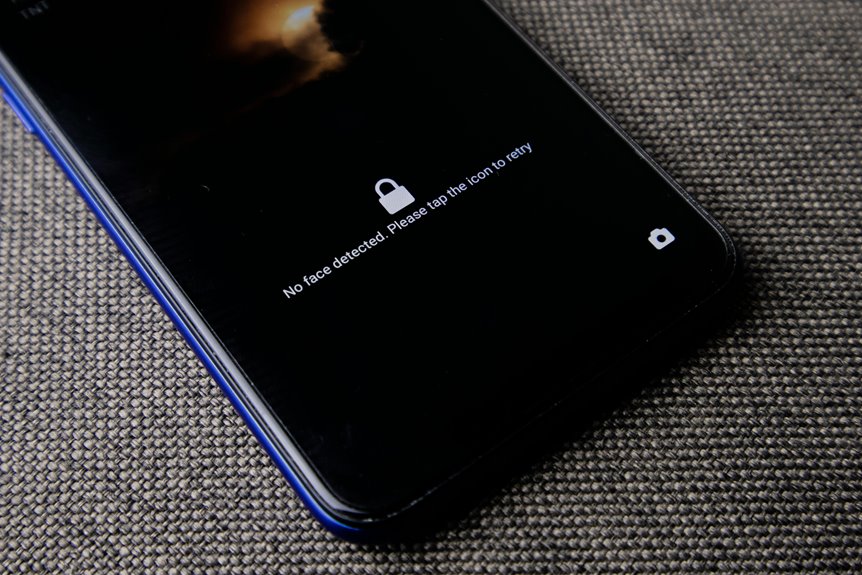
Whenever you use face unlock, your device captures a live image, extracts key landmarks, and turns them into a compact faceprint stored locally. It then compares each new scan against that template using a match threshold, often with infrared or depth data to reduce spoofing. But the real question is how the system handles changes in lighting, angle, and appearance.
What Is Face Unlock?
Face recognition is a biometric authentication method that lets you open a device or verify your identity via showing your face to its camera system.
You use it instead of a password or PIN, so access feels fast, personal, and familiar.
In face recognition history, vendors refined it from simple image checks to secure, AI-assisted verification.
The biometric authentication basics are straightforward: your face acts as a unique trait, and software compares its encoded features with a stored reference.
You belong to a growing group of users who prefer passwordless access, but the system still demands precision, privacy, and device trust.
It’s designed for convenience, yet it also supports controlled access, making identity checks efficient without changing how you interact with your device.
How Face Unlock Captures Your Face
Upon you access a device with your face, the camera system initially captures a 2D image or 3D scan of you and isolates your face from the background.
It relies on camera sensor types such as RGB, infrared, and depth modules to read your features with controlled precision.
Your image capture resolution affects how clearly the system records contours, edges, and facial boundaries, so higher resolution usually improves consistency.
The device samples light, texture, and spatial depth in a single pass, then frames your face within the capture zone.
This process stays fast and local, helping you feel included while keeping your biometric data on-device.
Should lighting shifts or you move slightly, the sensor array adjusts exposure and timing to preserve a usable facial image.
How Face Unlock Maps Your Features
Next, the system identifies your facial landmarks and measures their geometry to build a usable map of your face. You can view of this as feature landmark mapping: it pins down eyes, nose, mouth, jawline, then records distances and angles with precision.
The device then performs facial geometry encoding, turning those measurements into a compact mathematical template that represents you without storing a photo.
- It tracks key points across your face.
- It calculates spacing, symmetry, and contour.
- It normalizes for head tilt and scale.
- It converts landmarks into numeric vectors.
- It preserves privacy through local processing.
That encoded map helps the system recognize you as part of the trusted group, so your access feels fast, consistent, and personal.
How Depth Sensing Improves Accuracy
Depth sensing improves face release using adding real 3D structure to the scan, so the system doesn’t rely on a flat image alone. You benefit from depth sensors that measure surface contours, revealing subtle variations in your face’s geometry. This extra dimension helps the device distinguish authentic facial relief from printed photos or screen replays.
With structured light, the system projects a calibrated pattern and reads how it deforms across your features, building a precise depth map. That map strengthens detection under changing angles, shadows, and partial occlusion, so your release experience stays consistent.
You’re part of a more sturdy biometric process because the device can analyze shape with greater fidelity, reducing false accepts and improving confidence in everyday use.
How Face Unlock Matches Your Face
As you present your face, the device converts the live scan into a faceprint and compares it with the encrypted template stored on-device. You belong to a system that verifies, not identifies, you through one-to-one matching. It computes match scoring against the template threshold, then decides whether your current faceprint aligns closely enough for access.
- Your scan becomes numeric data, not an image.
- The stored template stays protected in secure hardware.
- Match scoring measures similarity point by point.
- The template threshold defines the pass or fail line.
- A local decision keeps your biometric data private.
Should your score exceeds the threshold, the access succeeds; should it falls short, the device rejects the attempt and asks you to retry or use a fallback.
What Machine Learning Detects
Machine learning detects the facial patterns that distinguish you from everything else in the frame.
It classifies your face as a target object through object classification, then isolates landmarks such as the eyes, nose, mouth, and jawline.
You’re recognized via measurable geometry: spacing, contour, symmetry, and relative depth cues.
The model converts those signals into a compact template and compares it against your stored reference.
During this process, anomaly detection flags irregular motion, occlusions, or features that don’t fit your usual pattern, helping block spoofing attempts.
You benefit because the system learns a stable, personalized profile while still tolerating minor changes in angle, expression, or lighting.
This is how the algorithm keeps you inside the trusted set and rejects everything else with precision.
How 2D and 3D Face Unlock Compare
As soon as you use 2D face recognition, the system analyzes a single camera image and compares visible landmarks such as eye spacing and jawline contours.
As soon as you use 3D face recognition, it adds depth data from infrared or structured-light sensors, which improves landmark precision and spoof resistance.
You’ll usually see 3D systems deliver higher reliability across lighting changes, angles, and presentation attacks.
2D Face Unlock Basics
Face unlock starts via detecting a face in the camera feed, but 2D and 3D systems diverge in how they verify it: 2D models analyze visible features such as eye spacing, jawline shape, and landmark geometry from standard RGB images, while 3D systems add depth information from infrared or time-of-flight sensors to map facial contours more accurately.
You can place this in face unlock history: biometric authentication basics began with feature matching, then evolved into template-based verification.
- 2D uses pixels only
- 3D uses depth cues
- Both build a facial template
- Both compare against a stored faceprint
- Both give you a fast open decision
You belong in either flow, but the core logic stays the same: detect, extract, encode, match, and decide locally.
3D Face Unlock Advantages
Compared side by side, 2D and 3D face access systems follow the same core pipeline—detect a face, extract landmarks, encode a template, and match it locally—but they differ in how much biometric detail they use and how well they handle difficult conditions.
You’ll usually find 2D access faster, simpler, and cheaper, so it suits everyday contactless convenience while lighting and pose stay stable.
3D access adds depth data, improving resistance to spoofing, low light, and angle changes, which gives you stronger assurance in tougher environments.
Both deliver quick user authentication without handing your face to the cloud, and both can keep you inside a secure, modern device community.
If you want speed and practicality, 2D works; if you want higher assurance, 3D leads.
Why Infrared Helps Face Recognition
Infrared helps face recognition via giving the system a stable, non-visible signal that can detect facial structure even in low light or glare. You benefit because the sensor reads infrared patterning, not just color, so it maps contours with higher consistency. That same channel supports heat signature detection, which helps the device separate your face from flat images and masks.
- Captures depth cues around eyes, nose, and cheeks
- Reduces dependence on visible-spectrum texture
- Improves anti-spoofing against printed photos
- Keeps matching local and fast
- Strengthens your biometric trust in the device
You get a cleaner template, tighter verification, and fewer false rejects. In practice, infrared makes your access flow feel like it belongs to you alone, because the system measures shape, not appearance.
How Face Unlock Handles Lighting
While you use face unlock, the system compensates for dim scenes by increasing sensitivity and extracting landmarks from low-light image data.
In bright conditions, it balances exposure and contrast so the faceprint stays stable across glare and shadow.
If ambient light is inadequate, infrared illumination provides a controlled input that preserves accuracy without depending on visible light.
Low-Light Adaptation
In low light, face open switches from relying mainly on visible RGB detail to using infrared or 3D depth sensing, which helps the system detect your face even while the scene is dark. You stay in the frame because the algorithm extracts stable landmarks and ignores weak color data.
- night mode tuning adjusts exposure strategy
- sensor noise reduction cleans degraded frames
- infrared emitters reveal contours
- depth maps preserve geometry
- local models verify identity fast
This adaptive pipeline lets you belong to the same secure flow you use in bright conditions. It compares your faceprint against the stored template, even whenever ambient illumination drops. Following emphasizing structure over color, it keeps matching precise, reduces false rejects, and maintains fast authentication without exposing your biometric data.
Brightness Compensation
Brightness compensation keeps face access reliable as scene intensity shifts, so the system can still read your features under harsh sunlight, backlighting, or sudden shadow changes. You benefit whenever the algorithm measures ambient exposure and adjusts capture parameters before recognition begins.
It balances display brightness and screen luminance so your face stays visible to the camera without washing out landmarks. Whenever the scene looks too dim, it raises sensor gain; whenever it’s too bright, it trims exposure and contrast.
This control preserves edge detail around your eyes, nose, and jawline, which improves template extraction and matching accuracy. You stay part of a secure, responsive experience because the device adapts in real time, keeping facial data consistent across changing lighting conditions.
Infrared Illumination
Beyond visible light, infrared illumination gives face release a reliable way to read your features in darkness or tricky mixed lighting. You benefit from an IR emitter that projects invisible dots, while the camera tracks reflected patterns and stabilizes landmark detection. This setup keeps your faceprint consistent when room lights shift, so you stay recognized with less friction.
- It improves contrast on skin contours.
- It supports infrared beam alignment for precise capture.
- It reduces glare from screens and lamps.
- It strengthens night time sensor tuning in low-light scenes.
- It helps anti-spoof checks by revealing depth cues.
You’re part of a system that treats lighting as data, not noise, and that makes authentication feel fast, private, and dependable.
How Face Unlock Detects Liveness
How does face access tell a real person from a spoof? It checks liveness before it trusts your face.
You trigger tiny motion cues—subtle head shifts, natural micro-expressions, and a blink response that a static photo can’t match. The system samples frames in sequence, then compares temporal changes against expected human patterns. Whenever you’re present, your skin, eyes, and facial edges behave with measured, irregular timing; should you not be present, the pattern stays flat or repeats unnaturally. On devices with infrared or depth sensing, the algorithm also verifies three-dimensional consistency while it analyzes motion. This layered test helps you belong to the trusted user set without exposing your biometric data. As soon as the signals align, access continues; at the moment they don’t, the device rejects the attempt.
What Happens When Your Face Changes?
As your face changes through aging or gradual facial drift, the matcher can see lower similarity scores because landmark geometry no longer aligns exactly with the stored template. Lighting and viewing angle can also shift perceived distances and contours, so the system must normalize those inputs before comparison.
To maintain reliability, the device can update your face model after successful accesses, refining the template without replacing it with a new photo.
Aging And Facial Drift
As you age, subtle shifts in skin elasticity, facial fat distribution, muscle tone, and bone structure can change the geometry that face open systems rely on. In facial aging, these changes rarely break recognition outright, but they can drive template decay and reduce match confidence. Your stored faceprint may still work, yet it now sits farther from your current biometric state, especially as contours evolve over time.
- Eye spacing appears unchanged, but surrounding tissue can shift.
- Cheek volume might flatten, altering landmark proportions.
- Jaw definition can soften, changing edge measurements.
- Skin texture can modify feature extraction stability.
- Re-enrollment helps restore alignment whenever drift accumulates.
You’re not alone in this; systems expect gradual variation and can adapt whenever you refresh your template.
Lighting And Angle Effects
Even though your face stays the same, lighting and viewing angle can change how the system sees it. When you stand under harsh light, highlights wash out contours, and shadow distortion can hide key landmarks around your eyes and nose. Provided that you tilt your head, the algorithm must infer shape from a partial profile, not a frontal map.
Good camera positioning helps because it keeps your face centered, evenly lit, and within the sensor’s expected range. You’ll get better performance upon the device captures consistent geometry, since feature points stay more stable across frames. Provided that the scene is dim, infrared support can help, but ordinary cameras still depend on balanced illumination and a clear angle.
That’s why face release works best provided that you present a steady, natural pose.
Updates To Face Model
When your face changes over time, the system doesn’t usually rebuild the whole model from scratch; it updates the stored faceprint using comparing new successful scans against the existing template. You stay recognized because the matcher refines feature weights after each verified release, not after every failed attempt.
- It records stable landmarks, then filters transient changes.
- It accepts gradual shifts from beard growth, glasses, or weight change.
- It may trigger template retraining when confidence drops.
- It keeps model versioning so older templates remain recoverable.
- It limits updates to trusted, local sessions for security.
This controlled adaptation helps you remain part of the authenticated group without forcing a reset.
Whenever the system sees enough consistent matches, it refreshes the template, preserving precision while reducing friction.
How Face Unlock Works on Different Devices
Face sign-in works a bit differently depending on the device, because each platform uses its own mix of sensors, on-device AI, and security hardware.
On your phone, you might rely on a front camera, infrared emitter, or depth sensor to map landmarks and build a local face template.
On a laptop, you’ll often see RGB-only detection paired with system-level trust modules, so device specific compatibility matters.
On tablets and wearables, smaller sensors can narrow the model’s field of view, but the verification logic stays similar.
You’ll get the best results whenever the device keeps processing on board and supports cross platform authentication through standards like FIDO2.
That way, you’re part of a secure ecosystem without exposing your biometric data.
Common Face Unlock Problems and Fixes
Commonly, face release fails whenever the camera can’t get a clean view of your features, so you should check for poor lighting, obstructions, or an off-angle position initially. You belong to the best results when you verify setup details methodically.
- Recenter your face for proper camera alignment.
- Clean the lens and sensors; sensor cleanliness matters.
- Remove hats, glasses, or masks that block landmarks.
- Increase ambient light without causing glare.
- Retake enrollment if your face changed noticeably.
Should unlocking still stalls, restart the device and rerun recognition in a stable pose.
You’ll often fix mismatches via holding the phone at eye level and keeping your features fully visible.
Avoid rapid motion, since the system needs consistent landmark detection to compare your live image against the stored template accurately.
How Face Unlock Protects Your Privacy
Because face access performs matching locally on your device, it keeps your biometric data out of the cloud and reduces exposure to network interception.
You stay in control because the camera converts your face into a template, then stores it with on device template storage inside a secure enclave.
Your raw image doesn’t leave the hardware, and biometric data encryption protects the stored vector from casual extraction or offline reuse.
When you access the device, the system compares a fresh scan against that local reference and returns only a yes-or-no result.
That design limits profiling, blocks centralized breaches, and helps you belong in a security model built for privacy.
Should someone intercept traffic, they won’t find your face data there.
Frequently Asked Questions
How Long Does Face Unlock Usually Take?
You’ll usually wait less than two seconds, and often face unlock finishes in about one second. Speed depends on lighting, sensor quality, and device processing, while recognition stays quick when conditions are good.
Can Face Unlock Work With Glasses?
Yes, face unlock usually works with glasses if your device is designed to recognize them. Accuracy improves when the lenses do not reflect too much light and the camera can still see key facial features clearly.
Does Face Unlock Use My Photo or Faceprint?
Your device does not store your photo. It saves encrypted biometric data as a faceprint. The idea that unlocking depends on a stored photo is usually wrong, because the match happens on the device against that template, not against your image.
What Happens if Someone Else Looks Similar?
A lookalike usually will not unlock your device because it compares facial features against your saved faceprint. If the match score is too low, access is denied and you will need your PIN or another backup method.
Can Face Unlock Be Used for Payments?
Yes, you can use face unlock for payments if your device supports payment authorization. Your face is checked on the device itself, then the payment is approved through secure encrypted biometric verification.




