

You’re choosing a Xeon laptop for heavy work, so you’ll want proven power, quiet cooling, and roomy expansion. I’ll walk you through five top picks for 2026 that balance multi‑core Xeon CPUs, ISV‑ready GPUs, ECC memory options, and multiple NVMe bays. You’ll see which models fit 15.6 or 17.3 inches, where vapor chamber cooling matters, and what to check for sustained CAD, simulation, or content creation – and you’ll know what to compare next.
| Dell Precision 7750 Xeon Workstation Laptop (Renewed) |

| Powerhouse Performer | Processor: Intel Xeon W-10885M (octa-core, 2.4 GHz) | Dedicated GPU: NVIDIA Quadro RTX 3000 (6 GB) | Screen Size: 17.3″ FHD | CHECK LATEST PRICE | Read Our Analysis |
| Lenovo ThinkPad P71 Workstation Laptop – Xeon 4K |
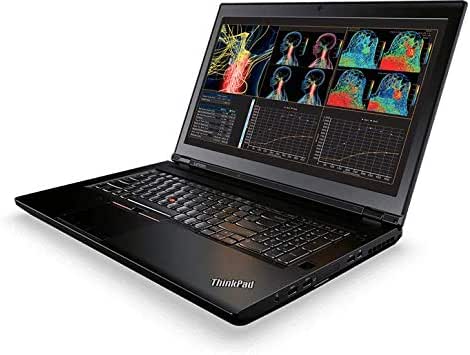
| Color-Accurate Creator | Processor: Intel Xeon E3-1505M v6 (up to 4.0 GHz) | Dedicated GPU: NVIDIA Quadro P3000 (6 GB) | Screen Size: 17.3″ UHD 4K | CHECK LATEST PRICE | Read Our Analysis |
| Lenovo ThinkPad P71 Workstation Laptop – Xeon 32GB |
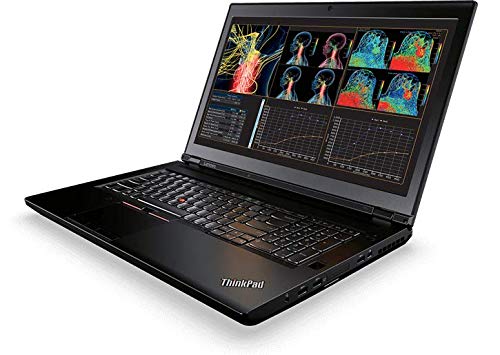
| Reliable Workhorse | Processor: Intel Xeon E3-1505M v6 (up to 4.0 GHz) | Dedicated GPU: NVIDIA Quadro P3000 (6 GB) | Screen Size: 17.3″ FHD | CHECK LATEST PRICE | Read Our Analysis |
| Dell Precision 7760 17.3″ Xeon Workstation Laptop (Renewed) |

| High-End Mobile Studio | Processor: Intel Xeon W-11955M (8 cores, 2.6–5.0 GHz) | Dedicated GPU: NVIDIA RTX A5000 (16 GB GDDR6) | Screen Size: 17.3″ FHD | CHECK LATEST PRICE | Read Our Analysis |
| Dell Precision 7550 Xeon Workstation Laptop (Renewed) |
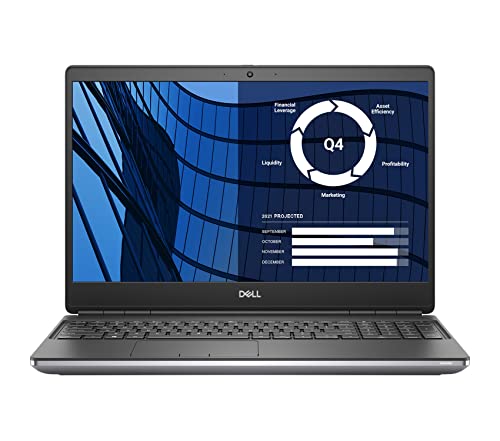
| Compact Powerpack | Processor: Intel Xeon W-10885M (octa-core, 2.4 GHz) | Dedicated GPU: NVIDIA Quadro RTX 3000 (6 GB) | Screen Size: 15.6″ FHD | CHECK LATEST PRICE | Read Our Analysis |
More Details on Our Top Picks
Dell Precision 7750 Xeon Workstation Laptop (Renewed)
If you need a powerhouse that feels built for serious work, the renewed Dell Precision 7750 with an Intel Xeon W-10885M is the kind of machine you’ll want to pick up. You get octa-core performance that handles heavy multitasking and large projects without stalling. The 17.3″ FHD screen gives you room to see details, and the Quadro RTX 3000 with 6 GB boosts graphics accuracy for pro apps. With 64 GB RAM and a 2 TB SSD, storage and memory won’t slow you down. Thunderbolt ports, HDMI, and Mini DisplayPort keep you connected. It’s refurbished, tested, and backed by a 90-day warranty.
- Processor:Intel Xeon W-10885M (octa-core, 2.4 GHz)
- Dedicated GPU:NVIDIA Quadro RTX 3000 (6 GB)
- Screen Size:17.3″ FHD
- RAM:64 GB
- Primary Storage:2 TB SSD
- Operating System:Windows 11 Pro 64-bit
- Additional Feature:Thunderbolt Type-C ports
- Additional Feature:Smart card reader
- Additional Feature:Certified refurbished warranty
Lenovo ThinkPad P71 Workstation Laptop – Xeon 4K
You’ll appreciate the ThinkPad P71 when you need a portable workstation that won’t slow down during heavy creative or engineering work, because its Xeon E3-1505M v6 CPU and NVIDIA Quadro P3000 graphics are built for sustained performance and certified apps. You’ll get 64GB of DDR4 RAM and a 1TB SSD, so large models and big datasets load fast. The 17.3-inch 4K IPS screen has Pantone X-Rite calibration for true color, and the webcam with dual mics helps remote review. Ports are plentiful with Thunderbolt 3, HDMI, mini-DisplayPort, card reader, and Gigabit Ethernet for flexible workflows.
- Processor:Intel Xeon E3-1505M v6 (up to 4.0 GHz)
- Dedicated GPU:NVIDIA Quadro P3000 (6 GB)
- Screen Size:17.3″ UHD 4K
- RAM:64 GB
- Primary Storage:1 TB SSD
- Operating System:Windows 10 Pro 64-bit
- Additional Feature:17.3″ UHD 4K
- Additional Feature:Pantone X-Rite calibration
- Additional Feature:Dock connector included
Lenovo ThinkPad P71 Workstation Laptop – Xeon 32GB
Meet the ThinkPad P71, a rugged 17.3-inch mobile workstation that’s built for professionals who need serious power on the go. You get an Intel Xeon E3-1505M v6 that boosts to 4.0 GHz and 32GB DDR4 memory, so heavy projects run smoothly. Storage is a roomy 1TB SSD, and the 96 Wh battery plus external support keeps you working longer. A Quadro P3000 with 6GB VRAM handles graphics and connects via Thunderbolt 3, mini-DisplayPort, and HDMI. You’ll appreciate the full numeric backlit keyboard, fingerprint reader, HD webcam, strong ports, and reliable Gigabit Ethernet.
- Processor:Intel Xeon E3-1505M v6 (up to 4.0 GHz)
- Dedicated GPU:NVIDIA Quadro P3000 (6 GB)
- Screen Size:17.3″ FHD
- RAM:32 GB
- Primary Storage:1 TB SSD
- Operating System:(Not explicitly stated; implied Windows – specification lists hardware)
- Additional Feature:17.3″ Full HD
- Additional Feature:External battery support
- Additional Feature:4-in-1 card reader
Dell Precision 7760 17.3″ Xeon Workstation Laptop (Renewed)
For creative professionals and engineers who need desktop power on the go, the Dell Precision 7760 renewed workstation is a reliable choice that combines a large 17.3 inch screen with serious processing muscle. You get an Intel Xeon W-11955M with eight cores that handles heavy rendering and simulation. It pairs 64 GB RAM with a 1 TB SSD so you’ll load large projects fast. The NVIDIA RTX A5000 with 16 GB GDDR6 drives complex graphics and GPU compute. You’ll also find Wi‑Fi, Bluetooth, an integrated webcam, and Windows 11 Professional in a silver renewed chassis. It’s built for steady, long sessions.
- Processor:Intel Xeon W-11955M (8 cores, 2.6–5.0 GHz)
- Dedicated GPU:NVIDIA RTX A5000 (16 GB GDDR6)
- Screen Size:17.3″ FHD
- RAM:64 GB
- Primary Storage:1 TB SSD
- Operating System:Windows 11 Professional
- Additional Feature:NVIDIA RTX A5000
- Additional Feature:Turbo up to 5.0 GHz
- Additional Feature:Windows 11 Professional
Dell Precision 7550 Xeon Workstation Laptop (Renewed)
If you need a portable powerhouse for 3D modeling, scientific computing, or heavy video work, the renewed Dell Precision 7550 with an Intel Xeon W-10885M and 64 GB of RAM is built to handle that load with steadiness and reliability. You’ll get a 15.6″ FHD display that keeps visuals clear and a 2 TB SSD that lets projects open fast. The Quadro RTX 3000 GPU with 6 GB helps render and accelerate simulations. You’ll appreciate Thunderbolt 3, HDMI 2.0, Mini DisplayPort, RJ-45, and a webcam for meetings. It ships certified refurbished with a warranty and AC adapter included.
- Processor:Intel Xeon W-10885M (octa-core, 2.4 GHz)
- Dedicated GPU:NVIDIA Quadro RTX 3000 (6 GB)
- Screen Size:15.6″ FHD
- RAM:64 GB
- Primary Storage:2 TB SSD
- Operating System:Windows 11 Pro 64-bit
- Additional Feature:15.6″ FHD display
- Additional Feature:RJ-45 Ethernet port
- Additional Feature:Certified refurbished warranty
Factors to Consider When Choosing Intel Xeon Laptops
When you pick an Intel Xeon laptop, think first about performance and core count because that drives how fast complex tasks run. You’ll also want to match memory capacity and fast storage to your workload, while checking GPU support and display quality so your visuals and multitasking stay smooth. These factors work together to shape your daily experience, so weigh them in tandem rather than one at a time.
Performance And Core Count
Although higher core counts can seriously boost tasks like 3D rendering and large compilations, you’ll want to weigh that raw number against how the laptop manages power and heat. You’ll find Xeon options from four to eight cores and sometimes more, and more cores help parallel work such as simulations and batch rendering. Yet higher cores often raise base power draw and thermal output, so the cooling design and power delivery shape sustained speed. You should also care about per core clock and Turbo Boost for single threaded work. Remember some apps scale nearly linearly with cores while others hit a limit early, so match cores to your workload. Also value Xeon features like larger caches and ECC support for heavy, memory sensitive tasks.
Memory Capacity Needs
Memory size matters a lot for Xeon laptops because professional work can eat memory fast, so you’ll want to pick a capacity that fits both the jobs you run today and what you expect next year. If you do large 3D rendering, simulations, or many virtual machines, aim for 64 GB or more of ECC-capable memory to reduce errors and hold big datasets. Content creation and high-res video often work best with 32 to 64 GB to avoid swapping and keep editing smooth. Plan memory per VM or container, for example 8 to 16 GB each, and add those up to avoid bottlenecks. Check whether the platform supports ECC, how many DIMM slots it has, and the max capacity so you can upgrade later.
Storage Type And Speed
Because fast storage makes your Xeon laptop feel like a tool instead of a bottleneck, you’ll want to pick drives that match the work you do and the lifespan you expect. NVMe PCIe SSDs give you massive speed gains over SATA, so choose PCIe Gen4 if your laptop supports it to cut boot and app wait times. Match capacity to project size: 1 to 2 TB for typical CAD and VM tasks, larger or RAID for video and simulations. Prefer dual-NVMe setups so you can separate OS and scratch files, or set RAID 0 for speed and RAID 1 for safety. Check M.2 slot count, SATA bays, and PCIe generation. Also compare endurance metrics like TBW and enterprise NAND for heavy writes.
GPU And Graphics Support
When you pick a GPU for a Xeon laptop, think of it as choosing a teammate that handles every visual and compute-heavy task without slowing you down. Pick a professional grade GPU when you need certified performance for CAD, 3D rendering, or simulation tasks rather than a consumer gaming card. Check VRAM size too. Aim for at least 6 to 8 GB for moderate projects and 16 plus GB for large models or heavy textures. Confirm ISV certified drivers for apps like SolidWorks, AutoCAD, or Maya so your work stays stable. Look at display outputs and bandwidth such as DisplayPort, HDMI, or Thunderbolt with DP Alt Mode for 4K or multi monitor setups. Consider GPU compute features like CUDA, OptiX, OpenCL, ROCm and FP precision when you rely on GPU acceleration.
Display Quality And Resolution
Wondering how the screen on a Xeon laptop will shape your workday? You’ll want higher resolution panels like QHD or 4K when you handle detailed CAD models, huge spreadsheets, or high resolution images. That extra detail cuts down on panning and zooming and keeps your focus. Pick IPS or OLED with wide color gamuts at or above 100% sRGB and ideally 95% DCI P3 when color matters. Look for low Delta E under 2 and factory calibration or built in sensors so colors stay true across devices. Choose larger sizes, 15 to 17 inches or more, and pixel density at least 150 PPI for comfortable multi window layouts. Finally, check brightness 300 to 500 nits, solid contrast, and a matte anti glare finish for bright rooms.
Thermal Design And Cooling
You’ve picked a great screen for detailed work, and now you’ll want cooling that keeps that performance steady over long sessions. You’ll face sustained thermal loads often above 80 to 120 W from Xeon CPUs and pro GPUs, so choose laptops with large vapor chambers or multiple copper heat pipes and wide fin stacks. Good airflow matters too. Look for big intake and exhaust vents, an elevated chassis, and clear fan pathways to avoid 10 to 20°C rises that kill performance. Check how the chassis handles heat and fan profiles so boost clocks stay higher longer instead of dropping after a short burst. Expect trade-offs: thinner models look sleek but throttle sooner, while thicker designs hold peak Xeon speeds and run quieter during long jobs.
Portability And Battery Life
You’ll often trade lightness for raw power with Xeon laptops, so think about how much you really need to carry every day. Xeon machines pack workstation parts and tougher cooling, so they weigh more and feel bulky. That affects how often you take them out. Bigger batteries are common, often 80 to 99 Wh, and they help, but high-end CPUs and GPUs still burn power fast. If you want real mobility, look for models with smart power features like dynamic scaling, GPU switch-off, and low-power displays. Remember the battery-size versus weight trade-off: a larger cell can add a few hundred grams yet double light-task runtime. Check real-world mixed-work benchmarks for 4–8 hours light use versus 1–2 hours heavy loads.




