

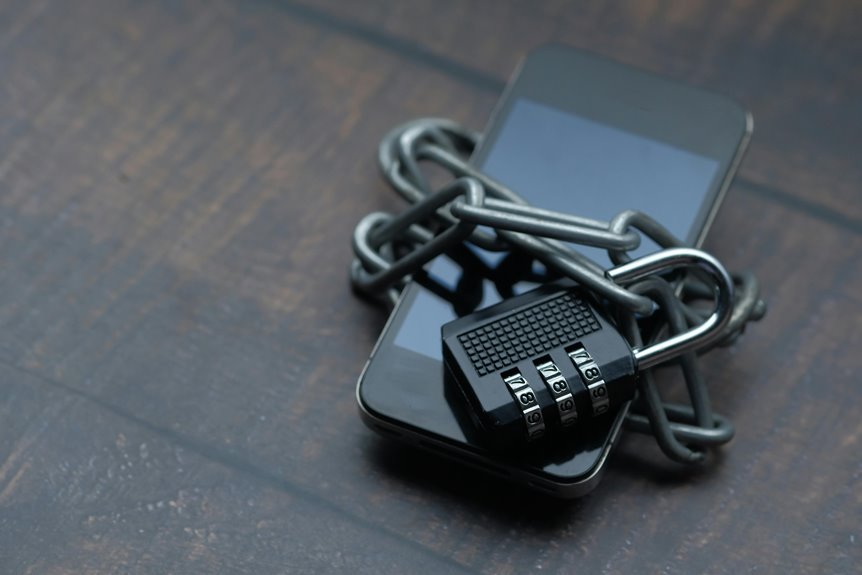
Your smartphone holds messages, credentials, files, and payment data, so its protection depends on layered controls rather than a single lock. You rely on encryption, strong authentication, permission checks, and secure backups to reduce exposure whenever a device is lost, stolen, or compromised. But even solid defenses fail whenever you ignore updates, install risky apps, or trust unsafe networks, which raises the next question: how do these systems work together?
What Is Smartphone Data Protection?
Smartphone data protection is the set of security controls that keeps information on your mobile device confidential, intact, and available only to authorized users. You rely on it to preserve device privacy across messages, files, credentials, and app content.
It aligns with data governance by defining who can access, share, retain, and delete mobile information. You use it to reduce exposure from loss, theft, misuse, or unauthorized viewing.
In practice, it creates a controlled environment where your data stays within approved boundaries and supports compliance goals. Whenever you understand this baseline, you can manage risk more confidently and stay part of a security-aware workforce or community that treats mobile trust as a shared standard.
How Smartphone Data Protection Works
Smartphone data protection works via layering encryption, authentication, secure software controls, network safeguards, and device lockdown features around your data. You enforce data governance by deciding what stays on the device, what moves to approved apps, and who can reach it.
Strong access controls, like PINs, biometrics, and MFA, verify you before the system opens sensitive content. Secure updates, vetted apps, and permission reviews reduce exploit paths and keep your environment aligned with the team’s standards.
Network defenses, including VPN use and suspicious-link blocking, limit interception on public or unmanaged connections. Auto-lock, device isolation, and remote wipe options reduce damage if a phone’s lost or stolen.
Together, these controls create a resilient mobile posture you can trust.
Encryption on Your Smartphone
You rely on device encryption to shield photos, notes, and app data with algorithms like AES-256, so stolen storage stays unreadable.
While you send encrypted messaging, end-to-end encryption keeps content private between you and your contacts, and servers can’t inspect it.
You should also favor encrypted email and secure transfer channels while data moves between your phone and company systems.
This approach helps your team maintain trust, reduce interception risk, and keep confidential records contained.
To stay aligned with a strong security culture, enable encryption across your device and apps, and use services that support verified protected backups and secure synchronization.
Biometrics, PINs, and Passcodes
Strong device authentication starts with a lock method you’ll actually use consistently, because a 6-digit PIN, passcode, fingerprint, retina scan, or face access can block casual access even though someone has your phone.
You should pick the strongest option you can enter fast under pressure. A long passcode resists guessing best, while fingerprint access and face recognition add convenience without removing the need for a fallback PIN.
Should your device support it, enable biometric access and require reentry after restarts, timeouts, or failed attempts. You’ll fit right in with security-minded users at the time you keep auto-lock short and avoid sharing your code. Treat biometrics as a quick verifier, not a secret you can change, and keep your PIN private so you stay in control at the time conditions change.
App Permissions and Privacy Settings
Once your phone is locked down, the next control point is what each app can see and do.
You should treat app privacy controls as part of your baseline defense, not an optional setting.
Before you install or update anything, use a permission review checklist: check camera, microphone, location, contacts, photos, Bluetooth, and notification access.
Whenever an app can’t justify a request, deny it.
After installation, revisit settings and remove anything unnecessary.
On iOS and Android, you can restrict access to “while using” or “never,” which lowers exposure without breaking core functions.
Trusted teams keep permissions minimal, because every extra grant widens the attack surface and the data trail.
Whenever you tighten these controls, you’re protecting yourself and reinforcing the standard your community expects.
Why Remote Wipe Matters
If you lose your phone, remote wipe lets you erase stored data before someone can access it. You can reduce exposure by triggering immediate data erasure as soon as the device goes missing. This control matters because physical loss can quickly become a data breach.
Lost Device Protection
Whenever your phone is lost or stolen, remote wipe matters because it lets you erase confidential data before an attacker can exploit it. In device loss scenarios, you should act fast: confirm the device’s last known location, lock the account, and trigger your response playbook.
Strong theft recovery steps include notifying your carrier, changing critical passwords, and checking whether the device can still receive commands. You’re part of a connected team, so keep recovery contacts, asset tags, and admin access ready before an incident.
Remote wipe also supports compliance by limiting exposure of email, files, and app tokens. If you’ve enabled tracking and account controls, you can reduce risk without waiting for physical recovery.
Immediate Data Erasure
As a compromised phone still contains sensitive data, you should trigger remote wipe immediately so you can erase information before anyone extracts it. Remote wipe lets you command the device through your management console, then start a secure erase before the phone reconnects to a hostile network.
Provided the platform supports it, combine the wipe with a factory reset to clear accounts, cached files, tokens, and local app stores. You’re protecting your team’s trust, because fast action reduces exposure and keeps your group’s data boundary intact.
Verify that backup copies already exist, since wipe actions are irreversible. After the event, revoke credentials, inspect logs, and confirm the device can’t rejoin mail, cloud, or VPN services. This response strengthens your shared security posture.
How Secure Backups Protect Your Data
You should store backups in encrypted backup systems so stolen cloud data stays unreadable without the key.
You can automate backup schedules to keep copies current with minimal operational overhead.
Whenever a device fails or gets compromised, you can restore data quickly and verify integrity during recovery.
Encrypted Backup Storage
- Keep backup keys under your control.
- Verify end-to-end encryption settings.
- Restrict access to trusted accounts.
- Test restore integrity after changes.
This approach lets you stay aligned with privacy-conscious teams that expect strong data handling.
Whenever you encrypt backups, you reduce exposure from provider compromise, account takeover, and illegal interception.
In practice, you preserve confidentiality without losing recovery capability.
Automatic Backup Scheduling
Automatic backup scheduling keeps protection continuous through copying data on a fixed cadence, so you don’t depend on manual action or memory. With backup automation, you define backup frequency that matches your risk profile and storage limits.
| Setting | Effect | Use case |
|---|---|---|
| Hourly | Low data loss window | Active work |
| Daily | Balanced overhead | Typical users |
| Weekly | Minimal load | Stable data |
| Nightly | Off-peak syncing | Shared networks |
You stay aligned with secure backup habits whenever the device runs checks in the background and records changes without interrupting you. That consistency helps your group maintain trust, because everyone follows the same protection rhythm. Tune the schedule to app activity, battery impact, and network availability, then review it after major updates.
Restore And Recovery
During the time a device fails, gets lost, or is hit by ransomware, a secure backup lets you restore trusted data without exposing it to tampered files or unauthorized access. You need data recovery planning that defines what you restore, where you restore it, and who approves it. Your team stays resilient upon recovery is rehearsed, not improvised.
- Verify backup integrity before you trust it.
- Run backup restoration testing on a spare device.
- Restore only encrypted, versioned data from approved sources.
- Confirm access controls after recovery, then resume work.
This process reduces downtime and keeps your group aligned around one safe baseline. With disciplined recovery, you protect both your files and your shared trust.
Malware, Phishing, and Fake Apps
You should keep your OS and apps updated, because patches close exploited flaws quickly. Install software only from verified stores, then check permissions before you accept them. Strong malware detection tools can scan texts, downloads, and images for malicious code or credential traps.
Pay attention to fake app warnings, especially once an app copies a trusted brand or asks for excessive access. Use unique passwords and 2FA so stolen credentials don’t open your accounts. Once a link or app feels off, trust your team’s security habits and remove it fast.
Public Wi‑Fi and Mobile Network Safety
Public networks extend the same risk profile you saw with fake apps and phishing, because attackers can intercept traffic or redirect you to hostile endpoints. You should treat every café, airport, and carrier cell as untrusted, then act like part of a security-aware team.
- Use VPN tunnels on public network risks to encrypt sessions.
- Prefer mobile hotspot safety whenever you can trust your own device.
- Verify HTTPS, certificate warnings, and captive portals before logging in.
- Disable auto-join so your phone doesn’t expose probes or background sync.
On mobile data, assume rogue base stations and SMS interception can happen. Keep sensitive work on encrypted apps, and switch to a hotspot or VPN before you share credentials, files, or tokens. This habit helps your group stay resilient.
Common Smartphone Security Mistakes
You weaken your smartphone security when you rely on short, reused, or predictable passcodes, because they reduce resistance to brute-force and credential-stuffing attacks.
You also create exposure when you ignore app permissions, since apps can access contacts, location, camera, or storage beyond what they need.
These two mistakes make unauthorized access and data leakage far more likely.
Weak Passcode Habits
- Use a 6-digit or longer passcode.
- Avoid birthdays, repeats, and sequential digits.
- Never reuse a passcode across devices.
- Combine your code with biometrics and auto-lock.
When you choose stronger credentials, you slow unauthorized access and support every other control you’ve adopted.
Consistent discipline matters: your passcode is the initial gate, and weak habits make the rest of your defenses work harder than they should.
Ignored App Permissions
Upon an app requests access, review it before you tap allow, because ignored permissions can quietly expose contacts, camera, location, microphone, files, and notifications. You should treat each prompt as a security control, not a convenience button. Grant only what the app needs to function, and deny everything else.
Watch for permission creep after updates, after developers add new requests that expand data access without clear justification. In group chats and shared workspaces, one careless approval can enable silent tracking and weaken everyone’s trust.
Check settings regularly, revoke unused permissions, and remove apps that demand excessive access. On Android and iOS, this habit reduces attack surface, limits data leakage, and keeps your device aligned with a disciplined, privacy-aware community.
Smartphone Data Protection Tips
Protecting smartphone data starts with layered controls that secure storage, transmission, and access. You should encrypt files with AES-256, keep backups encrypted, and use end-to-end encryption for messaging and secure sharing. Apply data segmentation through separating work, personal, and high-risk apps to limit exposure.
- Turn on 2FA with an authenticator app.
- Update the OS and install apps only from verified stores.
- Review permissions, then revoke anything unnecessary.
- Use a VPN on public Wi-Fi and auto-lock with a strong PIN.
These steps reduce interception, credential theft, and device compromise. Once you follow them, you join a disciplined user group that treats mobile privacy as an operational control, not an afterthought.
Frequently Asked Questions
Which Authenticator App Offers the Best Balance of Security and Usability?
Authy often provides the strongest mix of security and convenience. It supports multi device backups and offline account recovery, which helps prevent lockout. If you prefer a more minimal option, Google Authenticator is simpler to manage.
How Does S/Mime Protect Business Email on Mobile Devices?
S/MIME secures business email on mobile devices by digitally signing messages to confirm who sent them and encrypting content so only intended recipients can read it. Think of it as sending your email in a sealed envelope with a verified return address.
Can Virtual Mobile Workspace Prevent Data From Being Stored Locally?
Yes. A virtual mobile workspace can stop local storage when cloud only access policies and remote session controls are enforced. Data stays inside the workspace instead of on the device, which lowers the risk of exposure if a phone or tablet is lost or stolen.
What Encryption Standard Protects Most Smartphone Data at Rest?
AES 256 typically protects smartphone data at rest through full disk encryption, while secure key storage on the device keeps encryption keys protected. This is common on modern iOS and Android devices, especially for sensitive files.
Do Ai-Powered Security Tools Detect Phishing Inside Images and Videos?
Yes, AI security tools can analyze images and videos to find phishing signs such as fake logos, malicious links, and scam indicators before you interact with them.




