

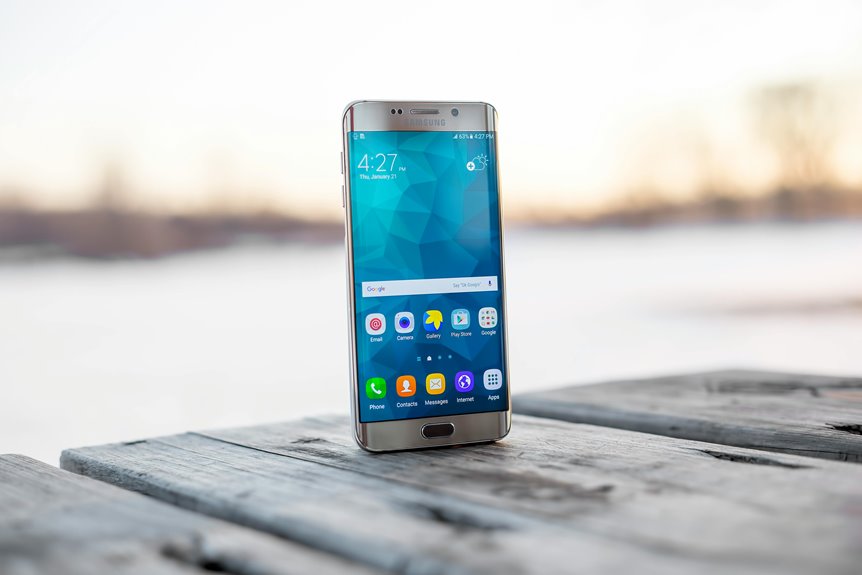
When you compare smartphone display types, you quickly see that LCD and OLED aren’t just different labels—they shape brightness, contrast, power use, and design. You’ll also notice that IPS, LTPS, AMOLED, and POLED each solve specific trade-offs in color accuracy, viewing angles, and flexibility. The real question isn’t which panel is best overall, but which one fits your use case, and the answer depends on a few technical details that matter more than you might expect.
The Main Smartphone Display Types
When you compare the main smartphone display types, LCD and OLED are the two core technologies to know. You’ll notice LCD relies on a backlight and layered liquid crystals, which shapes display manufacturing basics and keeps panels thicker.
OLED uses self-emitting pixels, so you get a slimmer structure and stronger design freedom. In your own selection process, you should weigh how each platform fits daily use, because OLED supports foldable screen designs more naturally.
LCD variants like TFT and IPS still serve many phones, especially when you value stable production and familiar supply chains. OLED, especially AMOLED, anchors premium devices with flexible construction and precise pixel control.
If you want to belong to the informed buyer group, learn how these architectures guide size, cost, and form factor decisions.
LCD vs OLED: What’s the Real Difference?
The real difference between LCD and OLED comes down to how each panel creates light and forms black levels. You’re comparing a backlit liquid crystal stack with self-emitting organic pixels. LCD needs a separate illumination layer, so its display thickness usually increases, and light leakage can soften contrast.
OLED removes that backlight, letting each pixel switch off independently, which improves response time and color control. In practice, you’ll notice LCD often lasts longer, with panel lifespan commonly exceeding 50,000 hours, while OLED typically ranges from 30,000 to 50,000 hours.
Whenever you value a slimmer device and stronger visual uniformity, OLED fits that expectation. Whenever you want durability and efficient performance on bright static content, LCD still makes technical sense for you and your display priorities.
Why OLED Smartphone Displays Show Deeper Blacks
You get deeper blacks on OLED because each pixel controls its own light output instead of relying on a separate backlight.
Whenever a pixel needs to show black, it can turn completely off, so it emits no light and produces true black.
That pixel-level control also gives you much higher contrast ratios than LCD panels.
Pixel-Level Light Control
Because OLED panels control light at the pixel level, each pixel can switch off completely instead of relying on a shared backlight. You get per pixel emissive control, so the display can reduce luminance with exact spatial precision.
That matters whenever you’re judging contrast in dark scenes, because there’s no need to brighten adjacent areas just to keep one region visible. In comparison, LCD systems depend on backlights and face local dimming limits; even advanced zones can’t isolate every detail.
You’ll notice this whenever fine highlights sit beside dark UI elements, since OLED preserves separation more cleanly. For you, that means tighter contrast, fewer halo artifacts, and a more controlled image pipeline. Should you value technical accuracy, this behavior defines OLED’s advantage.
True Black Pixels
That pixel-level control also explains why OLED smartphones produce true black. Each subpixel can shut off completely, so you get true black levels instead of dark gray. With pixel emissive control, your display emits light only where the image demands it, and silent pixels stay fully off. You’ll notice this in night scenes, UI themes, and star fields, where black areas blend into the panel itself.
- No backlight means no glow behind inactive pixels.
- Off pixels consume almost no energy during black content.
- Dark interfaces feel cleaner because neighboring pixels don’t leak light.
In your hands, that precision makes OLED screens feel more immersive and technically refined, helping you belong to the group that values exact image rendering.
Better Contrast Ratios
OLED smartphone displays achieve higher contrast ratios because each pixel can emit its own light and shut off independently, eliminating the washed-out glow that backlit LCDs produce around dark areas.
You get true black instead of dim gray, so black level depth improves immediately in dark scenes, UI elements, and HDR video.
In a contrast comparison, OLED’s near-infinite ratio comes from zero light output at off pixels, while LCD pixels still leak backlight through liquid crystals and diffusion layers.
That leakage lifts the minimum luminance floor and compresses shadow detail.
You’ll notice sharper separation between highlights and blacks, which makes text, icons, and movie frames look more defined.
If you value display performance, OLED gives you the contrast behavior that premium phone users expect.
IPS LCD, TFT LCD, and LTPS LCD
IPS LCD, TFT LCD, and LTPS LCD all build on the same liquid-crystal foundation, but each changes how the panel drives pixels and manages efficiency.
You’ll see TFT LCD as the baseline active-matrix design, where thin-film transistors address each pixel reliably. IPS LCD improves the alignment of liquid crystals, so you get wider viewing angles and more consistent color at the moment you’re sharing your screen with others. LTPS LCD goes further through the LTPS fabrication process, which enhances panel transistor efficiency and lets manufacturers place denser circuitry on the glass.
- TFT LCD: dependable control, mainstream cost
- IPS LCD: better off-axis image stability
- LTPS LCD: higher efficiency, tighter pixel integration
For you, that means a smarter trade-off among price, clarity, and power use.
AMOLED, POLED, and Super AMOLED
When IPS and TFT LCDs define the strengths of liquid-crystal panels, AMOLED takes the opposite approach with self-emissive pixels, so each subpixel produces its own light without a separate backlight. You get an active-matrix layout that preserves fine control over each pixel, which is why AMOLED panel design suits premium smartphones.
POLED, or plastic OLED, uses a flexible polymer substrate instead of glass, letting manufacturers build thinner, curved displays; current POLED manufacturing trends also support lighter modules and better form-factor integration. Super AMOLED goes further by integrating touch sensing into the display stack, reducing layers and improving touch latency.
If you compare these variants, you’re really comparing substrate choice, touch integration, and panel architecture. For users who value flagship-grade precision, these OLED families belong at the top tier.
How LCD and OLED Smartphone Displays Affect Battery Life
When you use an LCD, the backlight draws power continuously, so battery drain stays relatively constant across much of the screen content.
With OLED, each pixel emits its own light, so dark interfaces can cut power use while bright full-screen content can raise it sharply.
Your actual battery life depends on both panel efficiency and the display brightness and content you’re showing.
Backlight Power Draw
LCD and OLED smartphones draw power differently because LCDs rely on a constant backlight, while OLED pixels emit their own light only whenever needed. In your device, that means LCD battery drain stays tied to the backlight circuit efficiency and panel illumination losses, even if the screen shows dark UI. You can regard the LCD stack as always paying an overhead cost to keep the panel readable.
- Brighter LCD settings raise current draw quickly.
- OLED avoids a separate illumination layer, so idle screens can save energy.
- Your real savings depend on brightness, content, and calibration.
For you, that makes OLED attractive in mixed-use conditions, while LCD can still feel efficient on bright, static screens.
Pixel-Level OLED Efficiency
At the pixel level, OLED’s efficiency comes from selective illumination: each subpixel draws power only whenever it’s on, so darker content can cut battery use sharply. You get finer control because OLED pixel switching lets inactive areas stay electrically quiet, reducing per pixel power draw across the panel.
In contrast, LCDs keep a backlight running, so the display engine spends energy even when parts of the image stay dark. That difference matters during comparisons of how your phone manages charge during everyday routing, messaging, and media use.
Should you value a device that feels tuned to your habits, OLED’s design gives you that advantage. You’re part of a group that notices efficiency at the source, where light generation happens, not after it’s already wasted.
Brightness And Content Impact
Brightness changes the battery equation because your phone’s display technology reacts differently to scene luminance: LCDs draw a mostly steady backlight load, so bright or dark content changes power use only modestly, while OLEDs scale consumption per pixel and can become less efficient on full-white or high-brightness screens.
You’ll see this most in daylight use, where sunlight readability pushes both panels harder, but OLED’s per-pixel drive can spike battery drain faster.
- Dark themes help OLED more than LCD.
- White documents favor LCD efficiency.
- Peak brightness tradeoffs affect endurance.
In practice, you can match content to panel behavior and stay within the community of informed users who optimize runtime.
Brightness and Outdoor Visibility Compared
Although both display families can be readable outdoors, OLED usually gives you better perceived brightness in smartphone use because each pixel emits its own light and can maintain higher contrast in sunlit scenes.
You’ll notice that this enhances sunlight readability even whenever the panel’s peak brightness levels aren’t the highest on paper. LCDs rely on a backlight, so glare can wash out darker UI elements and reduce legibility in direct light.
High-brightness LCD variants can still perform well, especially in steady daylight, and they often hold brightness more consistently across full screens. OLED, however, often feels clearer because dark areas stay dark, so your eyes can separate text and icons faster.
Should you want a display that helps you fit in with outdoor-focused users, prioritize contrast and calibrated brightness behavior.
Color Accuracy and Viewing Angles
You should evaluate color calibration accuracy first, since it determines how faithfully a phone reproduces tones across content types.
You’ll also need to compare viewing angles, because panel design affects how much color shift and contrast loss you see off-axis.
OLED and IPS LCD typically maintain wider angles and stronger color fidelity than TN-based panels, though each implementation still depends on factory tuning.
Color Calibration Accuracy
Color calibration accuracy determines how faithfully a smartphone display reproduces intended hues across different viewing conditions, and OLED panels generally outperform LCDs here because each pixel emits its own light, enabling wider viewing angles and more consistent color shifts. You’ll notice the difference as white balance tuning and color profile management keep skin tones, grays, and brand colors closer to reference targets.
- Factory calibration sets the baseline, but panel variation still matters.
- Accurate profiles reduce oversaturation and clipped highlights.
- Consistent tuning helps you trust what you see in photos and apps.
For your community of detail-focused users, this precision builds confidence. LCDs can still look good, yet backlight-dependent color behavior often makes calibration less stable. OLED’s self-emissive design usually gives you tighter control and more predictable results.
Wide Viewing Angles
When you tilt a smartphone display off-axis, wide viewing angles determine whether colors, contrast, and white balance stay consistent or shift noticeably. You’ll notice this most once you share content with others, compare photos, or read in cramped spaces.
Strong off axis performance keeps grayscale neutral and preserves saturation, so the image doesn’t wash out or invert as you move away from center. Side angle clarity matters because it lets you trust what you see without constantly realigning the phone.
Provided a panel holds tone and luminance across angles, you get a more reliable viewing experience and a stronger sense that the display fits your daily routine. That consistency helps you and your community enjoy the same image, from nearly any seat.
Panel Type Differences
Panel type strongly affects how a smartphone renders color accuracy and maintains viewing angles across real-world use. You’ll notice OLED panels usually keep hues richer and blacks deeper because each pixel emits its own light, while LCDs depend on a backlight that can wash out tones at off-axis angles.
Your experience also changes with panel construction: IPS improves stability, but TN narrows visibility and shifts color sooner. Display panel thickness matters too, since backlit LCDs need more layers than OLED, which can subtly influence optical uniformity.
- OLED: better gamut, stronger contrast
- IPS LCD: solid color stability, wider angles
- TN LCD: cheaper, but color shifts faster
When you compare devices, you’re really choosing the viewing behavior that fits your eyes and your use.
Screen Burn-In and Other Durability Issues
Although smartphone displays are built for long service lives, durability issues still shape real-world performance. You’ll notice OLED panels can show screen retention causes whenever static icons or route bars stay lit too long; repeated stress can become permanent burn-in. LCDs usually resist this better, though backlight bleed and panel aging still matter.
| Issue | OLED | LCD |
|---|---|---|
| Burn-in | Higher risk | Low risk |
| Retention | More visible | Rare |
| Aging | Uneven pixel wear | Backlight decline |
To protect your device, adopt burn in prevention habits: lower static brightness, use auto-hide controls, and vary on-screen content. You’re part of a careful user group whenever you treat the display as a precision component, not a passive window. Avoid prolonged maximum brightness, since heat and sustained luminance accelerate degradation.
Refresh Rates on Modern Smartphone Displays
Once you move past panel type, refresh rate becomes a key spec because it sets how often the display updates each second, usually measured in hertz. As you use a 90Hz or 120Hz screen, motion looks more continuous, and UI elements feel less delayed.
You’ll also notice that adaptive sync features can vary refresh output to match content, which helps reduce wasted cycles. Touch sampling rates matter too, because they define how quickly the panel reports your input; higher values can make taps and swipes feel tighter. For your setup, compare these metrics together rather than in isolation.
- Higher refresh can improve perceived fluidity.
- Adaptive sync helps balance performance and efficiency.
- Touch sampling rates affect input responsiveness.
Best Display Type for Gaming
For gaming, you should prioritize display types that combine high refresh rates with low response time, since both directly affect motion clarity and input latency. OLED panels usually give you faster pixel changes, so they can reduce blur in fast scenes, while LCD variants can still perform well when they’re tuned for high refresh output.
You’ll need to weigh these advantages against factors like brightness, power efficiency, and burn-in risk before you choose.
Refresh Rate Matters
As you’re choosing the best smartphone display type for gaming, refresh rate matters as much as panel technology because it directly affects motion smoothness and input feel.
You’ll usually feel the difference most at 90Hz, 120Hz, or higher, where scrolling and camera pans look more fluid.
Yet higher refresh rates can introduce motion smoothness tradeoffs whenever your game can’t sustain matching frame rates.
- Adaptive refresh benefits help your phone reduce waste while still feeling responsive.
- OLED and LCD panels both gain from high refresh rates, but the panel only matters whenever the device supports them well.
- For competitive play, aim for stable high refresh more than peak numbers, so you stay in the fast, tuned-in crowd.
Response Time Impact
After refresh rate, response time is the next major factor in gaming display performance because it determines how quickly pixels can change from one frame to the next.
Whenever you choose a panel with faster transitions, you’ll see less ghosting and sharper motion during rapid camera swings.
OLED usually leads here because each pixel switches independently, while LCD variants rely on liquid crystals and backlights, which can lag slightly.
In an input lag comparison, response time doesn’t equal system delay, but it directly shapes how responsive the image feels.
For competitive play, that distinction matters.
Should you want motion blur reduction, prioritize OLED or the fastest TN LCDs.
You’ll get clearer targets, cleaner tracking, and a display that feels more in sync with your play.
Best Display Type for Photos and Video
For photos and video, OLED usually gives you the strongest overall picture because its self-emitting pixels deliver true black, infinite contrast, wider viewing angles, and faster pixel response times. You’ll notice richer shadow detail and cleaner highlights, which helps your content feel more immersive and more like the image you want to share.
- OLED’s wide gamut supports precise color and photo editing accuracy.
- Its quick response helps preserve cinematic motion quality in fast scenes.
- LCD IPS panels still work well, but backlight bleed can soften contrast.
If you value a display that makes your media group stand out, OLED is the clearest choice. It gives you a premium visual baseline for watching, editing, and presenting photos or video.
How to Choose the Right Smartphone Display
To choose the right smartphone display, you should match the panel’s strengths to how you use your phone, because OLED and LCD solve different priorities. Should you want deep blacks, wide viewing, and a premium feel, OLED fits your team. Should you value lower cost, steady brightness, and simpler display repairability, LCD can be the smarter pick.
| Display type | Best fit |
|---|---|
| OLED | Premium media use |
| LCD | Budget considerations |
| AMOLED | Lively color lovers |
| IPS LCD | Balanced everyday users |
| Flexible OLED | Curved designs |
Check how often you replace phones, because OLED’s higher cost can strain budget considerations. You’ll also want to weigh longevity, since LCD’s backlit structure often supports easier display repairability, while OLED rewards you with a more immersive, modern panel.
Key Smartphone Display Specs to Check
Once you’ve narrowed the panel type, the next step is checking the specs that determine real-world display quality. You should compare peak brightness, contrast ratio, color gamut, and resolution, because these metrics shape readability and fidelity. Also review refresh rate and touch sensitivity metrics, since they affect motion smoothness and input precision for your daily use.
Verify display certification standards such as HDR support or low blue light ratings, because they signal measurable performance, not marketing noise.
- Brightness: higher nits help outdoors.
- Color accuracy: wider gamut improves realism.
- Response and touch: faster panels feel tighter.
If you want a display that fits your routine, balance battery impact, viewing angles, and burn-in risk. That’s how you join the group of buyers who choose with data, not guesswork.
Frequently Asked Questions
What Is the Difference Between Passive Matrix and Active Matrix Displays?
Passive matrix drives pixels with row and column signals, which refreshes more slowly and can cause lower contrast and image ghosting. Active matrix adds a transistor to each pixel, producing faster response, sharper detail, and steadier images.
How Does Backlight Bleeding Affect LCD Image Quality?
Backlight bleeding makes an LCD appear uneven, creating brighter patches near the edges that wash out dark areas, lower contrast, and draw attention during dark scenes. The result is reduced image quality, especially around the panel perimeter.
Why Are OLED Panels Often Thinner Than LCD Panels?
OLED panels are usually thinner because every pixel produces its own light, so there is no need for a separate backlight layer. That reduced layer stack makes the display slimmer, uses less power, and works well in compact, high end designs.
What Makes QD-OLED Different From Standard AMOLED?
QD OLED works differently because blue OLED light passes through quantum dots that convert it into pure red and green, widening the color range beyond standard AMOLED. This gives you stronger brightness, more precise reds and greens, and more accurate, vivid images while keeping OLED contrast.
Which Display Type Lasts Longer Under Static Content?
Under static content, LCD panels usually last longer. Many exceed 50,000 hours, while OLED panels often range from 30,000 to 50,000 hours. LCD also has a lower burn in risk and less image retention overall.




