

If you need reliable internet away from Wi‑Fi, you’ll want an LTE laptop that balances portability, battery life, and carrier flexibility. I’ll compare lightweight Chromebooks like the Galaxy Chromebook Go, compact Windows tablets such as the Surface Go 3 with LTE, and business‑class Dell Latitude models with 5G and stronger CPUs. Pick the right combo of performance and connectivity, and you’ll stay productive virtually anywhere-but there’s one key factor many people overlook.
| Samsung Galaxy Chromebook Go 14″ Laptop (Wi‑Fi/LTE) |

| Ultra-Portable Choice | Cellular Connectivity: LTE ready (Verizon-compatible) | Wireless (Wi‑Fi): Wi‑Fi 6 | Portable Form Factor: 14″ ultra-thin, lightweight laptop | VIEW LATEST PRICE | Read Our Analysis |
| Microsoft Surface Go 3 i3 8GB 128GB LTE (Renewed) |

| Compact Productivity | Cellular Connectivity: LTE connectivity (unlocked, renewed Surface Go 3) | Wireless (Wi‑Fi): Wi‑Fi (model supports modern Wi‑Fi; Windows device) | Portable Form Factor: 10.5″ 2-in-1 tablet (portable, starts at 1.2 lbs) | VIEW LATEST PRICE | Read Our Analysis |
| Dell Pro 14 Plus (Latitude 7450) Business Laptop |
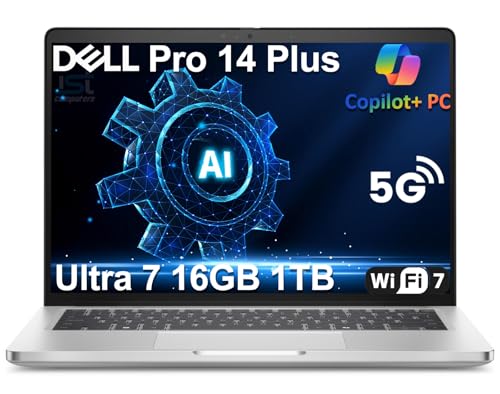
| AI-Powered Premium | Cellular Connectivity: 5G LTE support | Wireless (Wi‑Fi): Wi‑Fi 7 | Portable Form Factor: 14″ slim, lightweight business laptop (3.09 lbs) | VIEW LATEST PRICE | Read Our Analysis |
| Samsung Galaxy Chromebook Go 14″ WiFi+LTE (Renewed) |
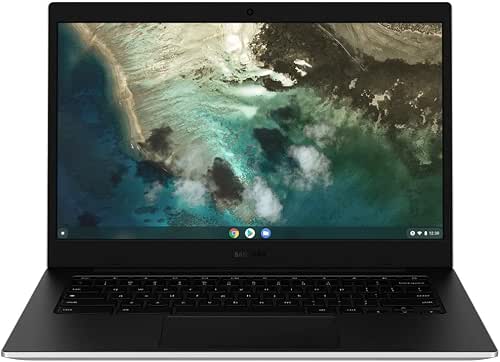
| Student-Friendly Budget | Cellular Connectivity: 4G LTE (unlocked for GSM carriers; Nano SIM) | Wireless (Wi‑Fi): Wi‑Fi 6 (802.11ax) 2×2 | Portable Form Factor: 14″ Chromebook, lightweight renewed unit | VIEW LATEST PRICE | Read Our Analysis |
| Dell Pro 14 Plus Latitude 7450 Business Laptop |

| Business Performance | Cellular Connectivity: 5G LTE support | Wireless (Wi‑Fi): Wi‑Fi 7 | Portable Form Factor: 14″ slim, lightweight business laptop (3.09 lbs) | VIEW LATEST PRICE | Read Our Analysis |
More Details on Our Top Picks
Samsung Galaxy Chromebook Go 14″ Laptop (Wi‑Fi/LTE)
If you need a dependable, travel-ready Chromebook that stays connected almost anywhere, the Samsung Galaxy Chromebook Go 14″ (Wi‑Fi/LTE) is a strong pick-its LTE compatibility with Verizon and Wi‑Fi 6 give you fast, reliable access on the go, while the ultra-thin, military-grade chassis and up to 12-hour battery life keep students and mobile professionals productive without frequent charging. You’ll get a 14″ silver/black laptop that’s light, durable, and spill-resistant. Phone Hub links your Android phone for files and control. With 4 GB RAM, 32 GB eMMC, 16:9 display, and all-in-one charging, it’s optimized for mobility.
- Cellular Connectivity:LTE ready (Verizon-compatible)
- Wireless (Wi‑Fi):Wi‑Fi 6
- Portable Form Factor:14″ ultra-thin, lightweight laptop
- On‑board Storage:32 GB eMMC
- RAM / Memory:4 GB memory
- Battery / All‑day Use:Up to 12-hour battery life
- Additional Feature:Military‑grade construction
- Additional Feature:Phone Hub integration
- Additional Feature:All‑in‑one charging
Microsoft Surface Go 3 i3 8GB 128GB LTE (Renewed)
For anyone who needs steady mobile internet without carrying a phone hotspot, the renewed Microsoft Surface Go 3 i3 with LTE pairs compact portability and reliable connectivity so you can work or study from almost anywhere. You get a 10.5″ high-resolution touchscreen at 220 ppi, a lightweight 1.2-pound starting weight, and an adjustable kickstand that makes tablet-to-laptop use effortless. The Core i3, 8GB RAM, and 128GB SSD handle everyday tasks smoothly, while LTE keeps you online. Windows 11, up to 11-hour battery life, fast charging, USB-C, MicroSDXC, headphone jack, and Bluetooth 5.0 round out a practical, travel-ready package.
- Cellular Connectivity:LTE connectivity (unlocked, renewed Surface Go 3)
- Wireless (Wi‑Fi):Wi‑Fi (model supports modern Wi‑Fi; Windows device)
- Portable Form Factor:10.5″ 2-in-1 tablet (portable, starts at 1.2 lbs)
- On‑board Storage:128 GB SSD
- RAM / Memory:8 GB memory
- Battery / All‑day Use:Up to 11-hour (all-day) battery life
- Additional Feature:Adjustable kickstand
- Additional Feature:Surface Pen compatible
- Additional Feature:USB‑C and MicroSD
Dell Pro 14 Plus (Latitude 7450) Business Laptop
You’ll appreciate the Dell Pro 14 Plus (Latitude 7450) if you need a truly mobile business laptop that combines long battery life, MIL‑STD durability, and built‑in 5G LTE for reliable connectivity on the go. You get a slim 3.09 lb aluminum chassis, up to 18.2 hours with ExpressCharge, and MIL‑STD 810H toughness. Performance comes from an Intel Core Ultra 7 vPro, Intel Arc graphics, 16GB LPDDR5X, 1TB PCIe SSD (upgraded), and a 48‑TOPS NPU for local AI tasks. The 14″ WUXGA panel, 1440p IR camera, Wi‑Fi 7, Thunderbolt 4, and three‑year SSD warranty round it out.
- Cellular Connectivity:5G LTE support
- Wireless (Wi‑Fi):Wi‑Fi 7
- Portable Form Factor:14″ slim, lightweight business laptop (3.09 lbs)
- On‑board Storage:1 TB PCIe SSD (resealed, upgraded)
- RAM / Memory:16 GB LPDDR5X RAM
- Battery / All‑day Use:Up to 18.2 hours (ExpressCharge supported)
- Additional Feature:Dedicated 48 TOPS NPU
- Additional Feature:1440p IR HDR camera
- Additional Feature:Thunderbolt 4 ports
Samsung Galaxy Chromebook Go 14″ WiFi+LTE (Renewed)
The Samsung Galaxy Chromebook Go 14″ WiFi+LTE (Renewed) is a solid pick when you need reliable mobile connectivity and basic productivity on the go, especially if you rely on cellular data rather than Wi‑Fi. You get a 14″ HD anti‑glare display, Chrome OS, and a 5480 mAh battery that keeps you going. The Celeron N4500 and 4 GB RAM handle web tasks and streaming; storage is 32 GB eMMC with microSD expansion. LTE uses a Nano SIM and works on GSM carriers (not CDMA). Wi‑Fi 6, Bluetooth 5.1, USB‑C, USB 3.0, and a headphone jack round it out.
- Cellular Connectivity:4G LTE (unlocked for GSM carriers; Nano SIM)
- Wireless (Wi‑Fi):Wi‑Fi 6 (802.11ax) 2×2
- Portable Form Factor:14″ Chromebook, lightweight renewed unit
- On‑board Storage:32 GB eMMC (microSD expandable)
- RAM / Memory:4 GB LPDDR4x RAM
- Battery / All‑day Use:5480 mAh battery (renewed Chromebook; typical day use)
- Additional Feature:Nano SIM unlocked LTE
- Additional Feature:microSD up to 1TB
- Additional Feature:Anti‑glare HD display
Dell Pro 14 Plus Latitude 7450 Business Laptop
If you need a business laptop that blends strong on-device AI, LTE/5G connectivity, and military-grade durability, the Dell Pro 14 Plus Latitude 7450 fits the bill. You’ll get a slim 3.09 lb aluminum chassis that passed MIL-STD 810H, ExpressCharge, and up to 18.2 hours battery life. The Intel Core Ultra 7 vPro and Intel Arc, plus a 48 TOPS NPU, handle local AI tasks like Recall, Cocreate, and Windows Studio Effects. The 14″ WUXGA display, 1440p IR camera, Wi‑Fi 7, 5G LTE, Thunderbolt 4, and a three-year SSD warranty round it out.
- Cellular Connectivity:5G LTE support
- Wireless (Wi‑Fi):Wi‑Fi 7
- Portable Form Factor:14″ slim, lightweight business laptop (3.09 lbs)
- On‑board Storage:512 GB PCIe SSD (resealed, upgraded)
- RAM / Memory:16 GB LPDDR5X RAM
- Battery / All‑day Use:Up to 18.2 hours (ExpressCharge supported)
- Additional Feature:Local AI Copilot integration
- Additional Feature:Wi‑Fi 7 and 5G
- Additional Feature:1440p IR HDR camera
Factors to Consider When Choosing LTE Laptops
When choosing an LTE laptop, you’ll want to check network compatibility to make sure the modem works with your carrier and region. Also consider battery life, data security features, performance and RAM, and the ports you’ll need for peripherals. We’ll walk through each factor so you can pick a machine that fits your workflow.
Network Compatibility
Because your LTE laptop has to talk to carrier towers, you’ll want to confirm it supports your carrier’s cellular technology (GSM vs CDMA) and the specific LTE bands used in your area. Check listed bands (e.g., 2, 4, 12, 66) to avoid dead zones. Prefer factory-unlocked modems or eSIM support if you’ll switch carriers or use international plans; carrier-locked modules limit flexibility. Verify the modem generation and category (LTE-A, Cat 12, Cat 20) to set realistic expectations for peak and real-world throughput and latency. Also confirm fallback to 3G/2G and roaming band support for continuity where LTE isn’t available. Finally, make certain the laptop exposes a Nano‑SIM slot and/or eSIM and accepts data‑only plans.
Battery Life
Frequently, LTE radios shave hours off claimed runtimes, so you should judge battery life by real‑world LTE tests rather than idle specs. Expect LTE to raise power draw about 10–25% versus Wi‑Fi, so prioritize devices with larger cells: 45–70 Wh batteries commonly deliver roughly 8–18 hours depending on workload and signal. Check manufacturer runtime claims but verify tests that include cellular use.
Look for power management features – modem power saving, adaptive brightness, and CPU throttling – to stretch mixed‑use endurance. Note signal strength and band aggregation: poor reception forces higher transmit power and drains batteries faster. Finally, consider charging: fast or Express charging that recovers several hours from a short plug‑in is invaluable when you’re mobile.
Data Security Features
If you’re taking sensitive work on the road, pick an LTE laptop that defends both stored and in‑transit data with hardware-backed protections and current network security standards. Choose models with hardware-based encryption like AES-NI and TPM 2.0 so full-disk encryption runs efficiently. Prefer UEFI systems offering secure boot and measured boot to block persistent firmware malware. Look for a dedicated secure element or TPM to store keys safely and enable Windows Hello or PIN+TPM authentication. Make certain support for WPA3, up-to-date VPN clients, and strong cellular authentication features such as SIM locking and operator verification to protect LTE and Wi‑Fi traffic. Finally, verify the vendor’s patching policy, available firmware/OS updates, and MDM/EMM remote-wipe capabilities for rapid response to threats.
Performance & RAM
Secure storage and network protections are only part of the story; you’ll also need enough processing headroom and RAM to keep apps snappy while working over LTE. For everyday multitasking and web browsing, aim for at least 8 GB of RAM to avoid frequent swapping and keep multiple tabs responsive. Pair that with a dual‑core or better CPU for smooth productivity suites and video calls. If you run virtual machines, heavy browser loads, or local AI tasks, choose 16 GB or more to maintain performance without offloading to the cloud. Avoid 4 GB systems-modern web apps will suffer. Finally, consider RAM type and speed: LPDDR4x or LPDDR5 beats older DDR variants for multitasking efficiency and better battery life on mobile LTE laptops.
Port Selection
When you pick an LTE laptop, check the ports first so you won’t be forced into adapters or hubs on the road: look for a dedicated Nano‑SIM slot or eSIM support, at least one USB‑C with Power Delivery, a mix of USB‑A and USB‑C/Thunderbolt ports for legacy gear and fast storage, a full‑size HDMI/DisplayPort (or Thunderbolt video) for external monitors, and a microSD or SD card reader for quick expandable storage. Also confirm you have two or more high‑bandwidth ports so you can run an external SSD and a dock simultaneously. A USB‑C with PD keeps charging separate from peripherals. An onboard card reader simplifies photo and video transfers. Prioritize configurations that match your typical peripherals to avoid dongles.
Carrier Flexibility
Ports tell you what peripherals you can use on the road, but carrier flexibility determines whether that cellular connection will actually work where you need it. Check if the laptop’s modem is carrier‑unlocked; locked modems tie you to one carrier and can block switching. Verify supported LTE bands and regional frequency ranges so the hardware matches your carrier’s network. Confirm SIM requirements-nano‑SIM versus eSIM-and prefer eSIM if you want quick carrier changes without swapping cards. Watch for carrier‑specific firmware or provisioning that can restrict APN tweaks, hotspot tethering, or VoLTE/VoWiFi features when you move networks. Finally, consider roaming and multi‑network SIM plans: make certain the modem and carrier support international roaming if you need reliable connectivity across countries.




