

Nearly 70% of top esports pros prefer laptops with desktop‑class CPUs for sustained performance, and you can get that power in a portable Predator. You’ll find Ryzen 9 and Intel Ultra chips paired with RTX 50/40‑series GPUs, high‑refresh OLED/IPS screens, and advanced cooling to keep clocks high. If you want a machine that balances battery, thermals, and pro‑level streaming, here’s where to start – and which models stand out.
| Acer Predator Helios Neo 16S Gaming Laptop (16GB/1TB) |

| AI-Enhanced Performer | Processor: AMD Ryzen 9 270 (8C/16T, up to 5.2 GHz) | GPU: NVIDIA GeForce RTX 5060 (8 GB GDDR7) | Display: 16″ OLED, 2.5K (2560×1600), 240 Hz, 16:10 | VIEW LATEST PRICE | Read Our Analysis |
| Acer Predator Helios Neo 16 Gaming Laptop (RTX 5070 Ti) |
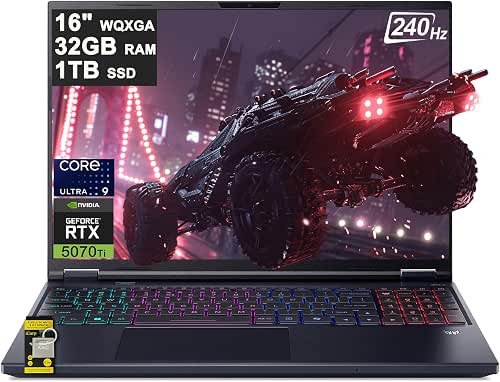
| Powerhouse Performer | Processor: Intel Ultra 9 275HX (24-core) | GPU: NVIDIA GeForce RTX 5070 Ti (12 GB) | Display: 16″ WQXGA IPS (2560×1600), 240 Hz | VIEW LATEST PRICE | Read Our Analysis |
| Acer Predator Helios Neo 16-inch AI Gaming Laptop |
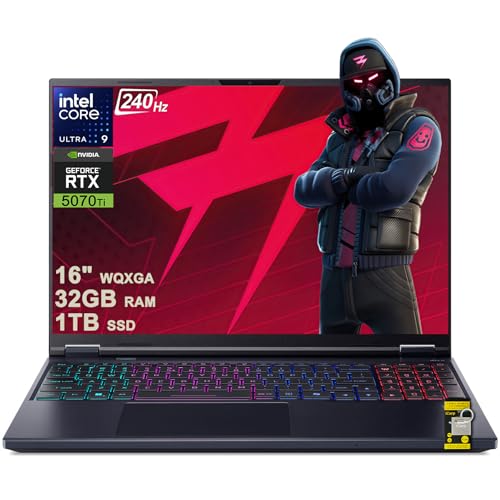
| Creator’s Choice | Processor: Intel Ultra 9 275HX (24-core) | GPU: NVIDIA GeForce RTX 5070 Ti (12 GB) | Display: 16″ WQXGA IPS (2560×1600), 240 Hz | VIEW LATEST PRICE | Read Our Analysis |
| Acer Predator Helios Neo 16S OLED Gaming Laptop |

| OLED Visual King | Processor: Intel Ultra 9 275HX (24-core) | GPU: NVIDIA GeForce RTX 5070 Ti (12 GB) | Display: 16″ WQXGA OLED (2560×1600), 240 Hz | VIEW LATEST PRICE | Read Our Analysis |
| Acer Predator Helios Neo 14 Gaming Laptop (Renewed) |
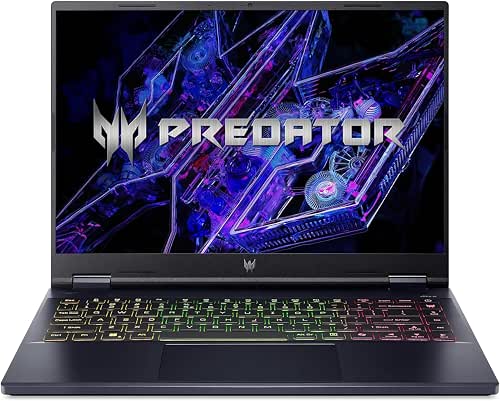
| Compact Contender | Processor: Intel Core Ultra 7-155H (16 cores, 22 threads) | GPU: NVIDIA GeForce RTX 4070 (8 GB GDDR6) | Display: 14.5″ IPS (2560×1600), 120 Hz | VIEW LATEST PRICE | Read Our Analysis |
More Details on Our Top Picks
Acer Predator Helios Neo 16S Gaming Laptop (16GB/1TB)
If you want a portable gaming machine that balances high-refresh 1440p gameplay with AI-accelerated workflows, the Acer Predator Helios Neo 16S is a strong pick-its Ryzen 9 CPU, RTX 5060 GPU, and 13 TOPS NPU deliver the power to run modern AAA titles, stream, and handle AI-infused content creation without breaking a sweat. You’ll get 16 GB DDR5, a 1 TB SSD, and Windows 11 Home for smooth multitasking. The 16-inch 2.5K 240 Hz OLED hits 100% DCI-P3 and 500 nits. Liquid metal cooling, Wi‑Fi 6E, Gigabit Ethernet, FHD camera, DTS X Ultra, and RGB complete the package.
- Processor:AMD Ryzen 9 270 (8C/16T, up to 5.2 GHz)
- GPU:NVIDIA GeForce RTX 5060 (8 GB GDDR7)
- Display:16″ OLED, 2.5K (2560×1600), 240 Hz, 16:10
- RAM:16 GB DDR5
- Storage:1 TB SSD
- Operating System / Copilot:Windows 11 Home (Copilot integration)
- Additional Feature:Dedicated 13 TOPS NPU
- Additional Feature:Liquid metal cooling
- Additional Feature:16″ 2.5K OLED
Acer Predator Helios Neo 16 Gaming Laptop (RTX 5070 Ti)
Pick the Helios Neo 16 if you want desktop-level gaming power in a portable chassis-the Intel 24-core Ultra 9 275HX paired with an NVIDIA GeForce RTX 5070 Ti (12 GB) delivers top-tier frame rates and up to 992 AI TOPS for ray tracing and AI-accelerated tasks, all on a 16″ WQXGA 240 Hz, 100% DCI-P3 display that keeps visuals sharp and responsive. You get 32 GB RAM, a 1 TB SSD and Windows 11 Home for smooth multitasking. Cooling is handled by 5th Gen AeroBlade 3D fans, and the 4-zone RGB keyboard, Copilot ICP hub, plentiful ports and Wi‑Fi 6E complete the package.
- Processor:Intel Ultra 9 275HX (24-core)
- GPU:NVIDIA GeForce RTX 5070 Ti (12 GB)
- Display:16″ WQXGA IPS (2560×1600), 240 Hz
- RAM:32 GB
- Storage:1 TB SSD
- Operating System / Copilot:Windows 11 Home (Integrated Copilot via ICP Hub)
- Additional Feature:992 AI TOPS GPU
- Additional Feature:5th Gen AeroBlade cooling
- Additional Feature:Auth USB-C hub included
Acer Predator Helios Neo 16-inch AI Gaming Laptop
Target competitive gamers and creators who need a portable powerhouse: the Acer Predator Helios Neo 16 pairs an Intel 24-core Ultra 9 275HX and an RTX 5070 Ti with up to 992 AI TOPS to deliver sustained, AI-accelerated performance for high-refresh gaming and on-the-fly content work. You get Windows 11 Pro plus an ICP Hub with Copilot, 32GB RAM, and a 1TB SSD to keep multitasking smooth. The 16″ WQXGA 240Hz IPS display covers 100% DCI-P3, and a 4-zone RGB keyboard lets you customize lighting. Connectivity is robust, cooling uses 5th Gen AeroBlade fans, and an Auth USB-C hub is included.
- Processor:Intel Ultra 9 275HX (24-core)
- GPU:NVIDIA GeForce RTX 5070 Ti (12 GB)
- Display:16″ WQXGA IPS (2560×1600), 240 Hz
- RAM:32 GB
- Storage:1 TB SSD
- Operating System / Copilot:Windows 11 Professional (Includes ICP Hub with Copilot)
- Additional Feature:Windows 11 Professional
- Additional Feature:ICP Hub with Copilot
- Additional Feature:Intel Killer Wi‑Fi 6E
Acer Predator Helios Neo 16S OLED Gaming Laptop
Looking for a high-refresh, color-accurate OLED display paired with serious GPU power? You’ll get a 16″ WQXGA OLED at 240Hz with 100% DCI-P3 and G-SYNC, ideal for crisp, smooth visuals. The Helios Neo 16S packs an Intel 24-core Ultra 9 275HX and NVIDIA GeForce RTX 5070 Ti with 12GB VRAM plus DLSS4 acceleration. You get 32GB RAM and a 2TB SSD, Windows 11 Home with ICP Hub and Copilot, and robust cooling via 5th Gen AeroBlade 3D. Ports include USB-A/C, HDMI 2.1, 5Gb Ethernet, microSD, and it ships with an Auth USB-C hub.
- Processor:Intel Ultra 9 275HX (24-core)
- GPU:NVIDIA GeForce RTX 5070 Ti (12 GB)
- Display:16″ WQXGA OLED (2560×1600), 240 Hz
- RAM:32 GB
- Storage:2 TB SSD
- Operating System / Copilot:Windows 11 Home (ICP Hub and Copilot)
- Additional Feature:32GB + 2TB storage
- Additional Feature:G‑SYNC OLED panel
- Additional Feature:DLSS4 support
Acer Predator Helios Neo 14 Gaming Laptop (Renewed)
If you want a compact powerhouse for modern AAA gaming and content creation, the renewed Acer Predator Helios Neo 14 delivers – pairing an Intel Core Ultra 7-155H (16 cores, 22 threads) with an RTX 4070 capable of up to 125 W. You’ll get a sharp 14.5″ 2560×1600 IPS display at 120 Hz with 100% sRGB, so visuals stay detailed and color-accurate. With 16 GB LPDDR5X and a 1 TB Gen4 NVMe SSD, load times and multitasking feel immediate. Killer Wi‑Fi 6E and Bluetooth 5.3 keep connections solid, and the RGB keyboard adds customizable flair. It runs Windows 11 Home renewed.
- Processor:Intel Core Ultra 7-155H (16 cores, 22 threads)
- GPU:NVIDIA GeForce RTX 4070 (8 GB GDDR6)
- Display:14.5″ IPS (2560×1600), 120 Hz
- RAM:16 GB LPDDR5X
- Storage:1 TB M.2 PCIe NVMe SSD
- Operating System / Copilot:Windows 11 Home (renewed unit)
- Additional Feature:Renewed condition
- Additional Feature:120 Hz 14.5″ IPS
- Additional Feature:RTX 4070 up to 125W
Factors to Consider When Choosing Predator Laptops
When choosing a Predator laptop, you’ll want to prioritize performance-look closely at the CPU, GPU, and any AI acceleration to match your gaming and streaming needs. Check the display’s resolution and refresh rate, and make sure memory and storage configurations support your workload. Finally, consider cooling and thermals to keep performance consistent under sustained load.
Performance And CPU
Match the CPU to what you actually do: pick higher single-core boost speeds for gaming and more cores/threads (8+ cores, 16+ threads) for streaming, content creation, or heavy multitasking. Check both base and boost clocks-boost spikes help CPU-bound frame rates, while sustained multi-core boosts matter for long renders, encoding, or compilation. Favor recent architectures with higher IPC and efficient power delivery so you get better performance per watt and longer sustained throughput. Verify the laptop’s cooling and thermal headroom; inadequate cooling will throttle clocks and erase advertised gains. Finally, inspect platform features like PCIe generation support and integrated NPUs/AI accelerators if you need faster AI inference, storage bandwidth, or offloading for creative workflows.
GPU And AI Power
Think about GPU and AI power as the backbone of your visual and on-device intelligence needs: pick a GPU model with enough VRAM (8–12+ GB) for the resolutions and texture settings you want, favor architectures with ray-tracing and Tensor/AI cores plus upscaling tech like DLSS, and check AI throughput (TOPS) or NPU specs if you plan to use on-board upscaling, streaming enhancements, or creative AI tools. Match GPU capability to your target resolution and refresh rate so you get the smoothness you expect-higher VRAM helps at 1440p/240 Hz or for texture-heavy assets. Factor in performance-per-watt gains to avoid throttling during long sessions. Prioritize GPUs whose AI features accelerate workflows and improve frame rates via efficient upscaling.
Display Quality And Refresh
You’ll want a display that fits how you use the laptop: choose WQXGA or OLED for sharper detail and accurate colors if you do content creation or high-res gaming, but stick with high-refresh 1080p panels if competitive FPS and top frame rates matter most. Beyond resolution, prioritize refresh rate-240 Hz panels cut motion blur and feel noticeably smoother than 120 Hz or 60 Hz in fast titles. Check color gamut (aim for ~100% DCI-P3) and at least 500 nits peak brightness for vibrant, usable colors in bright rooms. Make certain adaptive sync (G-SYNC or FreeSync) to remove tearing when frame rates vary. Finally, confirm low gray-to-gray response times and minimal panel latency to reduce ghosting and input lag for competitive play.
Memory And Storage
Prioritize RAM and storage choices that keep your Predator responsive now and upgradeable later: aim for at least 16 GB of DDR5 for smooth gaming and multitasking, lean toward 32 GB if you do heavy content work or run virtual machines, and choose fast NVMe PCIe SSDs (1 TB+ when you store many games or projects) while checking sequential speeds and endurance (TBW). Pick higher-MHz, lower-latency DDR5 when possible to improve frame times and app responsiveness versus DDR4. Prefer PCIe Gen4 NVMe drives for faster load times, but Gen3 still offers solid value. Verify the laptop has a spare M.2 slot or user-upgradable RAM so you can expand capacity later. Review SSD read/write specs and TBW for long-term reliability.
Cooling And Thermals
Manage heat aggressively: high-end CPUs and GPUs push thermal systems hard, so check for advanced cooling (liquid metal, vapor chambers, multiple heat pipes and fans) and clear intake/exhaust paths that let the Predator sustain peak clocks without throttling. You should prefer designs with 3–5 fans or vapor chambers and multiple heat pipes to lower sustained CPU/GPU temperatures during long sessions. Use models that offer fan curve customization or BIOS/software performance modes so you can trade noise for cooling when needed. Inspect reported internal and surface temps under load-values approaching 90–95°C signal potential throttling. Finally, favor sturdy metal chassis and well-placed vents; obstructed intakes on soft surfaces will negate even the best cooling hardware and reduce thermal headroom.
Connectivity And Ports
Many Predator laptops pack a wide mix of high-bandwidth ports so you can hook up fast peripherals, external monitors, and docks without juggling adapters. You’ll want USB-A 3.2 and USB-C 3.2/Thunderbolt 4 for fast drives and peripherals, plus HDMI 2.1 to drive high-refresh-rate monitors. Confirm USB-C offers PD and DP Alt Mode so one cable can charge and output video to a dock or display. For competitive play, pick a model with a 2.5–5 Gb Ethernet port or equivalent wired option to cut latency and stabilize connections. Check for Wi‑Fi 6E/6 and Bluetooth 5.x for better wireless throughput and device pairing. If you work with media, a card reader and multiple USB ports speed large transfers.
Battery And Portability
Because gaming parts and high‑refresh screens draw so much power, you should weigh battery capacity, chassis size, and real-world runtime together when judging a Predator’s portability. Larger 16–16.5-inch models often tip the scales at 2.2–3.0 kg and usually offer shorter unplugged life than smaller ultraportables, so check weight and advertised runtime if you travel. Remember high‑TDP CPUs/GPUs and 120–360Hz OLED/IPS panels can cut mixed‑use battery life to roughly 3–6 hours. Battery Wh matters: 70–90 Wh packs typically outlast 40–60 Wh units under similar loads. Thinner chassis improve mobility but limit battery size and thermal headroom, causing power‑limited modes on battery. Prioritize fast charging, USB‑C PD (100W+), and configurable power profiles to balance performance versus endurance.
Software And Features
While hardware dictates raw capability, the software suite and bundled features determine how effectively you’ll use a Predator day to day. Check the OS edition and productivity extras (Home vs Pro, integrated assistants/Copilot-like tools) so your workflows and security needs are met. Evaluate on-device AI acceleration (NPU/TOPS) and native SDK support-higher TOPS and proper APIs give faster local inference for upscaling, voice processing, and model-assisted tasks. Confirm the vendor’s driver and firmware update cadence, including GPU drivers and utility apps, to preserve performance and compatibility. Inspect preinstalled utilities for thermal control, performance modes, and keyboard customization to tune acoustics, power, and macros. Finally, verify camera, noise‑cancelling mic, and meeting software versions for quality streaming and conferencing.




