

If you manage surveillance or broadcast gear, you want monitors that deliver rock-solid BNC signals without fuss. You’ll appreciate crisp resolutions, wide viewing angles, and metal chassis built for continuous use. These five models balance direct analog inputs, HDMI options, and practical controls so you can trust your feeds. Keep going to see which size, resolution, and features match your setup and budget.
| 7″ Portable LCD Security Monitor with Dual Speakers |
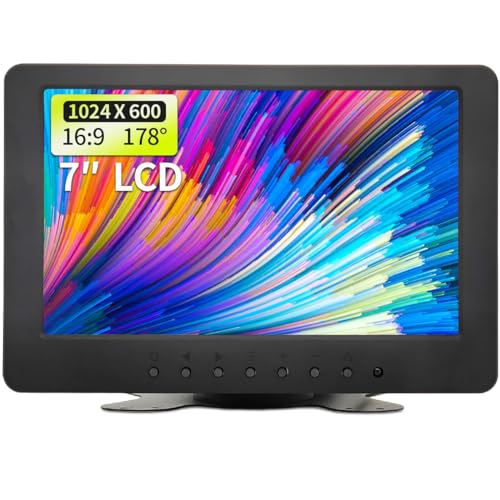
| Portable Pick | Screen Size: 7″ | BNC Input Support: BNC input available | HDMI Input Support: AV/BNC inputs (HDMI not listed) | VIEW LATEST PRICE | Read Our Analysis |
| SVD 18.5″ Ultra-Thin Security Monitor (1366×768) |

| Ultra-Thin Pro | Screen Size: 18.5″ | BNC Input Support: 1x BNC input | HDMI Input Support: 1x HDMI input (supports 4K input) | VIEW LATEST PRICE | Read Our Analysis |
| 101AV 18.5″ LED Security Monitor for CCTV Surveillance |
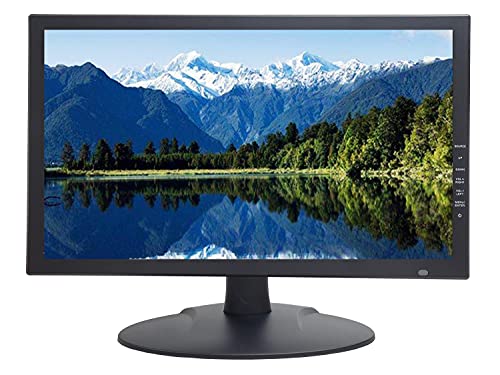
| Professional Grade | Screen Size: 18.5″ | BNC Input Support: BNC video-in (looping) connector | HDMI Input Support: HDMI (HDCP compliant) – supports downscaled 4K/8MP | VIEW LATEST PRICE | Read Our Analysis |
| 10.1″ CCTV Security Monitor with HDMI/VGA/BNC |
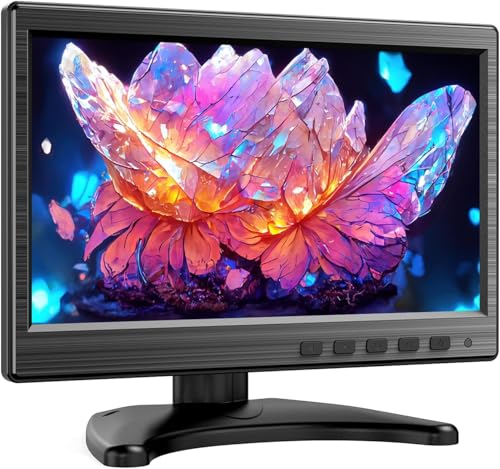
| Compact Monitor | Screen Size: 10.1″ | BNC Input Support: BNC input supported | HDMI Input Support: HDMI input supported | VIEW LATEST PRICE | Read Our Analysis |
| SVD 19.5″ 5MP Security Monitor (HDMI & BNC) |

| High-Resolution Choice | Screen Size: 19.5″ | BNC Input Support: 2x BNC inputs (+1 BNC output) | HDMI Input Support: 1x HDMI input | VIEW LATEST PRICE | Read Our Analysis |
More Details on Our Top Picks
7″ Portable LCD Security Monitor with Dual Speakers
If you need a compact, multi-purpose monitor for on-the-go surveillance or tight installations, this 7″ portable LCD with dual speakers delivers sharp 1024×600 HD images and flexible connectivity (BNC/AV) so you can plug into CCTV, DVRs, or legacy cameras without adapters. You’ll get 1000:1 contrast, 300 cd/㎡ brightness, and a 16:9 panel with 178° viewing for clear images from varied angles. Built-in dual speakers handle audio, and inputs support CCTV, DVD, VCD, TV boxes, and CCDs. The unit flips screen orientation, switches aspect ratios, and mounts on a bracket with 110° rotation or sits on a support bar.
- Screen Size:7″
- BNC Input Support:BNC input available
- HDMI Input Support:AV/BNC inputs (HDMI not listed)
- Built-in Speaker(s):Dual built-in speakers
- VESA / Mounting Options:Bracket with 110° rotation and wall-mount option (support bar for desktop)
- Designed for 24/7 Surveillance:Designed for various installation environments (portable/installation-focused)
- Additional Feature:Screen flipping in four directions
- Additional Feature:110° rotating bracket
- Additional Feature:Lightweight portable design
SVD 18.5″ Ultra-Thin Security Monitor (1366×768)
For anyone running a small to mid-size CCTV setup who needs reliable, continuous monitoring, the SVD 18.5″ Ultra-Thin Security Monitor delivers a compact 1366×768 HD panel that’s tuned for surveillance clarity and supports 4K input when you need higher-quality playback. You get an 18.5-inch LED screen with crisp CCTV-focused imaging and multiple inputs-BNC, HDMI, VGA, USB-so you can connect DVRs, NVRs, PCs, analog HD sources, or consoles. It’s built for 24/7 operation with robust construction, VESA mounting for flexible placement, and simple integration that consolidates feeds. A 30-day return policy backs quality and satisfaction.
- Screen Size:18.5″
- BNC Input Support:1x BNC input
- HDMI Input Support:1x HDMI input (supports 4K input)
- Built-in Speaker(s):Built-in audio support (USB/HDMI – implied speaker)
- VESA / Mounting Options:VESA mount compatible
- Designed for 24/7 Surveillance:Built for 24/7 continuous surveillance
- Additional Feature:Supports 4K input
- Additional Feature:VESA mount capable
- Additional Feature:30-day return policy
101AV 18.5″ LED Security Monitor for CCTV Surveillance
Security professionals and small surveillance teams will appreciate the AV 18.5″ LED monitor’s ability to downscale ultra-high-resolution HDMI inputs while keeping razor-sharp detail, so you can identify faces and license plates without a DVR in the loop. You get an 18.5″ LED panel with ultra-fine pixel pitch, 178° viewing, and SSAA anti-aliasing that preserves clarity when downscaling 4K/8MP, 5MP, 4MP, or 2MP sources. HDMI, VGA and looping BNC let you connect cameras directly, and the BNC supports up to 700 TV lines. Built for 24/7 use with metal reinforcement, VESA mount, auto recovery, speaker, and SD noise reduction.
- Screen Size:18.5″
- BNC Input Support:BNC video-in (looping) connector
- HDMI Input Support:HDMI (HDCP compliant) – supports downscaled 4K/8MP
- Built-in Speaker(s):Built-in speaker
- VESA / Mounting Options:VESA mount compatible (suitable for racks/control rooms)
- Designed for 24/7 Surveillance:Specifically designed for 24/7 surveillance operation
- Additional Feature:SSAA anti-aliasing tech
- Additional Feature:HDMI downscales UltraHD
- Additional Feature:Metal-reinforced chassis
10.1″ CCTV Security Monitor with HDMI/VGA/BNC
Small operations and mobile installers will appreciate this 10.1″ CCTV monitor because it pairs compact portability with both BNC support for legacy cameras and HDMI/VGA for newer devices. You’ll get HDMI, VGA, BNC, and AV inputs, so hooking it to DVRs, NVRs, or standalone cameras is straightforward. The 1024×600 fixed resolution delivers clear, stable surveillance images; higher-resolution feeds are downscaled for monitoring use. Lightweight and plug-and-play, it mounts on desks, walls, racks, or vehicle dashboards without drivers. Built-in speakers handle audio monitoring, and a one-year warranty with limited free exchange provides added reliability for small-scale security setups.
- Screen Size:10.1″
- BNC Input Support:BNC input supported
- HDMI Input Support:HDMI input supported
- Built-in Speaker(s):Built-in speakers
- VESA / Mounting Options:Desktop or wall-mount support
- Designed for 24/7 Surveillance:Optimized for DVR/NVR security systems (continuous monitoring use)
- Additional Feature:Compact vehicle-dash friendly
- Additional Feature:Plug-and-play operation
- Additional Feature:One-year warranty
SVD 19.5″ 5MP Security Monitor (HDMI & BNC)
If you need a compact monitor that delivers unusually crisp surveillance footage, the SVD 19.5″ 5MP model is a strong choice because its 2560×1920 Super HD BNC resolution and 3D comb filter produce sharp, detailed images you can rely on. You’ll get wide 178° viewing angles so off-axis positions won’t miss critical details. Connect via HDMI or two BNC inputs, route video onward with the BNC output, and integrate it with DVRs, NVRs, or PCs. Built for 24/7 operation, its robust design supports continuous professional use and system expansion, making it ideal for homes and commercial sites.
- Screen Size:19.5″
- BNC Input Support:2x BNC inputs (+1 BNC output)
- HDMI Input Support:1x HDMI input
- Built-in Speaker(s):(Built-in speaker implied by monitoring features / audio support)
- VESA / Mounting Options:Designed for surveillance installations (mountable for continuous monitoring)
- Designed for 24/7 Surveillance:Built to withstand continuous 24/7 operation
- Additional Feature:5MP Super HD BNC
- Additional Feature:BNC loop output
- Additional Feature:3D comb filter
Factors to Consider When Choosing BNC Video Monitors
When choosing a BNC video monitor, you’ll want to prioritize resolution and detail so you can clearly read fine image elements. Check input types and compatibility, plus consider size, mounting options, and whether built-in audio and intuitive controls meet your needs. Also factor in durability and uptime for continuous operation in demanding environments.
Resolution And Detail
Because image clarity is often the difference between identifying a face or a license plate and missing critical details, prioritize higher resolutions like 1024×600 or 2560×1920 and support for downscaled Ultra HD/4K inputs that preserve detail; you’ll see finer textures and better forensic value. Choose monitors with wide 178° viewing angles so clarity stays consistent from different positions. Look for anti-aliasing such as SSAA to reduce pixelation and smooth edges, which makes small features more readable. For legacy or SD feeds, 3D comb filters and effective noise reduction matter: they minimize artifacts and recover lost detail. Together, resolution, downscaling support, wide angles, anti-aliasing, and filtering guarantee you capture usable, accurate imagery for critical analysis.
Input And Compatibility
Having picked a monitor with the resolution and image processing that meets your needs, you’ll next want to check how it accepts and handles signals-input and compatibility determine whether your cameras and recorders will actually work together. Look for native BNC ports for direct analog CCTV and DVR connections so you won’t need adapters. Guarantee the monitor supports the video formats you use-HD/TVI/CVI and AHD-either natively or via built-in converters. Prefer units with input versatility like HDMI, VGA, and AV to bridge legacy analog gear and modern digital sources. Check for looping BNC video-in connectors to feed multiple devices without signal loss. Finally, confirm the monitor can downscale high-resolution inputs gracefully to preserve clarity when source signals exceed the display’s native resolution.
Durability And Uptime
If you rely on a BNC monitor for round-the-clock surveillance, pick a model built to keep running: prioritize rugged construction-metal-reinforced chassis and impact-resistant materials-that withstand continuous use and harsh environments. You’ll want stable heat dissipation and fault-tolerant components so the display stays clear during extended operation and hardware failures are less likely. Choose units with reliable auto display recovery after power interruptions to minimize downtime and maintain uninterrupted monitoring. Long-term durability means fewer replacements, lower maintenance costs, and no gaps in coverage. When evaluating options, favor manufacturers that specify MTBF, operating temperature ranges, and built-in protection features; those details indicate a monitor designed for sustained uptime in professional surveillance deployments.
Size And Mounting
When you pick a BNC monitor, size and mounting directly affect how comfortably and effectively you’ll view feeds: choose a screen size that matches your tasks – compact 7–10-inch models suit tight spaces or mobile setups, while 18–19.5-inch (and larger) displays give the detail you need for close inspection. Think about where you’ll place the monitor and pick compatible mounts: desktop stands for easy relocation, wall brackets to save desk space, or VESA-compatible options for standardized installation. Favor mounts with adjustment features like swivel or 110° rotation so you can fine-tune angle and reduce glare. Balancing screen size with mounting versatility guarantees ergonomic positioning, unobstructed sightlines, and a practical fit for your surveillance environment.
Audio And Controls
Because audio and control options shape how you interact with and respond to feeds, pick a BNC monitor that gives you clear sound and intuitive controls-built-in dual speakers and audio input let you monitor sound alongside video, while volume and mute controls keep noise in check; choose a model with straightforward audio routing so you can assign inputs quickly and avoid confusion during incidents. Look for tactile or on-screen controls that let you flip, rotate, or change aspect ratio without diving into menus. Multi-directional screen rotation and aspect ratio switching help you optimize framing for different cameras. Prioritize monitors with labeled buttons or a responsive OSD for fast adjustments. That combination gives you all-encompassing audiovisual oversight and faster, more confident responses.




