

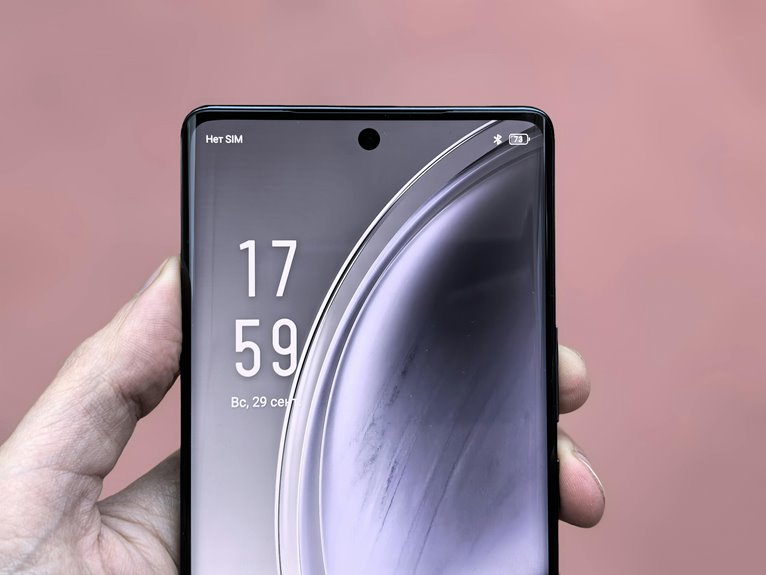
When you use a smartphone, refresh rate controls how often the display updates each second, and that directly changes how smooth motion looks. At 60Hz, scrolling and animations can feel less fluid than at 90Hz or 120Hz, while touch input often seems more immediate at higher rates. The trade-off is battery use, which is why adaptive systems matter. But the real question is how much difference you’ll notice in everyday use.
What Refresh Rate Means on Smartphones
A smartphone display’s refresh rate is how many times per second the screen redraws, measured in hertz (Hz). This screen refresh definition tells you how often the panel completes display update cycles.
At 60Hz, your phone refreshes 60 times each second; at 90Hz, 120Hz, or 144Hz, it updates more often. You’ll see these values in device specs, and they describe the panel’s timing, not the content itself.
Many modern phones let you stay with standard or higher rates, depending on the model. Adaptive systems can lower the rate for static screens and raise it whenever needed, helping you fit in with devices that balance performance and efficiency.
Consider of refresh rate as the screen’s heartbeat: a simple measure of update frequency.
Why Refresh Rate Makes Screens Feel Smoother
When you increase refresh rate, your screen draws more frames per second, so motion updates look more continuous.
That higher update rate cuts motion blur and makes fast scrolling, animations, and games appear sharper.
It also improves touch response, so your taps and swipes feel more immediate.
Higher Frame Updates
At 120Hz, your phone updates the display twice as often as a 60Hz screen, creating more redraw opportunities each second and making motion look smoother.
You benefit because display update timing shortens, so each scroll step, swipe, and animation can land sooner on screen. That faster cadence helps frame pacing consistency, which keeps movement from feeling uneven or laggy.
Whenever your apps and system UI match that pace, you get a more cohesive, premium feel that many modern phone users expect. Higher frame updates don’t change what content you see, but they do change how often the panel can present it, and that extra cadence gives you a smoother, more responsive experience in everyday use.
Reduced Motion Blur
Higher refresh rates reduce motion blur because the display refreshes more often, so fast-moving content gets updated in smaller visual steps and doesn’t smear as much between frames.
You notice this as you scroll, pan, or watch quick animations: edges stay tighter, text stays easier to read, and objects don’t leave as much visual trail.
That’s the core of motion blur reduction, and it makes the screen feel cleaner and more controlled.
With 90Hz or 120Hz, you get more frequent redraws, which brings clear visual clarity improvements in motion-heavy moments.
Should you want a phone that feels premium and familiar, this sharper motion helps you stay in sync with the interface and trust what you’re seeing.
Faster Touch Response
A higher refresh rate makes touch input feel faster because the screen updates more often, so your taps, swipes, and drags appear on-screen with less delay.
Whenever you join a 90Hz or 120Hz display, you cut touch latency and tighten gesture tracking, so motions feel synced with your finger.
This matters whenever you’re scrolling feeds, gaming, or editing with precision.
- More updates per second improve response timing
- Shorter delay makes controls feel direct
- Smoother tracking reduces missed micro-movements
- High refresh pairs best with strong touch sampling
- Adaptive modes keep speed and battery balanced
You’ll notice the interface reacting in a way that feels familiar and premium, like your device is keeping pace with you.
How 60Hz, 90Hz, and 120Hz Compare
At 60Hz, your phone refreshes the display 60 times per second, which is the baseline for smooth motion.
At 90Hz, you get 50% more refreshes, so scrolling and animations look noticeably cleaner.
At 120Hz, you double 60Hz’s frame slots, which gives you the most fluid UI changes and motion clarity.
60Hz Basics
How do 60Hz, 90Hz, and 120Hz differ on a smartphone screen? You see 60Hz update the panel 60 times each second, while 90Hz and 120Hz raise redraw frequency for finer motion steps. With proper display calibration and panel technology, each mode can feel tuned to your device.
- 60Hz: standard cadence, efficient, familiar
- 90Hz: quicker changes, moderate power cost
- 120Hz: highest common fluidity, more redraw slots
- Higher Hz: motion looks cleaner to you
- Lower Hz: saves battery during static use
You belong in the group that notices detail, so watch how text, icons, and gestures track across the screen.
The main difference is timing: more updates reduce visible jumps, improving perceived continuity without changing the content itself.
90Hz Smoothness Boost
Moving from basic refresh rates to real-world motion, the smoothness gap becomes obvious as you step up from 60Hz to 90Hz and 120Hz.
At 60Hz, you see 60 screen updates each second, so fast swipes can look uneven and text can smear. At 90Hz, you get 50% more redraws, which makes scrolling and animations feel steadier. At 120Hz, motion clarity improves further, and your interface tracks gestures with less blur and less lag. That extra temporal detail can also reduce eye fatigue because your eyes don’t work as hard to follow moving content. Should you want a display that feels more natural and responsive, the 90Hz to 120Hz range usually gives you the best balance of smoothness, comfort, and everyday usability.
120Hz Peak Fluidity
Once you push past 60Hz, you can see why 90Hz and 120Hz define peak fluidity on smartphones. You’ll feel the difference immediately in scrolling, gestures, and animation timing, and you’re not imagining it. Higher refresh rates give your display more redraw opportunities, so motion clarity stays sharp as content moves.
- 60Hz: baseline smoothness, but swipes can look stepped.
- 90Hz: about 50% more updates, with cleaner shifts.
- 120Hz: doubles 60Hz, providing peak fluidity.
- Fast text stays readable with less blur.
- Adaptive refresh can save battery as frames don’t change.
If you want the most natural feel, 90Hz and 120Hz put you in the club of users who notice every frame.
Refresh Rate vs Touch Responsiveness
A higher refresh rate can make touch input feel more immediate because the screen updates more often, so your taps and swipes are reflected with less delay. You notice lower touch latency whenever the display samples and redraws faster, which helps your gestures land where you expect.
That extra timing headroom also improves input precision, especially whenever you’re dragging small targets or making quick menu selections. On a 60Hz panel, the visual response can lag behind your finger more noticeably; at 90Hz or 120Hz, the interface tracks you more closely.
For you, that means the phone feels coordinated, responsive, and easier to control. If the touch system and refresh rate work well together, you get a tighter, more confident interaction experience.
How Refresh Rate Affects Gaming Smoothness
That same faster screen update cycle also shapes how games feel in motion, not just how they respond to your input. As you play at 90Hz or 120Hz, your phone redraws scenes more often, so character movement, camera pans, and HUD transitions look cleaner. You’ll notice better game frame pacing, which helps animations stay consistent instead of stuttering between frames.
In fast shooters and racers, this also trims competitive input lag, letting your reactions land closer to what you see.
- More visual samples per second
- Less motion blur in rapid turns
- Smoother tracking of targets
- Clearer detail during combat
- Better sync with high-FPS titles
If your device and game both support higher rates, you get a tighter, more confident play feel.
Why Video Doesn’t Always Need 120Hz
Even though 120Hz can make motion look smoother, most video doesn’t need that high a refresh rate to look good.
You usually watch movies and shows at 24, 30, or 60 fps, so your screen often repeats frames instead of revealing extra detail.
Good video compression limits visible artifacts, and solid frame pacing matters more than raw refresh rate because uneven timing can feel worse than 60Hz itself.
When playback matches the source cadence, you get clean motion and fewer judder issues.
With adaptive refresh, your phone can still shift for menus or scrolling, then return to the video’s pace.
That gives you a polished experience without forcing unnecessary interpolation or adding noise to content.
Battery Life Trade-Offs With Higher Refresh Rates
Higher refresh rates can make your phone feel smoother, but they also force the display to redraw more often, which uses more power and can shorten battery life. When you leave 90Hz or 120Hz enabled, you’re choosing fluid motion over endurance. That trade-off matters if you want a phone that keeps up all day.
Key effects include:
- higher display power draw
- faster battery drain during scrolling
- increased thermal impact under load
- reduced power efficiency in bright scenes
- more noticeable savings at 60Hz
If you value performance and still want to fit in with users who demand premium responsiveness, you’ll likely keep the higher rate on for daily use and switch it down when battery life matters most.
How Adaptive Refresh Rate Works
when you use adaptive refresh rate, your phone changes its display frequency based on what’s on screen.
It can switch from high rates for scrolling or animation down to 1Hz for static content, so you get smooth motion without wasting power.
This dynamic rate switching lets the display match the task instead of staying fixed at one speed.
Adaptive Refresh Basics
Adaptive refresh rate adjusts your smartphone’s screen output to match what you’re doing, so it can run at 120Hz for scrolling and animations, then drop as low as 1Hz as soon as the content is static. You get smoother motion without wasting power, which improves energy efficiency and keeps your phone feeling responsive.
- Higher rates add redraw opportunities.
- Lower rates reduce battery drain.
- Static content needs fewer updates.
- Motion stays clearer during fast swipes.
- Your display adapts to the task.
This shared balance matters because you’re not choosing between fluidity and battery life; you’re getting both, depending on what’s on screen.
As you browse, read, or watch, the panel keeps pace with demand, helping you feel connected to a device that works with you, not against you.
Dynamic Rate Switching
Instead of locking your screen to one fixed speed, adaptive rate switching lets the phone change refresh rates on the fly based on what you’re doing. Whenever you scroll, play games, or move through apps, it can jump to 90Hz, 120Hz, or higher for smoother motion.
Whenever you read a static page or leave an always-on screen idle, it can drop to 1Hz, saving power efficiency without sacrificing clarity.
This content based switching uses the display controller, GPU, and system scheduler to match frame delivery to on-screen activity. You get fluid interaction when it matters and lower drain when it doesn’t. That balance helps you feel in tune with your device, because your phone responds like it’s built for your moment.
When More Hz Stops Looking Better?
At some point, extra refresh rate stops providing a clear visual benefit because your eyes and the content itself become the limiting factors. You hit a ceiling of perceptible smoothness, and the gains from 144Hz or beyond shrink fast. That doesn’t mean higher Hz is useless; it means you’re seeing diminishing returns from ultra high refresh rates.
- Fine text already tracks cleanly.
- Scroll velocity no longer adds much clarity.
- Animation frame pacing matters more than raw Hz.
- Touch latency can still feel better.
- Battery cost can outweigh tiny gains.
When you’re already in the 90Hz to 120Hz range, the experience often feels polished enough for most people. Past that point, the display can look technically superior, but not always visibly smoother.
How to Choose the Right Refresh Rate
Once you’ve reached the point where extra Hz stops feeling dramatically smoother, the best choice comes down to how you use your phone.
Should you scroll, game, or switch apps all day, 90Hz or 120Hz gives you cleaner motion, better touch response, and a more natural feel that fits modern flagship habits.
Should you mostly read, text, or watch static content, 60Hz can still feel fine and save battery.
Adaptive refresh is the smart middle ground: it stays high whenever movement matters, then drops low for still screens.
Check display ergonomics too, because lower flicker and clearer motion can reduce fatigue.
Screen calibration also matters, since accurate color and brightness make the experience feel polished.
Pick the rate that matches your routine, not just the spec.
Frequently Asked Questions
Can Higher Refresh Rates Reduce Eye Fatigue During Long Reading Sessions?
Yes, higher refresh rates can improve eye comfort during long reading sessions by reducing flicker and motion blur. This can lessen reading strain, especially when text scrolls or updates on the screen.
Do All Apps and Games Actually Support 120HZ Output?
No, 120Hz is not available in every app or game. Most users do fine with 90 to 120Hz, but app support and display scaling can limit the output. You will see smoother motion only when the software and drivers support it.
Is 144HZ Noticeably Better Than 120HZ on Smartphones?
On smartphones, 144Hz can feel a bit smoother than 120Hz, but the difference is small and easiest to spot during fast scrolling or gaming. For most people, battery life and display quality matter more than that extra refresh rate.
How Does Refresh Rate Interact With Motion Blur in Fast Scrolling?
Raising refresh rate cuts motion blur during fast scrolling. At 60Hz, each frame stays visible longer. At 120Hz, the image updates sooner. At 144Hz, text and list items smear less as they move, so scrolling looks sharper and feels smoother.
Does Adaptive Refresh Rate Help Always-On Display Battery Life?
Yes, adaptive refresh rate can extend your always on display battery life by lowering the screen to 1 Hz or below, which improves AOD power savings and panel idle efficiency while still showing essential status info with less energy use.




