

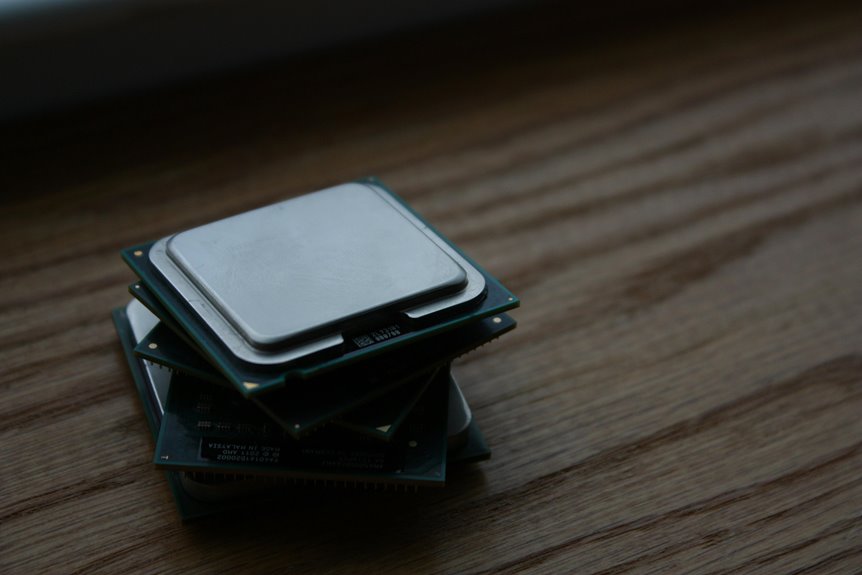
Whenever you tap an app, the phone CPU fetches instructions, decodes them, executes them, and writes results back in a tight loop. You can view of its cores, cache, and memory paths as a coordinated system that keeps tasks moving without stalling. But that’s only part of the story, because power limits, thermal control, and companion engines like the GPU and NPU shape how fast the chip really behaves.
What a Phone Processor Does
A phone processor is the smartphone’s central processing unit, and it handles the instructions that make every app and system function work. You depend on it to interpret taps, run calculations, coordinate memory, and keep your device responsive.
It directly affects app launch speed, so a stronger processor opens your tools faster and reduces waiting. It also supports background app management, deciding how much work stays active whenever you switch tasks.
That control helps you multitask without forcing every app to restart. You benefit from this efficiency in games, messaging, streaming, and route guidance. In practice, the processor balances speed and power use, so your phone stays quick while preserving battery life.
How CPU Architecture Works in Phones?
You can consider of your phone’s CPU as the control unit that fetches, decodes, and executes instructions while coordinating memory, graphics, and I/O through fast cache and the FDEW cycle.
Most mobile chips use ARM-based core designs, often combining high-performance and energy-efficient cores to balance responsiveness with battery life.
The system also manages power and thermal limits by scaling clock speed, shutting down idle blocks, and throttling under load to keep the device within tight thermal constraints.
Phone CPU Basics
At the heart of every smartphone, the CPU acts as the device’s control center, fetching instructions from memory, decoding them, executing calculations, and writing results back in a continuous FDEW cycle.
You rely on this processor instruction flow every time an app opens, a message sends, or route guidance updates. In phone CPU history, designs moved from simple single-core units to tightly integrated multicore systems that share cache and coordinate tasks efficiently.
You’ll often see dual-, quad-, hexa-, or octa-core layouts, with more cores helping you handle multitasking without stalling. Clock speed also matters because it sets how fast each instruction completes, while cache reduces repeated memory access. Together, these basics shape responsiveness, battery use, and the smooth experience you expect from a modern phone.
Arm Core Design
Arm-based designs dominate smartphone CPUs because they balance performance and power efficiency in a compact, low-voltage architecture. You rely on the ARM instruction set to keep execution streamlined, since its RISC model reduces decode complexity and lets the core move through fetch, decode, execute, and write-back with less overhead.
Your phone’s designers then tune Cortex microarchitecture choices, shaping pipeline depth, branch handling, cache behavior, and out-of-order capability to match target workloads. That’s why one Cortex-A core can feel snappy in UI tasks while another variant favors sustained throughput in demanding apps.
In this ecosystem, you belong to a platform strategy built for scale: licensed cores, predictable software support, and efficient integration across SoCs. This shared foundation makes mobile computing consistent, adaptable, and easier to optimize.
Power And Thermal Control
Even though a smartphone CPU can burst above 2 GHz, its power and thermal control logic quickly scales frequency and voltage to keep the chip within safe operating limits. You see voltage scaling reduce variable power as workloads change, while firmware monitors temperature, current draw, and core utilization in real time.
Whenever heat rises, thermal throttling lowers clocks, often shifting work to efficient cores so you still get responsive performance without damaging the silicon. This control loop helps your device balance speed, battery life, and reliability under gaming, video encoding, or heavy multitasking.
Inside a modern SoC, package sensors, DVFS tables, and scheduler policies work together, so your phone can adapt fast and stay stable under pressure.
What Happens During Fetch, Decode, Execute?
During the fetch, decode, execute, and write-back cycle, the CPU processes each instruction in a tight sequence that drives every smartphone task.
You can trace the instruction cycle steps as the core pulls an operation, interprets it, runs it, and records the result. In modern cpu pipeline stages, these phases overlap, so you belong to a system that keeps work moving with minimal delay.
- Fetch: the core reads the next instruction.
- Decode: it identifies the operation and operands.
- Execute: it performs the arithmetic or logical action.
- Write-back: it stores the result for the next step.
This structured flow lets you predict how your device turns app commands into responsive action, while keeping execution precise and efficient.
How Processors Use Memory and Cache
You rely on a cache hierarchy to keep the CPU close to the instructions and data it needs most often, reducing slow trips to main memory.
As the processor misses in L1 or L2 cache, memory access latency rises sharply, and execution stalls until the data arrives.
To limit those stalls, the CPU uses data prefetching strategies that anticipate upcoming accesses and move them into cache before you need them.
Cache Hierarchy Basics
- L1 cache serves your core initially, holding critical instructions and operands.
- L2 cache expands capacity upon L1 misses, preserving recent working data.
- L3 cache, upon present, shares fast access across cores.
- The hierarchy supports your apps through reducing repeated fetches from main memory.
You can consider of this structure as a coordinated team: each layer checks faster than the next, so the processor keeps execution smooth, efficient, and consistent.
Memory Access Latency
When the CPU needs data or instructions, it checks memory in a strict order, and each step adds latency whenever the requested content isn’t already nearby.
You see the fastest response in registers, then cache, then main memory, and finally storage-backed pages, with each hop increasing wait time. A cache hit keeps your pipeline moving; a miss forces the core to stall or spend cycles on cache miss penalties.
You can reduce the impact by keeping working sets compact, reusing data, and structuring code for locality. In modern phones, latency hiding techniques overlap execution with independent work so you’re not idle while memory responds.
For you, the practical result is smoother app behavior, fewer stalls, and better efficiency when workloads fit the memory hierarchy well.
Data Prefetching Strategies
Data prefetching lets the CPU predict which instructions or data it’ll need next and load them into cache before the core actually asks for them. You benefit when access patterns stay regular, because the memory system can hide latency and keep your pipeline fed. In phones, this matters for app launches, scrolling, and camera bursts.
- Sequential streams favor aggressive prefetchers.
- streaming buffer tuning reduces wasted fetches.
- hardware prefetch hints guide specialized engines.
- Poor prediction can evict useful cache lines.
Once you understand these controls, you can see why vendors balance accuracy against power. A good strategy improves throughput without draining battery, so you stay in the fast lane with the rest of the device’s execution team.
Why Multi-Core Design Speeds Up Phones
Multi-core designs speed up phones because the CPU can split work across several cores instead of forcing one core to handle every task in sequence. You feel this as your phone opens apps, renders pages, and syncs data together. Core interleaving benefits let the scheduler keep each core busy with smaller jobs, while parallel app handling reduces queue buildup.
| Core count | Typical effect |
|---|---|
| 2 cores | Basic split tasks |
| 4 cores | Smooth multitasking |
| 8 cores | Heavy app overlap |
| Mixed cores | Balanced responsiveness |
Because the cores work concurrently, your phone can process UI events, background services, and camera pipelines at once. That parallelism cuts wait time, keeps changes snappy, and helps you stay in control as you’re juggling demanding apps.
Why Power Efficiency Matters in Phone CPUs
Power efficiency matters because your phone’s CPU has to balance speed with a very small energy budget, and every extra watt affects heat, battery life, and sustained performance.
You benefit if the processor scales voltage and frequency intelligently instead of burning power needlessly. That’s why battery life optimization isn’t just a marketing term; it’s a design constraint.
- Lower active power reduces thermal buildup.
- Idle gating supports standby power reduction.
- Efficient cores handle light tasks without waste.
- Fewer heat spikes preserve long-term responsiveness.
When you’re choosing a phone, you’re really choosing how well its CPU converts energy into useful work. A well-tuned chip keeps your device fast, cool, and reliable, so you can stay connected longer with fewer charging stops.
How GPU, NPU, and Modem Units Fit In
Alongside the CPU, a smartphone’s SoC also integrates a GPU, NPU, and modem to handle specialized workloads more efficiently.
You rely on the GPU for parallel graphics and display tasks, so the CPU can stay focused on control flow and app logic. The NPU takes over AI acceleration roles, letting you run on-device inference for camera, voice, and personalization features with lower latency and less energy. The modem contains cellular connectivity blocks that manage radio links, signal processing, and protocol handling, which keeps data moving without burdening the CPU.
Together, these units form a balanced processing stack. You get faster responses, smoother visuals, and stronger battery behavior because each block does what it’s built to do, rather than forcing one core to do everything.
How Phone Processors Are Built and Tested
If the CPU, GPU, NPU, and modem each handle a distinct workload, the next question is how those pieces get designed into one chip and proven reliable in a phone. You trace that path from RTL design through place-and-route, then tape-out. Foundries print millions of transistors on a wafer, and you rely on wafer test validation to catch defects before packaging.
- Electrical probes screen die speed and leakage.
- chip binning methods sort parts by stable frequency.
- Packaging adds thermal paths and signal integrity.
- Final system tests verify radios, graphics, and battery behavior.
You belong in this process whenever you think like a verifier: measure margins, reject weak silicon, and match each chip to the device tier it can sustain.
Frequently Asked Questions
How Does Clock Speed Affect Gaming Performance?
Higher clock speed can improve gaming performance by increasing frame rates when the CPU is the limiting factor, but it is only part of the picture. You may notice smoother gameplay until other limits take over, such as heat buildup or GPU bottlenecks, which reduce the benefit of added speed.
Why Do Some Phones Use Identical Cores?
You’ll see identical cores when a phone is built to handle everyday work with one core design, which makes scheduling easier and keeps power use steady. Running tasks on the same kind of core also helps maintain consistent performance across apps and background activity.
What Makes ARM Better for Smartphones?
ARM suits smartphones because it delivers strong performance without quickly draining the battery. Its efficient design and simpler instruction set help keep devices cooler and lighter while supporting longer runtimes and smooth multitasking.
How Does CPU Throttling Protect Battery Life?
CPU throttling helps preserve battery by lowering the processor’s clock speed and voltage when workload or temperature increases. This reduces power use, limits heat, and extends runtime while keeping the device responsive.
Which Processor Brands Dominate Flagship Phones?
Flagship phones are most often powered by Qualcomm Snapdragon and Apple chips, while Samsung Exynos and MediaTek also hold notable positions in the premium market. These brands set the standard for speed, efficiency, and overall device responsiveness.




