

Like stepping into a classic cinema, you’ll notice details that change everything. You want deep blacks, punchy highlights, and sound that pulls you in without shouting. These five HDR TVs each bring something different-precision local dimming, rich color science, or seamless streaming-so you can pick what matters most for your space and taste. Keep going to find the set that turns your next movie night into something memorable.
| Hisense 43″ A7 Series 4K UHD Smart Fire TV |

| Best Budget 4K | Screen Size: 42.5″ (listed as 43″) | Resolution: 4K UHD (3840 x 2160) | HDR Support: HDR10+, Dolby Vision | VIEW LATEST PRICE | Read Our Analysis |
| Samsung 50″ QLED Q7F 4K Smart TV (2025) |

| Best for Color | Screen Size: 50″ | Resolution: 4K | HDR Support: Quantum HDR; HDR10+ | VIEW LATEST PRICE | Read Our Analysis |
| Hisense 55″ U6 Mini-LED 4K UHD Smart TV |
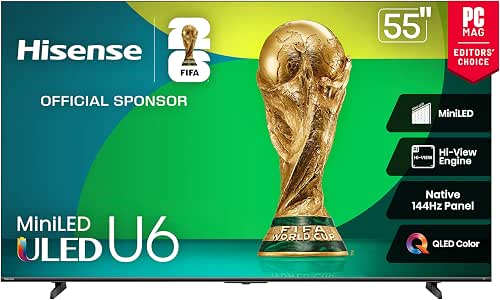
| Best for Brightness | Screen Size: 55″ | Resolution: 4K UHD | HDR Support: Dolby Vision IQ, HDR10+ Adaptive, HDR10, HLG | VIEW LATEST PRICE | Read Our Analysis |
| Roku 43″ Select Series 4K HDR Smart TV |
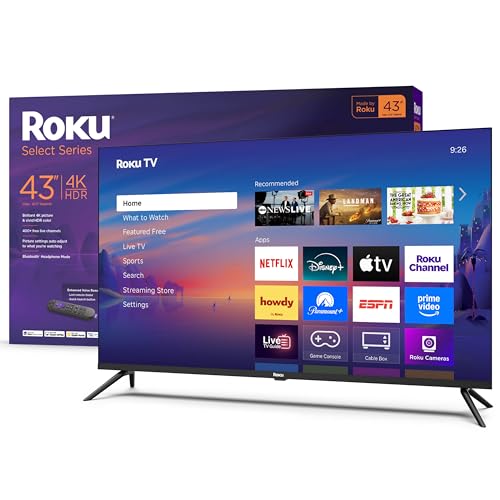
| Best Streaming Experience | Screen Size: 43″ | Resolution: 4K | HDR Support: HDR10 | VIEW LATEST PRICE | Read Our Analysis |
| Toshiba 43″ C350 4K UHD Smart Fire TV |
| Best for Movies | Screen Size: 43″ | Resolution: 4K UHD | HDR Support: Dolby Vision (plus HDR processing) | VIEW LATEST PRICE | Read Our Analysis |
More Details on Our Top Picks
Hisense 43″ A7 Series 4K UHD Smart Fire TV
If you want a compact 4K set that delivers vivid HDR color and smart streaming without breaking the bank, the Hisense 43″ A7 Series is a strong pick-its Wide Color Gamut plus HDR10+ and Dolby Vision support punch up color and contrast, while built‑in Amazon Fire TV and Dolby Atmos make it an all‑in‑one media hub. You’ll get 4K UHD at 60Hz, a 4K AI Upscaler for sharper non‑4K sources, and Game Mode Plus with VRR and ALLM for smoother play. Three HDMI ports (one with eARC), Wi‑Fi 5, and Alexa voice remote round out a compact, capable package.
- Screen Size:42.5″ (listed as 43″)
- Resolution:4K UHD (3840 x 2160)
- HDR Support:HDR10+, Dolby Vision
- Smart Platform / Voice:Amazon Fire TV (Alexa voice remote)
- Gaming Features:Game Mode Plus (VRR, ALLM)
- Audio Enhancements:Dolby Atmos (DTS:X referenced)
- Additional Feature:Wide Color Gamut
- Additional Feature:4K AI Upscaler
- Additional Feature:Alexa Voice Remote
Samsung 50″ QLED Q7F 4K Smart TV (2025)
For viewers who want vivid HDR color and punchy sound without upgrading to an OLED, the Samsung 50″ QLED Q7F 4K (2025) is a strong pick: its Quantum HDR with HDR10+ and Quantum Dot color delivers richer contrast and over a billion colors, while the Q4 AI Gen1 processor and Object Tracking Sound Lite tune picture and audio in real time for a more immersive experience. You’ll get true 4K plus upscaling, AI-boosted color and audio adjustments by content type, and gaming hub support. The Vision AI platform gives easy access to thousands of channels, while Samsung Knox protects your data and connected devices.
- Screen Size:50″
- Resolution:4K
- HDR Support:Quantum HDR; HDR10+
- Smart Platform / Voice:Samsung Vision AI (built-in Alexa)
- Gaming Features:Gaming Hub support; AI enhancements (supports gaming features)
- Audio Enhancements:Object Tracking Sound Lite; AI audio processing
- Additional Feature:Quantum Dot Color
- Additional Feature:Samsung Knox Security
- Additional Feature:Q4 AI Gen1 Processor
Hisense 55″ U6 Mini-LED 4K UHD Smart TV
Gamers and HDR enthusiasts who want blazing motion and punchy peak brightness will love the Hisense 55″ U6 Mini‑LED – it pairs a native 144Hz panel and up to 1,000 nits peak brightness with Mini‑LED local dimming (up to 600 zones) and QLED color for smooth, vibrant HDR performance. You’ll get Dolby Vision IQ, HDR10+ Adaptive, HDR10 and HLG plus Hi‑View AI picture and sound processing that sharpen detail and optimize audio. Gaming benefits from 144Hz Game Mode Pro, VRR, FreeSync Premium and ALLM for low latency. Fire TV and Alexa make streaming and voice control effortless.
- Screen Size:55″
- Resolution:4K UHD
- HDR Support:Dolby Vision IQ, HDR10+ Adaptive, HDR10, HLG
- Smart Platform / Voice:Fire TV (Alexa built-in)
- Gaming Features:144Hz Game Mode Pro (VRR 48–144Hz, ALLM, FreeSync)
- Audio Enhancements:Dolby Atmos; built-in subwoofer; AI Sound
- Additional Feature:Up to 1000 nits
- Additional Feature:Native 144Hz panel
- Additional Feature:Built-in subwoofer
Roku 43″ Select Series 4K HDR Smart TV
The Roku 43″ Select Series 4K HDR is a great pick if you want a compact, feature-packed TV that makes streaming simple and sharp. You get a 43-inch 4K LED with HDR10, VRR, and Roku Smart Picture that cleans and optimizes signals for better color and detail. The Roku OS puts 500+ channels, fast app launches, and automatic updates at your fingertips, while an enhanced voice remote and compatibility with Siri, Alexa, Google Assistant, and AirPlay simplify control and casting. Auto Speech Clarity, Game Mode, Art Mode, Bluetooth headphone support, and a sleek frameless design round out its value.
- Screen Size:43″
- Resolution:4K
- HDR Support:HDR10
- Smart Platform / Voice:Roku TV (Roku Voice; compatible with Alexa/Google/Siri)
- Gaming Features:Game Mode (VRR supported)
- Audio Enhancements:Auto Speech Clarity; enhanced voice audio
- Additional Feature:Frameless design
- Additional Feature:Bluetooth Headphone Mode
- Additional Feature:Roku lost-remote finder
Toshiba 43″ C350 4K UHD Smart Fire TV
If you want vivid HDR with a smart, budget-friendly package, the Toshiba 43″ C350 delivers Dolby Vision and Dolby Atmos on a Fire TV platform that’s easy to use. You’ll get REGZA Engine ZR and an AI 4K Upscaler that sharpen Full HD sources, plus Super Contrast Booster and Ultimate Motion for deeper color and clearer action. Fire TV, Alexa voice remote, and Apple AirPlay make streaming and control simple, while Game Mode with ALLM, VRR, and eARC supports responsive gaming and high-quality audio passthrough. At 43 inches, solid reviews, and a manufacturer warranty, it’s a strong value for cinematic nights.
- Screen Size:43″
- Resolution:4K UHD
- HDR Support:Dolby Vision (plus HDR processing)
- Smart Platform / Voice:Fire TV (Alexa voice remote)
- Gaming Features:Game Mode (ALLM, VRR, eARC)
- Audio Enhancements:Dolby Atmos
- Additional Feature:REGZA Engine ZR
- Additional Feature:Super Contrast Booster
- Additional Feature:Sports Mode
Factors to Consider When Choosing HDR TVs
When picking an HDR TV, you’ll want to compare display brightness range and how much color volume the panel can reproduce. Check which HDR formats the set supports and whether its local dimming and processing deliver consistent contrast. Also make sure the upscaling engine handles lower-res content cleanly so HDR sources and non-HDR material both look their best.
Display Brightness Range
Because peak and sustained brightness shape how HDR actually looks, you should check both specs rather than trusting a single nit number. Peak brightness (nits) shows how much highlight pop a TV can produce-basic sets sit around 300 nits, while excellent models exceed 1000 nits for striking speculars. Sustained or full-screen brightness tells you how punchy HDR remains across larger scenes; low sustained output makes highlights feel isolated. Look at local dimming and zone count too-more zones let highlights and deep blacks coexist. Consider tone-mapping headroom so the TV preserves highlight detail when downscaling 1000–4000 nit masters. Finally, verify brightness uniformity and off-axis peak stability; some panels lose nits or color accuracy at angles, weakening HDR impact.
HDR Format Support
Although HDR peak brightness and local dimming determine how punchy a picture looks, the formats a TV supports decide whether that picture will be mapped and preserved correctly; you should check which HDR standards your TV and content source both support. HDR10 is the baseline-widely supported and using static metadata for whole‑video tone mapping. Dolby Vision adds dynamic metadata, optimizing brightness, contrast, and color scene‑by‑scene (or frame‑by‑frame) for more accurate results when both TV and source handle it. HDR10+ offers similar dynamic benefits as a royalty‑free alternative. HLG targets live broadcasts, combining SDR and HDR without metadata so receivers display the best possible range for live TV. If a format isn’t supported, content will fall back to basic HDR10 or even SDR, reducing intended impact.
Color Volume Performance
If you want HDR highlights to pop without washing out saturated hues, check a TV’s color volume-how much of a color gamut it can produce across different brightness levels. You want both a wide gamut (high percentages of DCI-P3 or BT.2020) and the ability to hold saturation as luminance climbs. TVs with higher peak brightness – several hundred to over a thousand nits – reproduce more of the HDR color volume, so highlights stay vivid instead of turning gray. Look at measured metrics like color volume percentage relative to BT.2020 and coverage at specific nit levels to compare models objectively. Those measurements reveal whether a set maintains accurate, saturated colors in bright scenes without relying on local dimming tricks.
Local Dimming Capabilities
Color volume tells you whether a TV can keep colors saturated as brightness rises, but how those bright highlights and deep blacks are delivered depends on local dimming. You’ll want a set with many independently controlled zones-mini‑LED models offer hundreds to thousands, cutting haloing and pushing HDR peaks (often 800–1000+ nits) while preserving shadow nuance. TVs with only a few FALD or edge‑lit zones can bloom around bright objects and lose precise shadow detail. Remember effectiveness hinges on both zone count and algorithm quality: high peak brightness plus dense zoning improves specular highlights and contrast. Also watch for aggressive dimming that crushes midtones or causes pumping; choose sets with adjustable dimming strength or multiple modes to match different content.
Processing And Upscaling
Expect the processor and upscaler to do as much heavy lifting for picture quality as the panel itself. You’ll want an upscaler (often branded AI or 4K upscaler) that analyzes low-res input and reconstructs fine detail to approach 3840×2160, making 1080p and 720p sources look clearer. Choose processors that combine spatial and temporal algorithms with machine-learning models to rebuild textures, cut banding, and keep color natural. Good chips run frame-by-frame noise reduction, edge enhancement, and tasteful motion interpolation to sharpen without ringing. HDR tone-mapping and dynamic metadata handling (scene- or frame-based HDR10+/Dolby Vision) should map highlights and shadows to your panel’s peak nits. Remember processing modes trade refinement for latency, so pick a TV whose processor fits your viewing priorities.
Input Lag And Gaming
Good processing will make HDR look great, but for gamers the other half of the equation is input lag and responsiveness. Input lag is the delay (ms) between your controller or keyboard press and the on-screen result; for competitive HDR play you’ll generally want under 20 ms. Enable Game Mode or ALLM to reduce processing-Auto Low Latency Mode often drops lag by tens of milliseconds by minimizing post-processing. VRR complements low input lag by syncing the display’s refresh rate to your GPU’s frame output, cutting stutter and improving frame pacing so controls feel tighter. Higher native refresh rates (120 Hz vs 60 Hz) can further reduce motion blur, but only if the TV’s processing and measured HDR-mode lag support it. Check lab-tested HDR input lag numbers before you buy.


