

If you’re hunting for a budget laptop that still handles everyday tasks well, these five Pentium Silver models deserve a look. They pair efficient N5030 or N200 chips with NVMe storage, sensible RAM, and lightweight 14–15.6″ builds that suit students and commuters. You’ll find good battery life, useful ports, and upgradeable storage – and one standout configuration might change what you expect at this price.
| HP 14″ HD Laptop N5030 4GB/128GB (Renewed) |

| Renewed Deal | Processor: Intel Pentium Silver N5030 | Display Size: 14-inch | Screen Resolution (HD): 1366 x 768 (HD) | VIEW LATEST PRICE | Read Our Analysis |
| HP 14″ Ultra-Light Student Laptop Pentium N5030 |

| Student Favorite | Processor: Intel Pentium Silver N5030 | Display Size: 14-inch | Screen Resolution (HD): 1366 x 768 (HD) | VIEW LATEST PRICE | Read Our Analysis |
| HP 15.6″ Laptop N5030 – 16GB/128GB Scarlet Red |

| Multimedia Performer | Processor: Intel Pentium Silver N5030 | Display Size: 15.6-inch | Screen Resolution (HD): 1366 x 768 (HD) | VIEW LATEST PRICE | Read Our Analysis |
| HP 15.6″ Laptop Intel Pentium N200 8GB 128GB |
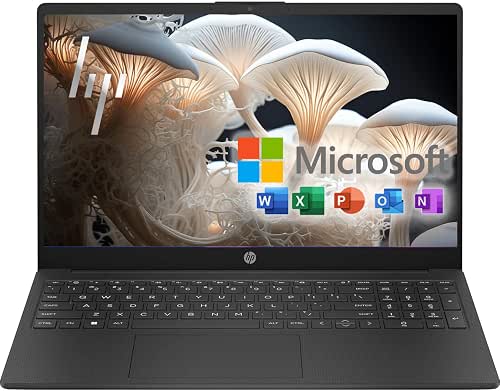
| Balanced Everyday | Processor: Intel Pentium N200 | Display Size: 15.6-inch | Screen Resolution (HD): 1366 x 768 (HD) | VIEW LATEST PRICE | Read Our Analysis |
| HP 14″ Laptop Pentium Silver N5030 8GB/256GB |
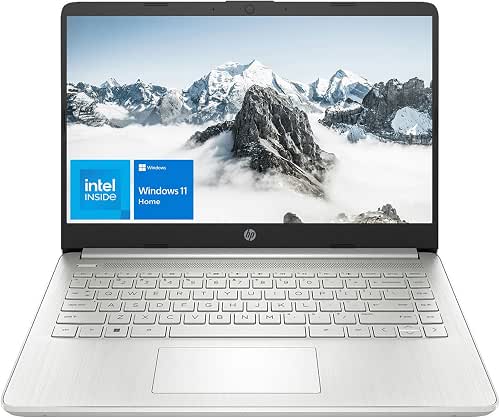
| Performance Plus | Processor: Intel Pentium Silver N5030 | Display Size: 14-inch | Screen Resolution (HD): 1366 x 768 (HD) | VIEW LATEST PRICE | Read Our Analysis |
More Details on Our Top Picks
HP 14″ HD Laptop N5030 4GB/128GB (Renewed)
If you need an affordable, no-frills laptop for browsing, streaming, and basic school or office tasks, the renewed HP 14″ with the Intel Pentium Silver N5030 fits the bill-its 14-inch HD screen, 4 GB RAM, and 128 GB SSD give you responsive everyday performance in a lightweight, budget-friendly package. You’ll get the N5030’s modest 1.1 GHz base and 3.1 GHz turbo for smooth web and document work, Windows 11 Home in S Mode for security, and a 1366×768, 220-nit display. Fast Charge, USB-C, HDMI, SD reader, and two USB-A ports round out practical connectivity.
- Processor:Intel Pentium Silver N5030
- Display Size:14-inch
- Screen Resolution (HD):1366 x 768 (HD)
- Operating System:Windows 11 Home (S Mode)
- Storage Type:128 GB SSD
- Built-in Webcam:Webcam (built-in)
- Additional Feature:HP Fast Charge
- Additional Feature:USB-C 3.0 port
- Additional Feature:SD card reader
HP 14″ Ultra-Light Student Laptop Pentium N5030
For students and frequent travelers who need long battery life and lightweight portability, the HP 14″ Ultra‑Light with the Pentium N5030 is a smart, budget‑friendly choice. You’ll enjoy a 3.24‑lb, narrow‑bezel 14″ design and up to 10–11 hours of battery life with Rapid Charge for quick top‑ups. The N5030 paired with 16GB DDR4 and a 1TB PCIe SSD delivers smooth multitasking and fast responsiveness; Intel UHD Graphics handles casual media. The HD anti‑glare screen reduces reflections, and ports include USB‑C, two USB‑A, HDMI 1.4b, and an SD reader. Windows 11, Copilot, Microsoft 365, and extended warranties round it out.
- Processor:Intel Pentium Silver N5030
- Display Size:14-inch
- Screen Resolution (HD):1366 x 768 (HD)
- Operating System:Windows 11 Home 64-bit (with Copilot)
- Storage Type:1 TB PCIe SSD
- Built-in Webcam:HP True Vision 720p HD camera
- Additional Feature:16GB RAM / 1TB SSD
- Additional Feature:HP True Vision 720p
- Additional Feature:10–11 hour battery
HP 15.6″ Laptop N5030 – 16GB/128GB Scarlet Red
Choose the HP 15.6″ Laptop N5030 when you want a budget-friendly yet capable machine for everyday multitasking-its Intel Pentium Silver N5030 with up to 3.1 GHz burst and 16GB RAM keeps browsing, streaming, and document work smooth while the 15.6″ HD display and Intel UHD Graphics deliver crisp visuals. You get a responsive feel from a 128GB SSD and a year of Microsoft 365 with 1TB OneDrive for cloud backup. Wi‑Fi, Bluetooth, USB‑C, and HDMI handle peripherals, while an HD webcam and dual mics suit video calls. Windows 11 and up to 11 hours of battery life round it out.
- Processor:Intel Pentium Silver N5030
- Display Size:15.6-inch
- Screen Resolution (HD):1366 x 768 (HD)
- Operating System:Windows 11
- Storage Type:128 GB SSD
- Built-in Webcam:Built-in HD webcam
- Additional Feature:15.6″ micro-edge screen
- Additional Feature:1TB OneDrive included
- Additional Feature:Built-in dual microphones
HP 15.6″ Laptop Intel Pentium N200 8GB 128GB
Students and everyday users who need reliable performance on a budget will appreciate the HP 15.6″ with an Intel Pentium N200 – it delivers smooth web browsing, homework handling, and video calls with its 4-core CPU, 8 GB RAM, and fast 128 GB SSD. You’ll get a clear 15.6-inch HD micro-edge display with anti-glare coating and a full-size keyboard for comfortable typing. Wi‑Fi 6 and Bluetooth 5.3 keep you connected, while Intel UHD Graphics handles casual streaming and light photo edits. Windows 11 Home plus a one-year Microsoft 365 subscription and 1 TB cloud storage make it ready to use.
- Processor:Intel Pentium N200
- Display Size:15.6-inch
- Screen Resolution (HD):1366 x 768 (HD)
- Operating System:Windows 11 Home
- Storage Type:128 GB SSD
- Built-in Webcam:Webcam (built-in)
- Additional Feature:Intel Pentium N200 CPU
- Additional Feature:Wi‑Fi 6 support
- Additional Feature:Full-size keyboard
HP 14″ Laptop Pentium Silver N5030 8GB/256GB
If you need a dependable everyday machine that won’t break the bank, the HP 14″ with the Pentium Silver N5030 delivers steady multitasking and quick boot times thanks to 8 GB of RAM and a 256 GB NVMe SSD. You’ll get a compact 14″ HD micro-edge display with anti-glare for comfortable viewing, and Windows 11 Home adds multitasking layouts, Android app support, and improved performance features. The N5030’s four cores boost to 3.1 GHz for light productivity, while ports – USB-C, two USB-A, HDMI, SD reader, and combo jack – cover peripherals. It’s a practical, budget-focused daily driver.
- Processor:Intel Pentium Silver N5030
- Display Size:14-inch
- Screen Resolution (HD):1366 x 768 (HD)
- Operating System:Windows 11 Home
- Storage Type:256 GB PCIe NVMe SSD
- Built-in Webcam:Webcam (built-in)
- Additional Feature:256GB PCIe NVMe SSD
- Additional Feature:USB-C 5 Gbps port
- Additional Feature:Anti-glare micro-edge display
Factors to Consider When Choosing Intel Pentium Silver Laptops
When choosing an Intel Pentium Silver laptop, you’ll want to match performance to your actual needs so you don’t overspend on power you won’t use. Consider RAM for multitasking, storage type and capacity for speed and space, and display size/quality for comfortable viewing. Also check realistic battery life expectations so the machine lasts through your typical day.
Performance Versus Needs
Because Pentium Silver chips are tuned for light productivity rather than heavy CPU work, match the laptop’s specs to what you actually do: prioritize 8 GB of RAM (4 GB will bottleneck multitasking), a PCIe NVMe SSD of at least 128–256 GB for snappy boot and app loads, and a design with decent battery and cooling if you need sustained responsiveness. Decide whether you mainly browse, stream, edit documents, or run web apps; integrated graphics handle video playback and casual 2D tasks but won’t cut it for heavy 3D or rendering. If you travel or work long sessions, pick a model with larger battery capacity and better thermal design to avoid throttling. Balance storage capacity and SSD speed against your file needs to keep everyday use smooth.
RAM And Multitasking
Think about RAM as the safety net for multitasking: on Pentium Silver laptops, 4 GB is the absolute minimum and will quickly force the system to swap, while 8 GB is the practical sweet spot for day-to-day browsing, documents, and video calls, and 16 GB helps if you keep dozens of tabs, large spreadsheets, or do light content work. You should aim for at least 8 GB unless your needs are minimal. Prefer dual-channel RAM and higher-frequency DDR4/DDR5 when possible, since they boost memory bandwidth and responsiveness. Remember that insufficient RAM pushes the OS to use virtual memory on storage, slowing things down. If you plan heavier simultaneous workloads, prioritize 16 GB and a dual-channel configuration to avoid constant paging.
Storage Type And Capacity
Pick a solid-state drive rather than an HDD-SSDs (especially NVMe PCIe) make the biggest real-world difference in boot times, app launches, and multitasking responsiveness on Pentium Silver laptops. Aim for at least 256 GB if you keep photos, media, or multiple apps locally; 128 GB can work for light use but forces external storage. Prefer NVMe PCIe over SATA when possible for faster sequential reads/writes and smoother large-file handling. Remember that systems with modest RAM lean on swap, so low SSD capacity can bottleneck performance. Check drive interface speeds and published throughput when comparing models. Finally, look for an available M.2 slot or user-upgradeable storage so you can expand capacity later without replacing the whole laptop.
Display Size And Quality
Match the screen size to how you work: choose a 13–14″ panel for travel-friendly weight and one-handed use, or 15–16″ if you want more workspace for multitasking and split-screen apps. Beyond size, prioritize resolution and pixel density-1366×768 HD appears on many budget models, but 1920×1080 (Full HD) gives sharper text and more usable desktop. Check brightness: 200–250 nits suits indoor use, while 300+ nits helps in brighter rooms or near windows. Prefer anti-glare or matte coatings if you often work outdoors to cut reflections and eye strain. Look at bezel width and aspect ratio: narrow bezels boost usable area in compact shells, 16:9 is standard for video, and 16:10 or 3:2 provide extra vertical space for documents and browsing.
Battery Life Expectations
Usually, you’ll see about 8–11 hours of battery life on Intel Pentium Silver laptops during light tasks like web browsing and document editing. Expect heavier workloads-video streaming, multitasking, or CPU-heavy apps-to cut that runtime substantially. Display size and brightness matter most: larger panels and higher nits increase power draw quickly. CPU load and backlight dominate consumption; extra RAM and faster storage only tweak endurance modestly. Wireless activity, background apps, and camera or microphone use also shorten real-world battery compared with manufacturer claims. Look for models with rapid‑charge support if you need quick top‑ups-many restore roughly 50% in 30–45 minutes. Balance your typical workload, brightness habits, and charging convenience when judging battery life expectations.
Port Selection And Connectivity
When choosing an Intel Pentium Silver laptop, prioritize a versatile set of ports so you won’t need adapters every time you plug something in. Make sure it includes at least one USB-C (preferably USB 3.1/3.2) for faster transfers, video output, and future-proof charging or docking. You’ll want multiple USB-A 3.0/3.2 ports to attach legacy peripherals and external drives without dongles. An HDMI 1.4 or higher port lets you connect external monitors or projectors for presentations and extended displays. An SD or microSD card reader speeds media transfers from cameras or phones. Finally, verify Wi‑Fi (ideally Wi‑Fi 5 or Wi‑Fi 6) and Bluetooth versions for reliable wireless use, and consider Ethernet or docking if you need stable wired networking.
Build Quality And Portability
Think about build quality and portability as a package: pick a chassis and hinge that feel sturdy (metal or reinforced plastic with a well-tested hinge) while keeping weight and thickness aligned with how you’ll carry the laptop-aim for ~1.4–1.6 kg if you travel often-and check bezel size, battery capacity, and port placement so you don’t sacrifice runtime or create awkward cable routing for the sake of a lighter shell. You should inspect hinge testing and chassis rigidity to avoid flex and premature failure. Favor narrow bezels to get more screen in a smaller footprint. Balance battery capacity with weight-tiny cells can ruin mobile usefulness. Finally, verify port layout so required I/O sits conveniently and doesn’t force adapters or tangled cables during daily use.




