

Remember how a cinema screen can make you forget the room you’re in? You can get that same pull at your desk with a top-tier OLED monitor-true blacks, vivid color, and instant response that change how you work and play. I’ll walk you through five standout models that blend performance with sleek design so you can pick the one that fits your setup and priorities.
| MSI MPG 321URX 32″ 4K QD-OLED Gaming Monitor |

| Premium 4K Powerhouse | Panel Type: Quantum Dot OLED (QD-OLED) | Refresh Rate: 240Hz | Response Time: 0.03 ms (GtG) | VIEW LATEST PRICE | Read Our Analysis |
| AOC Q27G4ZD 27″ QD OLED QHD 240Hz Gaming Monitor |

| Console-Ready Performer | Panel Type: Quantum Dot OLED (QD-OLED) | Refresh Rate: 240Hz | Response Time: 0.03 ms (GtG) | VIEW LATEST PRICE | Read Our Analysis |
| AOC 27″ QD OLED QHD 240Hz Gaming Monitor |
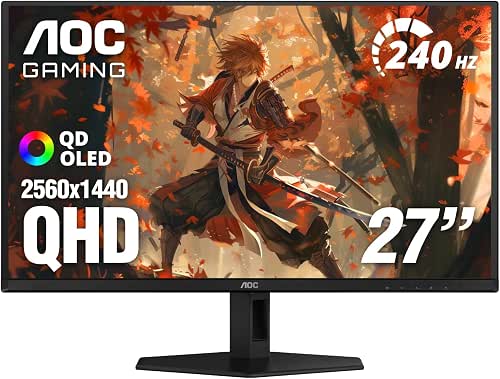
| Reliable Competitive Choice | Panel Type: Quantum Dot OLED (QD-OLED) | Refresh Rate: 240Hz | Response Time: 0.03 ms (GtG) | VIEW LATEST PRICE | Read Our Analysis |
| Alienware AW3423DWF 34″ Curved QD-OLED Gaming Monitor |
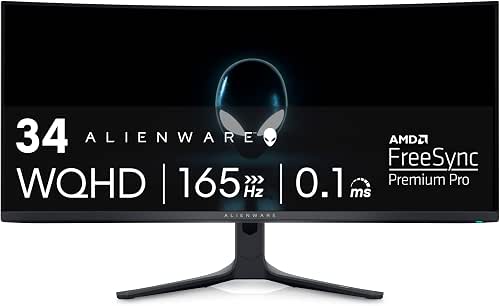
| Immersive Wide-Screen Flagship | Panel Type: Quantum Dot OLED (QD-OLED) | Refresh Rate: 165Hz | Response Time: 0.1 ms | VIEW LATEST PRICE | Read Our Analysis |
| LG 27″ Ultragear QHD OLED Gaming Monitor (240Hz) |

| Color-Accurate Speedster | Panel Type: OLED (QD-enhanced OLED tech from LG) | Refresh Rate: 240Hz | Response Time: 0.03 ms (GtG) | VIEW LATEST PRICE | Read Our Analysis |
More Details on Our Top Picks
MSI MPG 321URX 32″ 4K QD-OLED Gaming Monitor
If you want a bleeding‑edge gaming display that doubles as a color‑accurate creative monitor, the MSI MPG 321URX is for you: its 31.5″ 4K QD‑OLED panel delivers deep true blacks, DCI‑P3 99% coverage and ΔE ≤2 accuracy while pushing a 240Hz refresh rate and 0.03ms GtG response for ultra‑smooth competitive play. You’ll get 1.07 billion colors, VESA DisplayHDR True Black 400 certification and OLED Care 2.0 for longevity. Connectivity includes HDMI 2.1, DisplayPort 1.4a and USB‑C with 90W PD. The adjustable stand, Mystic Light, AI KVM with PiP/PbP and Console Mode round it out.
- Panel Type:Quantum Dot OLED (QD-OLED)
- Refresh Rate:240Hz
- Response Time:0.03 ms (GtG)
- HDR Certification:VESA DisplayHDR True Black 400
- Color Gamut / Accuracy:DCI-P3 99% / ΔE ≤ 2 (10-bit)
- Adaptive Sync / Variable Refresh Support:MSI Gaming Intelligence AI (supports adaptive features) / Console Mode (implicit VRR)
- Additional Feature:USB-C 90W power delivery
- Additional Feature:Mystic Light customizable lighting
- Additional Feature:AI KVM with PiP/PbP
AOC Q27G4ZD 27″ QD OLED QHD 240Hz Gaming Monitor
Competitive gamers and creative pros will appreciate the AOC Q27G4ZD’s blend of speed and color accuracy: a 27″ QD OLED panel delivers true blacks and over 1.07 billion colors at QHD resolution, while a 240Hz refresh rate and 0.03ms GTG response keeps motion razor-sharp. You’ll get HDR10 support with wide gamut coverage (110.2% DCI-P3, 147.6% sRGB) for vivid content and fine detail. G-Sync Compatibility cuts tearing, and dual DisplayPort plus two HDMI 2.0 ports handle multiple sources. Console gamers benefit from up to 120Hz and ultra-low latency. A three-year warranty with zero-bright-dot policy adds peace of mind.
- Panel Type:Quantum Dot OLED (QD-OLED)
- Refresh Rate:240Hz
- Response Time:0.03 ms (GtG)
- HDR Certification:HDR10 support (high dynamic range)
- Color Gamut / Accuracy:DCI-P3 110.2% / >1.07B colors
- Adaptive Sync / Variable Refresh Support:G-Sync Compatible
- Additional Feature:3-year zero-bright-dot
- Additional Feature:Dual HDMI + dual DP
- Additional Feature:Console 120Hz support
AOC 27″ QD OLED QHD 240Hz Gaming Monitor
Gamers who demand ultra-smooth responsiveness and vivid color will appreciate the AOC 27″ QD OLED QHD 240Hz, which pairs a 240Hz refresh rate and 0.03ms gray-to-gray response with a Quantum Dot OLED panel covering 147.6% sRGB and 110.2% DCI-P3. You’ll get QHD clarity, HDR400 True Black contrast, and minimal motion blur for fast-paced titles. Adaptive-Sync and G-Sync compatibility eliminate tearing, and it’s console-ready for cross-platform play. Connectivity includes HDMI 2.0 and DisplayPort. AOC backs the display with a three-year zero-bright-dot warranty, so you’re protected against panel defects and unexpected pixel issues.
- Panel Type:Quantum Dot OLED (QD-OLED)
- Refresh Rate:240Hz
- Response Time:0.03 ms (GtG)
- HDR Certification:HDR400 True Black
- Color Gamut / Accuracy:DCI-P3 110.2% / 147.6% sRGB
- Adaptive Sync / Variable Refresh Support:Adaptive-Sync / G-Sync Compatible
- Additional Feature:3-year zero-bright-dot
- Additional Feature:HDR400 True Black
- Additional Feature:Console gaming ready
Alienware AW3423DWF 34″ Curved QD-OLED Gaming Monitor
The Alienware AW3423DWF is ideal for anyone who wants blisteringly fast gaming performance coupled with near-perfect color accuracy-its 34″ QD-OLED panel delivers true blacks, 99.3% DCI-P3 coverage, and a 165Hz/0.1ms spec that keeps motion crisp and latency low. You get Quantum Dot color conversion for higher luminance and a wider gamut than WOLED, plus VESA DisplayHDR True Black 400. Gaming benefits include FreeSync Premium Pro and AdaptiveSync certification. The curved 1800R design, AlienFX lighting, adjustable stand, and cable management blend form and function. Creator Mode, DCI-P3/sRGB switching, gamma controls, and a three-year burn-in-covered warranty round it out.
- Panel Type:Quantum Dot OLED (QD-OLED)
- Refresh Rate:165Hz
- Response Time:0.1 ms
- HDR Certification:VESA DisplayHDR True Black 400
- Color Gamut / Accuracy:DCI-P3 99.3%
- Adaptive Sync / Variable Refresh Support:AMD FreeSync Premium Pro / VESA AdaptiveSync
- Additional Feature:1800R curved panel
- Additional Feature:AlienFX customizable RGB
- Additional Feature:3-year burn-in warranty
LG 27″ Ultragear QHD OLED Gaming Monitor (240Hz)
If you want blisteringly fast competitive performance and stunning image quality, the LG 27″ Ultragear QHD OLED is a perfect fit-its 240Hz refresh rate, 0.03ms response, and OLED contrast deliver tear-free, razor-sharp gameplay and cinematic color fidelity. You get a 27-inch 2560×1440 OLED with glossy finish, 275 nits standard (1300 peak), VESA DisplayHDR True Black 400, 1.5M:1 contrast, and 98.5% DCI‑P3 coverage for rich, accurate color. Dual HDMI 2.1, DisplayPort 1.4, G‑SYNC/FreeSync Pro, USB 3.2, ergonomic stand, hexagon lighting, and UL eye‑comfort certifications round out a pro‑grade package.
- Panel Type:OLED (QD-enhanced OLED tech from LG)
- Refresh Rate:240Hz
- Response Time:0.03 ms (GtG)
- HDR Certification:VESA DisplayHDR True Black 400
- Color Gamut / Accuracy:DCI-P3 ~98.5% (10-bit coverage implied)
- Adaptive Sync / Variable Refresh Support:NVIDIA G-SYNC Compatible / AMD FreeSync Premium Pro
- Additional Feature:Dual HDMI 2.1 ports
- Additional Feature:Peak 1300 nits brightness
- Additional Feature:UL anti-glare/flicker/low-blue certifications
Factors to Consider When Choosing OLED Monitors
When choosing an OLED monitor, you’ll want to prioritize color accuracy and the color gamut so content looks true to life. Pay attention to refresh rate, response time, HDR peak brightness, and built-in burn-in mitigation to match your usage and longevity needs. Finally, check connectivity and compatibility with your GPU and peripherals so you get the features you actually need.
Color Accuracy And Gamut
Because accurate color separates professional work from hobbyist projects, you should prioritize Delta E and gamut coverage when evaluating OLED monitors. Look for a Delta E of ≤2 for trustworthy, professional-grade accuracy. Check listed gamut percentages for DCI-P3 and sRGB – values near or above 99% mean the panel reproduces wide, vivid ranges accurately. Quantum Dot OLEDs boost gamut by converting blue light into more precise reds and greens, so they often deliver truer, more saturated color than traditional OLEDs. Prefer 10-bit panels to access over 1.07 billion colors and smoother gradients with minimal banding. Finally, make certain the monitor offers hardware calibration and quick switching between native DCI-P3 and sRGB modes so your color-critical work stays consistent across different workflows and standards.
Refresh Rate And Response
Accurate color gets you true-to-life images, but refresh rate and response define how smoothly those images move, especially in fast games and action scenes. You’ll want a high refresh rate-240Hz lets your OLED show many more frames per second, delivering noticeably smoother motion and fluid gameplay. Pair that with ultra-fast response times, often around 0.03ms gray-to-gray, and you’ll cut motion blur and ghosting so fast-moving visuals stay crisp. OLED’s inherent rapid pixel switching already beats most LCDs, preserving color while improving clarity. For competitive play, low latency plus high refresh minimizes input lag and speeds visual feedback. Prioritize both refresh rate and minimal response time to get seamless, tear-free performance with minimal artifacts.
HDR And Peak Brightness
If you want truly immersive HDR on an OLED, judge both its peak brightness and contrast, since OLED’s perfect blacks make highlights-and the details within them-stand out. You’ll look for high peak luminance so specular highlights pop without washing midtones, while the panel’s native contrast preserves shadow detail. Check for VESA DisplayHDR True Black certification as a quick indicator that a monitor balances deep blacks with respectable peak brightness. Also consider color accuracy at those luminance levels-poor color handling at peak brightness will flatten fine detail. In short, pick an OLED that combines strong peak brightness, class-leading contrast, and reliable color reproduction so HDR content retains nuance in both highlights and shadows, delivering truly immersive imagery.
Burn-In Mitigation Features
While OLED delivers unmatched contrast, you’ll want to prioritize built-in burn-in mitigation to protect your investment-look for features like automatic pixel shifting and scheduled refresh cycles that redistribute wear and clear retained charge during standby or shutdown. You should favor models with proprietary screen-care systems that evenly manage pixel wear and extend panel life, plus AI-driven display adjustments that dynamically trim luminance and color stress on individual pixels. Check for manufacturer burn-in warranties as a sign of stronger quality control and reduced long-term risk. Also confirm regular firmware updates and accessible pixel-refresh tools so you can perform maintenance yourself. Together, these features minimize static-image retention, keep image quality stable over years, and make an OLED monitor a safer long-term choice for your desk.
Connectivity And Compatibility
After checking burn-in protections, you’ll want to confirm a monitor’s connectivity and compatibility so you can actually use its performance features with your gear. Make sure it supports modern display interfaces like HDMI 2.1 and DisplayPort 1.4 or newer to run high refresh rates and native resolutions without downscaling. Look for USB-C with power delivery so a single cable can carry video, data, and charge laptops. Verify multi-input options-both HDMI and DisplayPort-so you can switch between PC and console easily. Check for adaptive-sync support (G-Sync or FreeSync) to prevent tearing with your GPU. Finally, confirm the ports and bandwidth match your graphics card or console specifications to guarantee you actually get the advertised frame rates and image quality.
Ergonomics And Build
Because you’ll be spending hours in front of your OLED, prioritize a monitor that adjusts in every direction-height, tilt, swivel, and pivot-so you can set it to a comfortable, strain-free position. Choose a four-way or similarly adjustable stand to fine-tune screen alignment, reduce neck and eye strain, and support better posture during long sessions. Look for integrated cable management to keep cords out of the way and preserve a clean, ergonomic workspace. Minimal bezels help you stay centered on content without leaning or turning your head awkwardly. Also consider practical extras: textured or anti-slip bases for stability and adjustable-tension mechanisms that let you reposition the display smoothly while holding its place when you stop.




