

You want a laptop that’s both feather‑light to carry and heavy‑duty under load. You’ll get Precision models that balance raw CPU cores, pro‑grade GPUs, and expandability without needless fluff. They’re built for sustained simulations, complex CAD, and multi‑stream content work, yet still plug into docks and multi‑4K displays. Keep going to see which specific 15″–17″ rigs match your workflow and budget-and what to prioritize.
| Dell Precision 3591 15.6″ Mobile Workstation (64GB 2TB) |
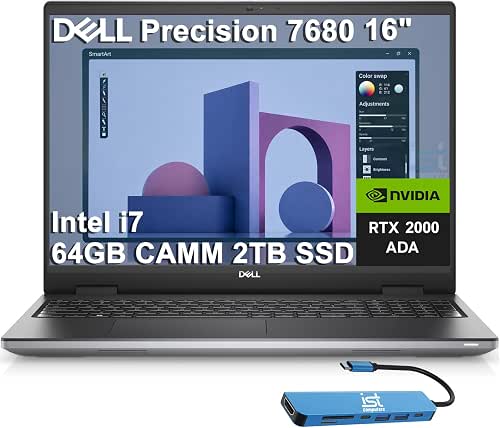
| Mobile Powerhouse | Processor: Intel 16-Core Ultra 7 165H vPro | Dedicated GPU: NVIDIA RTX 1000 Ada (6 GB GDDR6) | RAM: 64 GB DDR5 | VIEW LATEST PRICE | Read Our Analysis |
| Dell Precision 5690 16″ Laptop – 32GB 512GB SSD |

| Sleek Creator’s Choice | Processor: Intel Core Ultra 7 165H | Dedicated GPU: NVIDIA RTX A1000 (6 GB) | RAM: 32 GB LPDDR5X | VIEW LATEST PRICE | Read Our Analysis |
| Dell Precision 5560 Workstation Laptop i7-11850H (Renewed) |

| Balanced Performer | Processor: Intel Core i7-11850H vPro (11th Gen) | Dedicated GPU: NVIDIA RTX A2000 (4 GB GDDR6) | RAM: 32 GB DDR4 3200 MHz | VIEW LATEST PRICE | Read Our Analysis |
| Dell Precision 7750 17.3″ i7 Workstation (Renewed) |
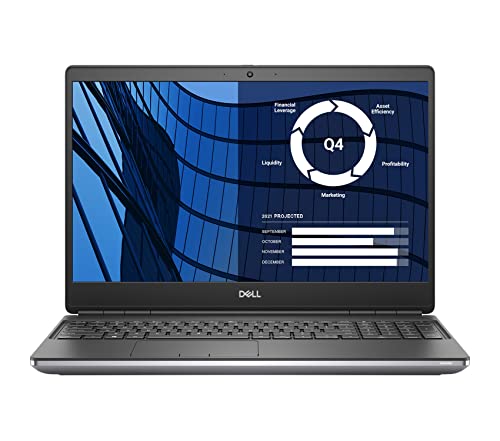
| Big-Screen Power | Processor: Intel Core i7-10850H (10th Gen) | Dedicated GPU: NVIDIA Quadro RTX 3000 (6 GB GDDR6) | RAM: 32 GB DDR4 | VIEW LATEST PRICE | Read Our Analysis |
| Dell Precision 7560 Workstation Laptop – i7 32GB |

| Reliable Workhorse | Processor: Intel Core i7-11850H (11th Gen) | Dedicated GPU: NVIDIA RTX A2000 (4 GB GDDR6) | RAM: 32 GB | VIEW LATEST PRICE | Read Our Analysis |
More Details on Our Top Picks
Dell Precision 3591 15.6″ Mobile Workstation (64GB 2TB)
If you need a portable workstation that doesn’t compromise on raw power, the Dell Precision 3591 is built for professionals-designers, engineers, and developers-who demand multi-threaded performance and serious GPU acceleration on the go. You get an Intel 16-core Ultra 7 165H vPro CPU, NVIDIA RTX 1000 Ada 6GB, and 64GB DDR5 RAM to handle heavy 3D, CAD, and compile workloads. A 2TB PCIe NVMe SSD plus upgrade warranty keeps projects safe and fast. The 15.6″ FHD IPS screen, 1080p HDR webcam, fingerprint reader, Thunderbolt 4, Wi‑Fi 6E, and Windows 11 Pro finish a compact, certified workstation.
- Processor:Intel 16-Core Ultra 7 165H vPro
- Dedicated GPU:NVIDIA RTX 1000 Ada (6 GB GDDR6)
- RAM:64 GB DDR5
- Storage (Internal SSD):2 TB PCIe NVMe M.2 SSD
- Display Size & Type:15.6″ FHD IPS anti-glare (1920 x 1080)
- Operating System:Windows 11 Pro 64-bit (with Copilot)
- Additional Feature:1080p FHD HDR webcam
- Additional Feature:Fingerprint reader login
- Additional Feature:2x Thunderbolt 4
Dell Precision 5690 16″ Laptop – 32GB 512GB SSD
Choose the Dell Precision 5690 when you need a portable workstation that handles heavy creative and engineering workloads-its 16-core Intel Core Ultra 7 165H and dedicated NVIDIA RTX A1000 GPU deliver the multi-threaded performance and professional graphics power content creators, CAD users, and data analysts rely on. You get a 16-inch 1920×1200 IPS display that balances clarity and color, 32GB LPDDR5X for smooth multitasking, and a 512GB PCIe NVMe SSD for fast project loading. In Titan Gray with Windows 11 Pro, the Precision 5690 packs a 24MB cache and 6GB VRAM into a sleek chassis for reliable, mobile productivity.
- Processor:Intel Core Ultra 7 165H
- Dedicated GPU:NVIDIA RTX A1000 (6 GB)
- RAM:32 GB LPDDR5X
- Storage (Internal SSD):512 GB PCIe NVMe SSD
- Display Size & Type:16″ IPS (1920 x 1200)
- Operating System:Windows 11 Pro
- Additional Feature:16″ 1920×1200 IPS
- Additional Feature:LPDDR5X memory
- Additional Feature:NVIDIA RTX A1000
Dell Precision 5560 Workstation Laptop i7-11850H (Renewed)
For power users who need mobile workstation performance, the Dell Precision 5560 (Renewed) delivers a balanced mix of a high‑clocking 11th Gen i7‑11850H and an NVIDIA RTX A2000 GPU so you can run complex CAD, rendering, or data‑analysis workloads on the go. You get 8 cores (2.5–4.8 GHz), 32 GB DDR4 at 3200 MHz, and a 1 TB NVMe SSD for responsive multitasking and large datasets. The 15.6″ FHD anti‑glare display, Thunderbolt 4 ports, SD slot, Wi‑Fi 6, fingerprint reader, backlit keyboard, and Windows 11 Pro round out a capable, portable workstation.
- Processor:Intel Core i7-11850H vPro (11th Gen)
- Dedicated GPU:NVIDIA RTX A2000 (4 GB GDDR6)
- RAM:32 GB DDR4 3200 MHz
- Storage (Internal SSD):1 TB M.2 2280 SSD
- Display Size & Type:15.6″ Full HD anti-glare
- Operating System:Windows 11 Pro
- Additional Feature:Three Thunderbolt 4 ports
- Additional Feature:SD card slot
- Additional Feature:Renewed condition
Dell Precision 7750 17.3″ i7 Workstation (Renewed)
Power through demanding workloads with the Dell Precision 7750, a mobile workstation built for professionals who need desktop-class performance on the go. You’ll get a 17.3″ FHD 100% DCI-P3, 500-nit display that’s ideal for color-critical work, driven by an Intel Core i7-10850H (6 cores, up to 5.10 GHz) and NVIDIA Quadro RTX 3000 with 6 GB GDDR6. With 32 GB DDR4 and a 1 TB M.2 SSD, multitasking and large datasets feel fluid. It ships renewed in a gray chassis, runs Windows 11 Pro, and includes a backlit US keyboard and integrated camera-ready for professional workloads.
- Processor:Intel Core i7-10850H (10th Gen)
- Dedicated GPU:NVIDIA Quadro RTX 3000 (6 GB GDDR6)
- RAM:32 GB DDR4
- Storage (Internal SSD):1 TB M.2 SSD
- Display Size & Type:17.3″ FHD WVA anti-glare (1920 x 1080), 100% DCI-P3
- Operating System:Windows 11 Professional 64-bit
- Additional Feature:17.3″ 100% DCI-P3 500 nits
- Additional Feature:NVIDIA Quadro RTX 3000
- Additional Feature:Dual-pointing backlit keyboard
Dell Precision 7560 Workstation Laptop – i7 32GB
If you need a durable mobile workstation that handles heavy CAD, 3D rendering, and multitasking without breaking a sweat, the Dell Precision 7560 with an Intel i7-11850H and 32 GB of RAM delivers the sustained performance you’ll want. You get a 15.6″ FHD non-touch display in a silver renewed chassis that keeps things professional. The 8-core i7 boosts to 4.8 GHz for demanding tasks, while the Nvidia RTX A2000 with 4 GB GDDR6 accelerates modeling and visualization. Storage is a responsive 512 GB SSD. Windows 11 Pro, Wi‑Fi, and Bluetooth complete a reliable mobile workstation package.
- Processor:Intel Core i7-11850H (11th Gen)
- Dedicated GPU:NVIDIA RTX A2000 (4 GB GDDR6)
- RAM:32 GB
- Storage (Internal SSD):512 GB SSD
- Display Size & Type:15.6″ FHD non-touch (1920 x 1080)
- Operating System:Windows 11 Pro
- Additional Feature:Nvidia RTX A2000 GPU
- Additional Feature:15.6″ FHD non-touch
- Additional Feature:Renewed condition
Factors to Consider When Choosing Precision Laptops
When choosing a Precision laptop, you’ll want to focus on performance and CPU choices that match your workloads and the GPU and graphics capabilities for rendering or CAD. Consider memory and storage options for multitasking and fast file access, and check display quality and color accuracy if color-critical work matters. Finally, weigh portability and build for how often you’ll carry the machine and how durable it needs to be.
Performance And CPU
Although raw clock speed matters for snappy responsiveness, you should prioritize core count and modern microarchitecture first-8–16 core mobile workstation CPUs with newer designs crush multithreaded tasks like rendering and large builds, while higher single‑core frequencies still help interactive or legacy workloads. When choosing, check sustained turbo and configurable TDP: processors that hold higher boost clocks across 45W–115W ranges deliver steadier performance under prolonged loads. Look for larger CPU caches and support for faster RAM (DDR5/LPDDR5X) to cut latency and raise throughput in data‑heavy workflows. Verify hardware virtualization, enterprise management (vPro‑class) and security extensions if you need remote management or secure testing environments. Balance cores and single‑thread speed to match your real-world workloads.
GPU And Graphics
Pick the right GPU class and capacity to match your workflows: workstation (ISV‑certified) GPUs give driver stability and precision for CAD and pro rendering, while high‑end consumer cards can match raw performance for general 3D work or gaming. Match VRAM to project size – complex models, big textures, or high‑res timelines often need 6–16+ GB to avoid slowdowns or out‑of‑memory errors. Check compute specs (CUDA/FP32/RT cores or equivalents) and hardware acceleration for ray tracing or AI tasks if your apps use them. Verify external display support: per‑port max resolution/refresh and total simultaneous monitors matter if you run multi‑screen setups without a dock. Finally, consider thermal and power limits, since sustained heavy loads can throttle performance on battery.
Memory And Storage
Many professional workflows demand plenty of fast memory and storage, so plan for 32–64 GB of RAM (or more) and a responsive NVMe PCIe SSD as your primary drive. You should prefer DDR5 or LPDDR5X for higher bandwidth and better power efficiency when handling large models, high-res textures, or multiple VMs. Choose M.2 NVMe SSDs with 1–2 TB (or larger) capacity to get fast sequential and random I/O for OS and active projects. Look for laptops that let you add DIMMs or extra M.2 drives instead of soldered-only configurations so you can expand later. Finally, balance tiers: keep a fast NVMe for current work and use larger secondary SSDs, HDDs, or external backups for archives and cost-efficient capacity.
Display Quality And Color
When your work depends on accurate visuals, choose a screen that gives the resolution, gamut, and calibration you need: higher resolutions (1920×1200 or above) expand workspace for timelines and CAD models, wide‑angle IPS panels keep colors consistent across the panel, and clear specs for sRGB/Adobe RGB/DCI‑P3 plus low Delta E and factory calibration guarantee what you see matches final output. You should match resolution and size to your workflow so timelines, CAD views, and side‑by‑side windows fit without constant zooming. Prioritize gamut coverage-look for explicit percentages like 100% sRGB, 95% Adobe RGB, or 100% DCI‑P3. Check panel tech: IPS or equivalent beats TN for uniformity. Aim for higher brightness (300–500+ nits) and HDR when you need expanded dynamic range. Lower Delta E and factory calibration save time and secure fidelity.
Portability And Build
For frequent travel, think beyond specs and focus on how the laptop feels in your bag and on your lap: aim for models under ~2.5 kg and about 25 mm thick if you want true daily portability, choose a 14–15.6″ screen for the best balance of workspace versus footprint, and expect larger 16–17″ machines to cost you weight and handling for extra screen real estate. Check actual weight and thickness figures rather than marketing terms. Prioritize battery capacity and real-world runtimes-powerful CPUs/GPUs drain batteries fast. Pick durable materials like aluminum or magnesium alloy and verify hinge and chassis reinforcement for frequent handling. Finally, confirm onboard I/O so you don’t need bulky docks or adapters that negate portability gains.
Connectivity And Expansion
Beyond size and build, how a precision laptop connects to the world will shape how you use it every day. Prioritize Thunderbolt 4 or USB4 for up to 40 Gbps, external GPU support, and driving multiple 4K displays over one cable. Make sure there’s at least one HDMI 2.1 or DisplayPort-capable output to run external monitors at 4K@60Hz or higher without adapters. Look for a mix of USB-A and USB-C (including PD-capable USB-C) so you can charge while transferring data and still use legacy peripherals. In professional settings, built-in Ethernet plus a quality Wi‑Fi 6E adapter give stable, low-latency connectivity. Finally, check for expandable storage and memory-extra M.2 NVMe slots, SO‑DIMM slots, and an SD or full-size card reader.
Security And Manageability
Although you’ll want great performance, don’t overlook security and manageability-these features protect your data, streamline IT work, and keep devices usable throughout their lifecycle. You should choose hardware-based authentication like fingerprint readers and IR webcams with privacy shutters for fast, secure logins and to prevent shoulder-surfing. Verify TPM 2.0 and support for full-disk AES encryption to protect data at rest and meet compliance. Prefer systems with out-of-band or vPro-equivalent remote management so IT can diagnose, patch, and reimage machines even when the OS is down. Check for long-term firmware and driver update policies plus centralized update tools for consistent patch deployment. Finally, confirm physical and port security-Kensington locks, BIOS passwords, and configurable USB/Thunderbolt controls-to reduce unauthorized access and data exfiltration.




