

You want a TUF laptop that won’t choke on gaming, streaming, or creative work, and these five models deliver-each pairs powerful CPUs and RTX GPUs with fast RAM, NVMe storage, high‑refresh panels, and sturdy cooling. I’ll show which setups fit different needs, from portable power to desktop‑class performance, and what to watch for when choosing-so you can pick the right TUF for your workload.
| ASUS TUF Gaming F16 Laptop – i7 RTX 5050 16GB |

| Balanced Power | Processor: Intel Core i7-14650HX | Graphics (GPU): NVIDIA GeForce RTX 5050 | Display Size & Aspect: 16″ FHD+ (16:10) | VIEW LATEST PRICE | Read Our Analysis |
| ASUS TUF 16″ Gaming Laptop i7-14650HX RTX 5060 |

| Performance Champion | Processor: Intel Core i7-14650HX | Graphics (GPU): NVIDIA GeForce RTX 5060 | Display Size & Aspect: 16″ FHD+ (16:10) | VIEW LATEST PRICE | Read Our Analysis |
| ASUS TUF Gaming A15 Laptop (Ryzen 5 RTX 3050) |
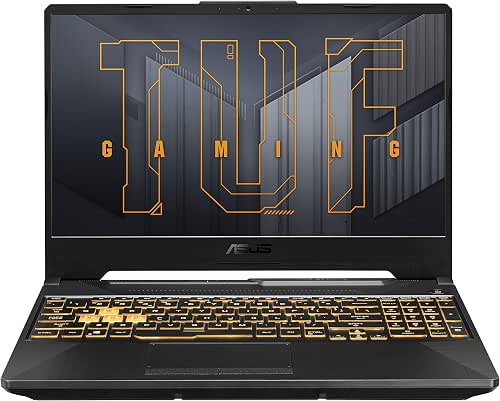
| Portable Gamer | Processor: AMD Ryzen 5 7535HS | Graphics (GPU): NVIDIA GeForce RTX 3050 | Display Size & Aspect: 15.6″ FHD (16:9) | VIEW LATEST PRICE | Read Our Analysis |
| ASUS TUF Gaming F15 15.6″ RTX 3050 Laptop |

| Efficient Starter | Processor: Intel Core i5-12500H | Graphics (GPU): NVIDIA GeForce RTX 3050 | Display Size & Aspect: 15.6″ FHD (16:9) | VIEW LATEST PRICE | Read Our Analysis |
| ASUS TUF Gaming A16 Laptop (Ryzen 5 RTX 4050) |

| Value Performance | Processor: AMD Ryzen 5 7535HS | Graphics (GPU): NVIDIA GeForce RTX 4050 | Display Size & Aspect: 16″ FHD+ (16:10) | VIEW LATEST PRICE | Read Our Analysis |
More Details on Our Top Picks
ASUS TUF Gaming F16 Laptop – i7 RTX 5050 16GB
If you want a durable gaming laptop that balances strong performance and value, the ASUS TUF Gaming F16 is a solid pick-its Intel Core i7-14650HX and NVIDIA GeForce RTX 5050 handle modern games and streaming without breaking a sweat, while the 16″ FHD+ 165Hz display and 16:10 aspect ratio give you smoother, more immersive gameplay. You get 16GB DDR5 and a 1TB PCIe Gen4 SSD for quick load times and multitasking. Wi‑Fi 6E, Windows 11 Home, and PC Game Pass keep you connected to content. Dolby Atmos and Hi-Res Audio round out a clear, punchy soundstage.
- Processor:Intel Core i7-14650HX
- Graphics (GPU):NVIDIA GeForce RTX 5050
- Display Size & Aspect:16″ FHD+ (16:10)
- RAM:16GB DDR5
- Storage:1TB PCIe Gen4 SSD
- Wireless Connectivity:Wi‑Fi 6E
- Additional Feature:Dolby Atmos audio
- Additional Feature:Hi-Res Audio support
- Additional Feature:PC Game Pass access
ASUS TUF 16″ Gaming Laptop i7-14650HX RTX 5060
Gamers and creators who want strong performance without a premium price will find the ASUS TUF 16″ with an i7-14650HX and RTX 5060 a smart choice. You get a Windows 11 Home system in Jaeger Gray, powered by a Raptor Lake i7 with 24 threads (8 hyperthreaded P-cores, 8 E-cores) and boost clocks up to 5.2 GHz single-core. With 32GB DDR5 and a 1TB SSD, multitasking and storage aren’t issues. The RTX 5060 and 16″ FHD+ 165Hz display with Adaptive-Sync deliver smooth visuals. Extras include a front camera, mic, backlit keyboard, and a USB 3.0 hub.
- Processor:Intel Core i7-14650HX
- Graphics (GPU):NVIDIA GeForce RTX 5060
- Display Size & Aspect:16″ FHD+ (16:10)
- RAM:32GB DDR5
- Storage:1024GB SSD
- Wireless Connectivity:(not explicitly listed; includes Wi‑Fi – likely Wi‑Fi 6)
- Additional Feature:Front-facing camera
- Additional Feature:Backlit keyboard
- Additional Feature:USB 3.0 hub bundle
ASUS TUF Gaming A15 Laptop (Ryzen 5 RTX 3050)
Choose the ASUS TUF Gaming A15 when you want a durable, high‑refresh gaming laptop that balances performance and value-its Ryzen 5 7535HS and RTX 3050 (75W) handle modern games and multitasking, while a 144 Hz FHD display with Adaptive‑Sync keeps visuals smooth. You’ll get six Ryzen cores, 19 MB cache and bursts to 4.55 GHz for responsive play and productivity. DLSS 3.5 and ray tracing improve frame quality and realism. With 16 GB DDR5, a 512 GB PCIe Gen4 SSD and Wi‑Fi 6, loading and connectivity are fast. MIL‑STD‑810H build and Windows 11 Home complete the package.
- Processor:AMD Ryzen 5 7535HS
- Graphics (GPU):NVIDIA GeForce RTX 3050
- Display Size & Aspect:15.6″ FHD (16:9)
- RAM:16GB DDR5
- Storage:512GB PCIe Gen4 SSD
- Wireless Connectivity:Wi‑Fi 6
- Additional Feature:DLSS 3.5 support
- Additional Feature:MIL-STD-810H durability
- Additional Feature:75W max TGP
ASUS TUF Gaming F15 15.6″ RTX 3050 Laptop
For players who want solid 1080p performance without breaking the bank, the ASUS TUF Gaming F15 pairs a 12th Gen Intel Core i5-12500H with an NVIDIA GeForce RTX 3050 (95W Max TGP) and a 144Hz FHD panel to keep gameplay smooth and responsive. You get Adaptive-Sync and a MUX Switch for lower latency and a 5–10% FPS boost. It ships with Windows 11, 16GB DDR4-3200, and a 512GB PCIe 3.0 SSD plus an extra slot for upgrades. Cooling uses dual Arc Flow Fans (84 blades) to manage high-core loads. Wi‑Fi 6 and Mecha Gray finish complete the package.
- Processor:Intel Core i5-12500H
- Graphics (GPU):NVIDIA GeForce RTX 3050
- Display Size & Aspect:15.6″ FHD (16:9)
- RAM:16GB DDR4-3200
- Storage:512GB PCIe 3.0 SSD
- Wireless Connectivity:Wi‑Fi 6
- Additional Feature:MUX Switch enabled
- Additional Feature:Dual Arc Flow Fans
- Additional Feature:Additional SSD slot
ASUS TUF Gaming A16 Laptop (Ryzen 5 RTX 4050)
If you want a durable, midrange gaming laptop that balances solid performance with smooth visuals, the ASUS TUF Gaming A16 fits the bill. You get an AMD Ryzen 5 7535HS paired with an NVIDIA GeForce RTX 4050 and Advanced Optimus for efficient GPU switching. Its 16″ FHD+ 1920 x 1200 16:10 display runs at 144Hz with G‑SYNC and slim bezels for immersive gameplay. Packed with 16GB DDR5 and a 512GB PCIe SSD, it handles multitasking and fast loads. MIL‑STD‑810H testing backs its rugged build, while dual 84‑blade Arc Flow fans, Wi‑Fi 6, and Windows 11 Home complete the package.
- Processor:AMD Ryzen 5 7535HS
- Graphics (GPU):NVIDIA GeForce RTX 4050
- Display Size & Aspect:16″ FHD+ (16:10)
- RAM:16GB DDR5
- Storage:512GB PCIe SSD
- Wireless Connectivity:Wi‑Fi 6
- Additional Feature:NVIDIA Advanced Optimus
- Additional Feature:NVIDIA G-SYNC support
- Additional Feature:90% screen-to-body ratio
Factors to Consider When Choosing TUF Laptops
When choosing a TUF laptop, you’ll want to prioritize the processor and core count, GPU performance tier, and display quality including refresh rate to match your workload or games. Also consider memory capacity options and whether the storage type and speed meet your needs for loading times and multitasking. Balancing those elements will help you pick a model that fits your performance and budget goals.
Processor And Cores
Pick a CPU that matches how you use the TUF-more high‑performance (P) cores and higher single‑core boost clocks will lift gaming frame rates and responsiveness, while a higher total thread count (P‑core hyperthreading plus efficient E‑cores) helps heavy multitasking and content creation. You should count total threads for parallel workloads like rendering, encoding, and compiling, since more threads reduce bottlenecks. Favor higher core counts and larger caches for sustained CPU‑bound tasks such as streaming or long encodes. Check boost frequency ranges: single‑core peak matters for short bursts (game physics), while all‑core sustained clocks determine long‑session performance. Finally, balance P and E core architecture to keep background tasks efficient, preserve battery life, and lower thermal strain during mixed use.
GPU Performance Tier
Think about GPU tiers as the single biggest determinant of gaming and creative performance on a TUF laptop: entry, mainstream, high, and enthusiast cards map to target resolutions, frame rates, ray‑tracing capability, and support for upscaling tech like DLSS. You’ll pick entry GPUs for 720p–1080p medium settings and stable 60+ FPS in esports, mainstream for 1080p high at 60+ FPS in modern AAA, and high/enthusiast for sustained 1080p ultra or 1440p with ray tracing and 120Hz+ frame goals. Compare GPU TGP (watts) and VRAM size/bandwidth-higher values improve sustained performance and thermal headroom. Rely on real-world benchmarks (average FPS or synthetic scores) to compare laptop GPUs, since clock speeds and power limits vary widely between models.
Display Quality And Refresh
GPU choice sets your performance ceiling, but the screen determines how that power feels – frame rates and visuals only matter if the panel can keep up. You should pick at least a 120–165 Hz panel for noticeably smoother motion and lower input lag versus 60 Hz. Prefer higher resolutions or taller 16:10 screens on 15–16″ models to give you sharper text and extra vertical workspace.
Choose IPS or equivalent wide‑viewing‑angle panels so colors and contrast stay consistent off‑axis. Look for displays with adaptive‑sync (G‑SYNC/FreeSync) to remove tearing and stutter by matching GPU output to refresh rate. If you’ll create content as well as game, check brightness (cd/m²), contrast ratio, and sRGB/Adobe RGB coverage for accurate color reproduction.
Memory Capacity Options
While the right RAM amount depends on how you use the laptop, aim for at least 16 GB for smooth gaming and everyday multitasking, and consider 32 GB if you do heavy content creation, virtual machines, or want extra future-proofing. Choose DDR5 when possible for higher bandwidth and efficiency; it helps frame rates and load times in memory-heavy games and apps. Favor dual-channel kits-two matched SO-DIMM modules-to boost throughput versus a single stick. Check that the TUF model has user-accessible slots and an extra DIMM so you can start at 16 GB and upgrade later. More RAM also cuts reliance on SSD paging during large projects and background-heavy sessions, keeping responsiveness steady under sustained workloads.
Storage Type And Speed
After sorting your RAM, storage becomes the next big lever for responsiveness and load times-especially for games and large projects. Opt for NVMe PCIe Gen4 SSDs when possible; their 5–7 GB/s reads and much faster writes slash load times and speed large file transfers versus Gen3 drives. Choose 1TB or larger to avoid constant uninstalls and to keep sustained performance for big installs and content work. Check the drive interface and lane width-NVMe x4 outpaces SATA III’s ~600 MB/s cap by a wide margin. Look for extra M.2 slots or a 2.5″ bay so you can expand or set up RAID later. Finally, compare TBW and DRAM/cache specs to guarantee long-term endurance under heavy use.
Thermal And Cooling Design
Think about cooling as the foundation of sustained performance: TUF laptops use multiple heatpipes, dual high‑RPM fans with dense blade counts, and carefully routed exhaust paths to keep CPU and GPU clocks high under long loads. You should prioritize total airflow and blade design since they directly cut thermal throttling-more blades and optimized ducts lower internal temps and preserve boost clocks. Look for systems that combine robust heatpipe distribution and generous exhaust vents to avoid hot spots when using high‑TGP components. Features like MUX switches or Advanced Optimus reduce GPU overhead by routing frames efficiently, which indirectly frees thermal headroom. Finally, choose a laptop with selectable performance modes and adaptive‑sync support so you can balance noise, surface temps, and sustained performance for gaming or content work.
Build Durability Standards
Because durability determines whether a laptop survives daily knocks and years of use, you should prioritize verified build standards and practical design features when choosing a TUF model. Look for MIL‑STD‑810H compliance so you know the chassis passed drop, vibration, humidity, and temperature tests. Inspect hinge reinforcement, metal or high‑strength polymer sections, and rubberized bumpers to limit flex and impact damage. Verify spill‑resistant keyboards and sealed vents to reduce liquid and dust ingress. Evaluate thermal durability-robust heatpipes, effective fan layouts, and smart exhaust routing-that keep components stable during prolonged high‑temperature operation. Finally, favor serviceable designs with removable panels, accessible screws, and modular parts so maintenance and repairs are straightforward, lowering long‑term failure risk.
Connectivity And Ports
Prioritize a TUF laptop’s ports and wireless tech as much as its CPU and GPU, since real-world performance often depends on how you connect peripherals, displays, and networks. Choose models with Wi‑Fi 6E or Wi‑Fi 6 for faster speeds, lower latency, and better performance in crowded environments. Expect multiple USB‑A ports plus at least one USB‑C that supports USB 3.2 Gen2 or higher for 5 Gbps+ transfers to external drives and hubs. Confirm HDMI 2.1-or at minimum HDMI 2.0-if you plan to run high‑refresh‑rate or 4K external displays. If you need rock‑solid connectivity for gaming or big transfers, pick a TUF with a dedicated RJ‑45 gigabit Ethernet port. Also verify audio/mic jacks and a reliable webcam/mic setup for clear voice chat and streaming.




