

A single Verizon SIM can support both 4G and 5G service across compatible phones, so switching plans or carriers is often straightforward. Choose SIM kits that include multiple sizes and support prepaid bring‑your‑own‑phone setups for maximum flexibility.
Look for options that accommodate legacy CDMA devices and offer easy porting with universal prepaid services. While comparing brands like Tracfone, Straight Talk, and Verizon’s 3‑in‑1 kits, focus on coverage, device compatibility, and customer tools to avoid service gaps.
| Tracfone Prepaid Sim Card Kit (Universal) |

| Best for BYOP Beginners | SIM Form Factor: 3-in-1 / universal (nano, micro, standard) | BYOP / KYOP Support: KYOP (bring-your-own-phone) compatible | Requires Activation/Plan: Must activate on Tracfone website and select plan | VIEW LATEST PRICE | Read Our Analysis |
| Verizon 4G LTE 3-in-1 SIM Card (All Sizes) |
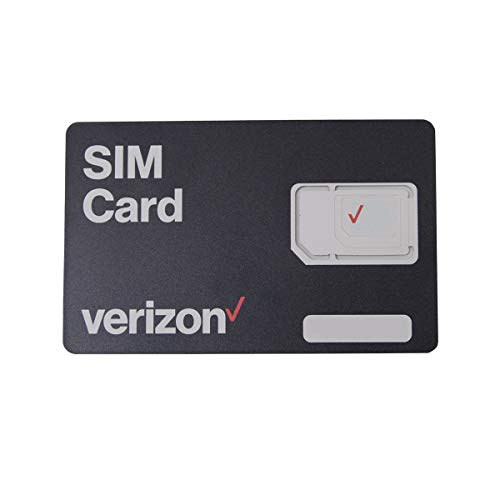
| Simple Verizon Starter | SIM Form Factor: 3-in-1 (nano, micro, standard) | BYOP / KYOP Support: Fits compatible Verizon phones (for those bringing a phone) | Requires Activation/Plan: Intended for Verizon activation (prepaid/postpaid) – activation required | VIEW LATEST PRICE | Read Our Analysis |
| Verizon Prepaid BYOP 3-in-1 SIM Kit |

| Best for 5G-Ready Phones | SIM Form Factor: 3-in-1 (nano, micro, standard) | BYOP / KYOP Support: BYOP (Bring Your Own Phone) for Verizon Prepaid | Requires Activation/Plan: Activate on Verizon Prepaid website; prepaid plan required | VIEW LATEST PRICE | Read Our Analysis |
| Verizon Prepaid SIM Kit with 3-in-1 SIM (Standard Micro Nano) |
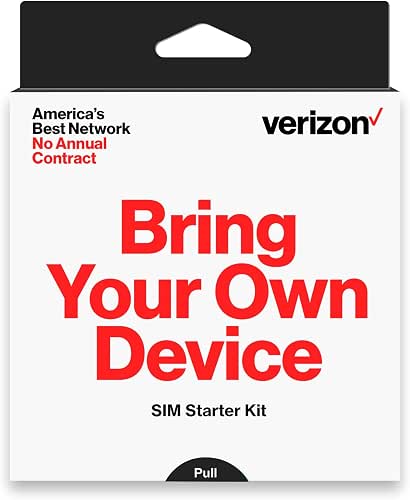
| Easiest Setup | SIM Form Factor: 3-in-1 (nano, micro, standard) | BYOP / KYOP Support: Fits unlocked, compatible phones (BYOP) | Requires Activation/Plan: Prepaid activation required (via Verizon Prepaid flow) | VIEW LATEST PRICE | Read Our Analysis |
| Straight Talk BYOP CDMA 3-in-1 SIM Kit |

| Verizon CDMA Option | SIM Form Factor: 3-in-1 (nano, micro, standard) | BYOP / KYOP Support: BYOP for Verizon CDMA-compatible phones | Requires Activation/Plan: Requires separate purchase/activation of service plan | VIEW LATEST PRICE | Read Our Analysis |
More Details on Our Top Picks
Tracfone Prepaid Sim Card Kit (Universal)
If you want a simple, flexible way to get Verizon-compatible prepaid service without buying a new phone, the Tracfone Prepaid SIM Card Kit (Universal) is a great choice. You’ll get a universal SIM that fits nano, micro, or standard slots, so you can use your own unlocked phone right away. Before you start, check compatibility on Tracfone’s site and plan to activate the SIM online. Activation needs a plan purchase and confirmation. If you want to keep your number, activate first then port it. You can also enroll in Auto-Refill and pick a plan from $15 to $50.
- SIM Form Factor:3-in-1 / universal (nano, micro, standard)
- BYOP / KYOP Support:KYOP (bring-your-own-phone) compatible
- Requires Activation/Plan:Must activate on Tracfone website and select plan
- Works on Verizon Network (directly or via Verizon compatibility):Uses Tracfone service (Tracfone operates on Verizon infrastructure for some MVNO plans) – marketed for compatible phones (carrier-specific check advised)
- No Included Service Credits:SIM kit only; plans sold separately (must choose plan during activation)
- Compatible with Unlocked or Compatible Phones:Works with most compatible or unlocked phones (check compatibility)
- Additional Feature:Universal nano/micro/standard
- Additional Feature:Auto-Refill option available
- Additional Feature:Can buy & activate immediately
Verizon 4G LTE 3-in-1 SIM Card (All Sizes)
This 3-in-1 Verizon 4G LTE SIM card is best for anyone who wants a simple, no-fuss way to get a Verizon phone working fast. You’ll get a single punch-out SIM that fits standard, micro, or nano slots, so you won’t fuss with adapters. It works with most Verizon phones on prepaid or postpaid accounts, and you’ll activate it directly on Verizon’s network. It won’t work with MVNOs, so check your plan first. The card gives reliable 4G LTE data and calls, though it doesn’t support NFC. You’ll find it easy to swap, install, and start using right away.
- SIM Form Factor:3-in-1 (nano, micro, standard)
- BYOP / KYOP Support:Fits compatible Verizon phones (for those bringing a phone)
- Requires Activation/Plan:Intended for Verizon activation (prepaid/postpaid) – activation required
- Works on Verizon Network (directly or via Verizon compatibility):Verizon Wireless SIM – for Verizon network activation
- No Included Service Credits:SIM only (no airtime included)
- Compatible with Unlocked or Compatible Phones:Fits any compatible Verizon phone (unlocked/compatible required)
- Additional Feature:4G LTE connectivity
- Additional Feature:Single punch-out design
- Additional Feature:Not compatible with MVNOs
Verizon Prepaid BYOP 3-in-1 SIM Kit
You’ll like the Verizon Prepaid BYOP 3-in-1 SIM Kit when you want to keep a trusty phone and switch to a reliable network without fuss. You bring your eligible phone, punch out the right SIM size, and follow simple activation steps on the Verizon Prepaid website. You keep your number and choose a flexible monthly plan with no contract or credit check. You’ll get nationwide 4G LTE and 5G access for fast downloads, clear calls, and steady streaming. You won’t find hidden activation fees in the product details. You’ll appreciate the easy setup and freedom to change plans anytime.
- SIM Form Factor:3-in-1 (nano, micro, standard)
- BYOP / KYOP Support:BYOP (Bring Your Own Phone) for Verizon Prepaid
- Requires Activation/Plan:Activate on Verizon Prepaid website; prepaid plan required
- Works on Verizon Network (directly or via Verizon compatibility):Verizon Prepaid – access to Verizon 4G LTE and 5G
- No Included Service Credits:SIM kit with no airtime included; prepaid plan required
- Compatible with Unlocked or Compatible Phones:Works with most unlocked iPhones, Galaxy, Pixel, other 4G/5G smartphones
- Additional Feature:4G LTE and 5G access
- Additional Feature:No annual contracts
- Additional Feature:Works with Pixels & iPhones
Verizon Prepaid SIM Kit with 3-in-1 SIM (Standard Micro Nano)
For anyone who wants a quick, no-fuss way to get a liberated phone working on Verizon, the Verizon Prepaid SIM Kit with a 3-in-1 SIM is a great choice that fits most needs and budgets. You get a triple-cut SIM that snaps to standard, micro, or nano, so your freed phone will fit without guesswork. The kit includes a SIM tray tool and is made for prepaid activation, so you can pick unlimited talk and text or keep your old number. Use the My Verizon app to manage service and billing. It’s simple, reliable, and friendly for first-time activations.
- SIM Form Factor:3-in-1 (nano, micro, standard)
- BYOP / KYOP Support:Fits unlocked, compatible phones (BYOP)
- Requires Activation/Plan:Prepaid activation required (via Verizon Prepaid flow)
- Works on Verizon Network (directly or via Verizon compatibility):Verizon Prepaid – access to Verizon 4G LTE nationwide
- No Included Service Credits:Starter SIM kit (service/plan purchased separately)
- Compatible with Unlocked or Compatible Phones:Fits unlocked, compatible phones
- Additional Feature:Includes SIM removal tool
- Additional Feature:Manage via My Verizon
- Additional Feature:Unlimited talk & text available
Straight Talk BYOP CDMA 3-in-1 SIM Kit
If you’ve got a Verizon CDMA phone or an unlocked device that works on Verizon, the Straight Talk BYOP CDMA 3-in-1 SIM Kit is a simple way to get prepaid service without hassle. You insert the triple-cut SIM that fits Standard, Micro, or Nano slots. It activates on Verizon CDMA for 4G LTE, so you’ll keep familiar coverage and speed. Make sure your phone is CDMA-compatible or accessible for Verizon before you buy. You’ll need to buy a Straight Talk plan separately. The kit feels practical and friendly, and it helps you move to prepaid without confusion or extra parts.
- SIM Form Factor:3-in-1 (nano, micro, standard)
- BYOP / KYOP Support:BYOP for Verizon CDMA-compatible phones
- Requires Activation/Plan:Requires separate purchase/activation of service plan
- Works on Verizon Network (directly or via Verizon compatibility):Straight Talk CDMA – compatible with Verizon CDMA network (4G LTE)
- No Included Service Credits:SIM kit only; separate service plan purchase required
- Compatible with Unlocked or Compatible Phones:Works with compatible or unlocked Verizon CDMA phones
- Additional Feature:Verizon CDMA compatible
- Additional Feature:4G LTE on CDMA network
- Additional Feature:Not for GSM phones
Factors to Consider When Choosing Verizon Phone SIM Cards
Before you pick a Verizon SIM card, check that your phone is compatible and supports the carrier’s network bands so you won’t face connectivity problems. Also think about whether you need CDMA or LTE and which SIM form factor fits your device, since activation and porting can vary by SIM type. Finally, compare plan and pricing flexibility so you can choose a setup that suits your budget and makes switching or upgrading simple.
Phone Compatibility Check
Let’s walk through the key checks that keep your phone working smoothly on Verizon, and make the activation process worry-free. First, confirm your phone is carrier-unlocked and that its specs list the carrier’s radio bands and technologies. Next, check the SIM size – nano, micro, or standard – or use a 3-in-1 SIM adapter if needed. Then run your IMEI or ESN through Verizon’s checker to make sure the device is compatible and not blacklisted. Update firmware and carrier settings so provisioning, mobile data, and visual voicemail work. If you plan to port a number, verify the device supports the required voice and data tech such as VoLTE or legacy modes. These steps prevent delays and reduce frustration during setup.
Network Type Support
Wondering which network details really matter when you pick a Verizon SIM card? You want a SIM that matches the network generation your phone and plan use so you’ll get top speeds and features. Check that the SIM and account give access to Verizon’s full nationwide network and not a limited MVNO route. Also confirm the SIM works with your phone’s radio technology, whether GSM, CDMA, or multimode LTE CDMA NR, because mismatches can stop voice, SMS, or data. Look up supported frequency bands for LTE and NR to guarantee good coverage where you travel most. Finally, verify the SIM and provisioning enable carrier services like VoLTE and Wi‑Fi Calling so your calls and texts work reliably.
SIM Form Factor Options
SIM form factor matters more than it looks when you want a Verizon SIM that just works, and I’ll help you pick the right one with confidence. You’ll first check whether your phone needs Standard, Micro, or Nano size so the card fits the tray. Many SIMs arrive as a 3-in-1 punch-out, so you can pop the size you need without tools. Also check if your phone supports eSIM so you might avoid a physical card entirely. If you swap phones a lot, keep a larger unused SIM or use adapters to move a smaller SIM into bigger trays. Finally, handle the SIM and tray gently. Bent contacts or a damaged tray stop registration even when the size is correct.
Activation And Porting
Getting your new Verizon SIM up and running can feel nerve-wracking, but you can walk through activation and number porting step by step with confidence. Start by activating the SIM on Verizon’s activation portal because activation provisions network access and links a plan. Once the SIM shows active, gather your current account number, PIN or password, and billing address to request porting. Porting can finish in minutes or take 24 to 48 hours for mobile numbers. Keep both phones and SIMs powered on and nearby during the porting window, since brief interruptions are normal while the number moves. Delays often happen when account details mismatch or an old account has unpaid balances, so double-check everything before you submit.
Plan And Pricing Flexibility
When you’re picking a Verizon plan, think about how your phone habits match the price so you don’t pay for what you won’t use. Compare monthly tiers to see if a basic low-cost plan covers your talk and text or if an unlimited option fits frequent streaming. Look into prepaid plans for month-to-month freedom and no credit checks. Check Auto-Refill and recurring billing to know if you’ll get a discount or incur extra fees. Confirm included features like hotspot allowance, speed caps, and international roaming and whether those are prorated. Review activation rules so you can activate a SIM before buying a plan or change plans later. These steps keep choices flexible and kinder to your budget.
BYOD Versus Carrier SIMs
Deciding whether to bring your own phone or grab a carrier-issued SIM can feel confusing, but you can make a clear choice by checking a few key details first.
If you bring your own device, confirm it’s carrier-unlocked and supports Verizon bands and LTE or 5G. Check whether HD voice, visual voicemail, and full 5G are available on that setup. BYOD can save money and keep a phone you love, but it may restrict some carrier features or network slices, so verify support before switching.
A carrier SIM often activates faster and enables carrier features like VoLTE and Wi‑Fi Calling more reliably. For either route, confirm SIM size, activation steps, required plan or auto-refill, and porting info such as account number and PIN.
Additional Accessories Needed
Because swapping SIMs and activating a new line often feels fiddly, you’ll want a small set of accessories ready before you start so the process goes smoothly and without stress. Keep a proper SIM ejector tool or an unfolded paperclip nearby to remove the tray safely. If you juggle SIM sizes, bring a microSD-to-SIM adapter or SIM tray adapter so cards fit different slots. Charge the phone fully using a reliable USB cable and charger, since activations and downloads can stall on low battery. Plan to use Wi-Fi or a portable hotspot during setup to fetch carrier settings and OS updates without burning mobile data. Finally, save your IMEI or MEID and ownership documents in a secure place to speed activation and number porting.




