

You’ll find wireless digital frames have come a long way by 2026, offering crisp IPS or Full‑HD displays, easy app sharing, and smart features like adaptive brightness and scheduled sleep. Whether you want a compact 10″ for a bedside table or a 15.6″ statement piece, there’s a balance of storage, cloud options, and privacy controls to take into account-keep going and I’ll help you pick the right one for your space.
| FRAMEO 10.1″ Smart WiFi Digital Photo Frame 32GB |

| Family-Friendly Pick | Screen Size: 10.1″ | Connectivity: Wi‑Fi (Frameo app) | App-based Sharing: Frameo app (iOS/Android) | CHECK LATEST PRICE | Read Our Analysis |
| Aura Carver HD 10.1″ WiFi Digital Picture Frame |

| Premium Pick | Screen Size: 10.1″ | Connectivity: Wi‑Fi (Aura app) | App-based Sharing: Aura app (iOS/Android) | CHECK LATEST PRICE | Read Our Analysis |
| 10.1″ Frameo WiFi Digital Photo Frame (32GB) |
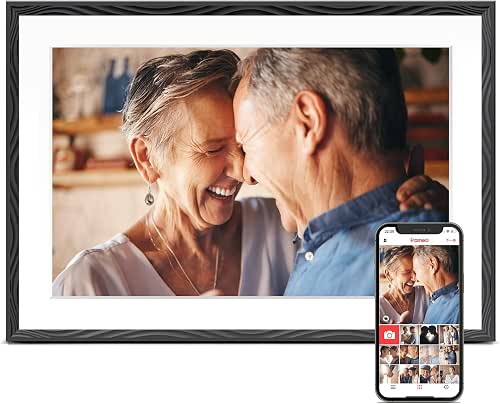
| Senior-Friendly Option | Screen Size: 10.1″ | Connectivity: Wi‑Fi + SD/USB options | App-based Sharing: Frameo app (iOS/Android) | CHECK LATEST PRICE | Read Our Analysis |
| Skylight 10″ WiFi Touch Digital Photo Frame |

| Easy Setup Choice | Screen Size: 10″ | Connectivity: Wi‑Fi (unique email sharing) | App-based Sharing: Skylight cloud app/email (iOS/Android) | CHECK LATEST PRICE | Read Our Analysis |
| BIGASUO 15.6″ Frameo WiFi Digital Photo Frame |

| Best for Big Displays | Screen Size: 15.6″ | Connectivity: Wi‑Fi (Frameo app) | App-based Sharing: Frameo app (iOS/Android) | CHECK LATEST PRICE | Read Our Analysis |
| 10.1″ Frameo WiFi Digital Photo Frame 32GB |

| Most Versatile | Screen Size: 10.1″ | Connectivity: Wi‑Fi (Frameo app) + USB‑C/microSD options | App-based Sharing: Frameo app (iOS/Android) | CHECK LATEST PRICE | Read Our Analysis |
More Details on Our Top Picks
FRAMEO 10.1″ Smart WiFi Digital Photo Frame 32GB
If you want an easy way to share real-time memories with family across distances, the FRAMEO 10.1″ Smart WiFi frame is a top pick: its Frameo app lets anyone send photos and short videos from anywhere, the 32GB internal memory plus microSD slot stores large albums, and the 10.1″ IPS touchscreen gives clear, auto-rotating displays that work on a tabletop or wall. You’ll control it remotely via iOS or Android, import/export JPG, PNG, BMP and MP4 files, and tweak captions, clock, weather, brightness, play order and sleep mode. Setup is quick, the holder detaches for table use, and viewing’s effortless.
- Screen Size:10.1″
- Connectivity:Wi‑Fi (Frameo app)
- App-based Sharing:Frameo app (iOS/Android)
- Supported Photo Formats:JPG/JPEG, BMP, PNG
- Orientation / Stand Options:Auto‑rotate; detachable holder (table stand)
- Gift-Friendly Features:Suitable for birthdays, weddings, family gifts
- Additional Feature:Built-in 32GB memory
- Additional Feature:Touchscreen IPS display
- Additional Feature:Caption/weather/clock toggles
Aura Carver HD 10.1″ WiFi Digital Picture Frame
Choose the Aura Carver HD 10.1″ if you want a hassle-free, gift-ready frame that lets family and friends instantly share photos and videos to a beautiful, color‑calibrated display. You’ll set it up in minutes on Wi‑Fi, use the free Aura app on iOS or Android to add content, and invite others to send directly to the frame. It offers free unlimited cloud storage with multi‑user sharing, automatic cropping, brightness adjustment, and scheduled on/off. The 10.1″ HD panel is housed in quality materials and ships in premium gift-ready packaging, with the option to preload photos, videos, and a message.
- Screen Size:10.1″
- Connectivity:Wi‑Fi (Aura app)
- App-based Sharing:Aura app (iOS/Android)
- Supported Photo Formats:(Not explicitly listed) – standard photo formats via Aura app (JPG/JPEG implied)
- Orientation / Stand Options:(Auto orientation implied) – 10.1″ display designed for tabletop/wall
- Gift-Friendly Features:Gift-ready box; preload content/message option
- Additional Feature:Unlimited cloud storage
- Additional Feature:Automatic photo cropping
- Additional Feature:Premium gift packaging
10.1″ Frameo WiFi Digital Photo Frame (32GB)
Perfect for families who want effortless, real-time photo sharing, the 10.1″ Frameo WiFi Digital Photo Frame (32GB) lets you send pictures straight from your phone over WiFi or load them via microSD or USB-C when internet access isn’t available. You’ll appreciate instant sharing through the Frameo app, 32GB onboard storage for 50,000+ photos, and a 1280×800 touch display that auto-rotates for portrait or landscape. It’s easy for seniors, supports FAT32 external drives, and includes clear setup guides and troubleshooting. The embossed design, wall-mount option, and Pastigio-backed support make it a reliable keepsake gift.
- Screen Size:10.1″
- Connectivity:Wi‑Fi + SD/USB options
- App-based Sharing:Frameo app (iOS/Android)
- Supported Photo Formats:(Not explicitly listed) – standard photo formats supported via Frameo/import
- Orientation / Stand Options:Auto‑rotate; magnetic support stand; wall‑mountable
- Gift-Friendly Features:Elegant packaging; gift suitability (birthdays, anniversaries)
- Additional Feature:USB-C and SD support
- Additional Feature:Stores 50,000+ photos
- Additional Feature:Manufacturer technical support
Skylight 10″ WiFi Touch Digital Photo Frame
For a simple, no-fuss way to keep loved ones updated, the Skylight 10″ WiFi Touch frame lets you email photos and videos straight to the display so anyone-tech novice or pro-can enjoy new memories without needing social media or extra storage. You’ll plug in, connect to Wi‑Fi, and pick a unique Skylight email to start sending content instantly. The 10″ touch-screen shows Full HD (1280 x 800) images and stores everything in the cloud, so no SD cards are needed. It works offline for existing photos, offers Gift Mode for preloading, and suits families who want effortless, continuous sharing across generations.
- Screen Size:10″
- Connectivity:Wi‑Fi (unique email sharing)
- App-based Sharing:Skylight cloud app/email (iOS/Android)
- Supported Photo Formats:(Not explicitly listed) – standard photo formats supported via Skylight
- Orientation / Stand Options:10″ touch display; designed for tabletop use (plug‑in)
- Gift-Friendly Features:Gift Mode to preload and personalize before unboxing
- Additional Feature:Unique Skylight email sharing
- Additional Feature:Offline viewing mode
- Additional Feature:Simple plug-and-play setup
BIGASUO 15.6″ Frameo WiFi Digital Photo Frame
If you want an easy way to share high-resolution photos and short videos with family, the BIGASUO 15.6″ Frameo WiFi frame is a strong choice – its 15.6″ IPS FHD touchscreen (1920×1080) shows vivid detail while the Frameo app lets multiple users send media instantly and securely. You’ll get 64GB built-in storage (roughly 100,000 photos), SD/USB playback and backup, and auto rotation with detachable stand or wall mount. The Frameo app supports JPG/BMP/PNG and 15-second MP4 uploads, reactions, and greetings; longer videos play from SD/USB. Touch setup, slideshow controls, and good security make it gift-ready.
- Screen Size:15.6″
- Connectivity:Wi‑Fi (Frameo app)
- App-based Sharing:Frameo app (iOS/Android)
- Supported Photo Formats:JPG/JPEG, BMP, PNG
- Orientation / Stand Options:Auto rotation; detachable stand; wall‑mount included
- Gift-Friendly Features:Suggested as gift for many occasions; premium presentation
- Additional Feature:15.6″ FHD 1920×1080
- Additional Feature:React with emojis/greetings
- Additional Feature:Direct SD/USB playback
10.1″ Frameo WiFi Digital Photo Frame 32GB
With its simple Wi‑Fi sharing and large 10.1″ touchscreen, the 32GB Frameo is ideal for anyone who wants effortless, family-style photo sharing-just tap to view or have relatives send pictures straight to the frame from anywhere. You’ll get a 1280×800 IPS display that auto-rotates and responds crisply to touch. Use the Frameo app over 2.4 GHz Wi‑Fi, invite unlimited members, or transfer via USB-C, microSD, or USB drive. Built-in 32 GB (plus external support) holds thousands of images; JPG/PNG/BMP and MP4 are supported. Greeting and React features add personal flair, and sleep mode saves power.
- Screen Size:10.1″
- Connectivity:Wi‑Fi (Frameo app) + USB‑C/microSD options
- App-based Sharing:Frameo app (iOS/Android)
- Supported Photo Formats:JPG/JPEG, BMP, PNG
- Orientation / Stand Options:Auto‑rotate; touch screen; requires included power adapter (table/stand)
- Gift-Friendly Features:Delicately packaged; suitable for birthdays, weddings, grandparents
- Additional Feature:USB-C file transfer
- Additional Feature:React/greeting features
- Additional Feature:2.4 GHz Wi‑Fi only
Factors to Consider When Choosing Wireless Digital Picture Frames
When choosing a wireless digital frame, you’ll want to weigh display size and resolution against where you’ll place it. Check the connectivity options and storage limits so sharing is smooth and you won’t run out of space. Also consider ease of setup plus the sharing and privacy controls to keep your photos secure.
Display Size & Resolution
Pick a display size and resolution that match how and where you’ll view the frame: smaller 10–11-inch models work well for tabletop, while 15–16-inch frames suit living-room walls and larger groups. Choose resolution to suit size: aim for at least 1280×800 on 10-inch displays and 1920×1080 (Full HD) or higher for 15-inch and up so images stay crisp. Favor IPS panels for wider viewing angles and consistent color when multiple people look from different positions. Check pixel density (PPI): larger frames need more pixels to avoid visible pixelation at close range. If you’ll mix portrait and landscape shots, pick a frame with auto-rotation or a size that presents both orientations attractively.
Connectivity Options Available
Because how you plan to share and update photos affects day‑to‑day use, consider a frame’s connectivity before you buy. Decide whether you want remote Wi‑Fi (usually 2.4 GHz) for real‑time sharing via an app or cloud service, or local transfer via microSD, USB drives, or direct USB‑C when offline updates matter. Check if the frame uses cloud syncing for large or multi‑user storage versus limited built‑in memory. Note how contributors send images: email‑to‑frame or invite links are simpler for nontech family members, while some require app installs and account linking. Finally, remember network‑dependent conveniences-scheduled auto on/off, adaptive brightness, and instant notifications-only work reliably with a persistent connection and proper app integration.
Storage Capacity Limits
Many frames give you between 8 GB and 64 GB of built-in storage, so you’ll want to match capacity to how you actually use the frame-thousands of photos or occasional short videos. Plan storage assuming 2–5 MB per photo: a 32 GB frame holds roughly 6,000–16,000 images after system files. Check for microSD or USB support, but watch FAT32 formatting limits that can cap usable card sizes and single-file sizes. Videos often face app upload caps (commonly ~15 seconds) or file-format/size restrictions, so longer clips usually need SD/USB playback. Cloud-backed frames effectively offer unlimited storage, but they require an account and consistent internet for sync and retrieval. Choose based on offline needs, video habits, and reliance on cloud services.
Ease Of Setup
Setup should be quick and frustration-free, so check whether the frame just needs your 2.4 GHz Wi‑Fi credentials or if it forces a more involved app pairing process that can fail on 5 GHz networks. You’ll want an app available on both iOS and Android to avoid compatibility roadblocks, but also look for plug‑and‑play alternatives like preset email addresses, QR code scanning, or USB/microSD import so photos transfer without full Wi‑Fi/app setup. Intuitive touchscreens, simple physical buttons, clear on‑screen prompts, and printed quick‑start guides speed initial configuration for nontechnical users. Finally, confirm support for remote preloading or gift mode and easy multi‑user invites so you can preload images and finish setup before handing the frame to its recipient.
Sharing And Privacy Controls
When you share photos to a wireless frame, consider who can send content and how it’s transmitted: cloud-based services, app-only sharing, email-to-frame, and direct device transfers each carry different privacy risks and control options. Check which method a frame uses and whether data is encrypted in transit and at rest, especially for cloud storage. Verify multi-user support and whether you can restrict senders via invite-only access, PINs, or closed links to prevent unwanted uploads. Look for per-frame permissions, two-factor authentication, and the ability to revoke specific users. Make sure the app or frame lets you approve, hide, or remove individual images and set automatic deletion or retention periods so displayed content stays under your control.
Power And Battery Needs
Frequently you’ll need to plan power before you pick a wireless digital frame, since most models require constant AC power and won’t include internal batteries-so place them near an outlet or factor in cable management for a permanent display. If a frame does offer battery operation, check the advertised runtime-portable models typically run 4–12 hours per charge, which limits continuous slideshow use. Expect reduced brightness, fewer animations, and restricted Wi‑Fi on battery to extend life. Confirm the charging method (proprietary adapter, USB‑C, or wireless) and charge time; USB‑C usually charges faster and is easier to replace. Finally, look for power features like scheduled sleep, auto‑dim or ambient light sensors, and low‑battery alerts to avoid surprises.
Giftability And Design
Power and placement matter, but so does presentation-especially if the frame is a gift. You should pick a size and resolution that suit the room and photos: 10–16″ with at least 1280×800 (HD) or 1920×1080 (FHD) gives crisp detail in larger spaces. Choose a neutral, high‑quality finish-matte, wood‑tone, or metal trim-so it blends with common decor and looks premium when unboxed.
Think about packaging and gift features: preload photos, add a personalized message, and provide an intuitive out‑of‑box experience to make setup immediate and meaningful. Make sure the frame supports landscape and portrait modes with a reversible stand or wall‑mount. Finally, favor simple controls and easy setup so seniors or nontechnical recipients actually use and enjoy the gift.


