

Most tablets under $200 now include low‑latency wireless and tilt support, a change that quietly raised the bar for portable workflows. You’ll want a device that balances active area, pen feel, and shortcut controls without tethering your setup. Below are six top options for 2026 that cover compact sketchpads to pro workhorses – pick one based on how you work, not just specs, and you’ll notice the difference immediately.
| Wacom Intuos Medium Bluetooth Graphics Drawing Tablet |

| Best for Beginners | Connectivity: Bluetooth or USB-A wired | Battery‑free Pen: Wacom EMR battery‑free pen | Pressure Sensitivity: Pressure‑sensitive pen (Wacom spec; standard) | CHECK LATEST PRICE | Read Our Analysis |
| XP-Pen Deco mini7W Wireless Drawing Tablet (7″x4″) |

| Compact & Portable | Connectivity: 2.4 GHz wireless (dongle) or USB-C wired | Battery‑free Pen: Battery‑free pen (8192 levels) | Pressure Sensitivity: 8192 levels | CHECK LATEST PRICE | Read Our Analysis |
| XP-Pen Deco MW Bluetooth Wireless Drawing Tablet (8×5) |

| Balanced All-Rounder | Connectivity: Bluetooth 5.0, dongle, or USB wired | Battery‑free Pen: X3 Elite / battery‑free stylus | Pressure Sensitivity: 8192 levels | CHECK LATEST PRICE | Read Our Analysis |
| XP-Pen Deco LW Wireless Drawing Tablet with X3 Stylus |
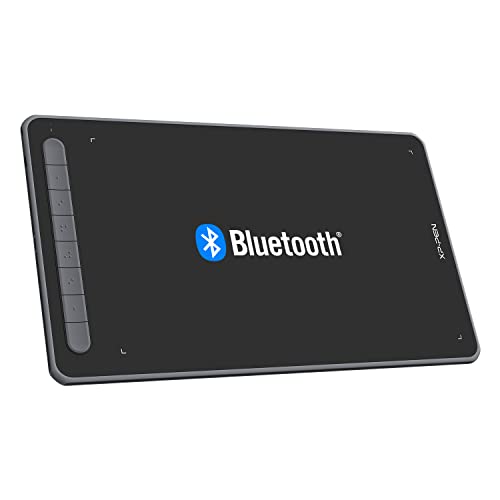
| Large Active Area | Connectivity: Bluetooth 5.0, USB wireless receiver, or USB wired | Battery‑free Pen: X3 digital stylus (battery‑free) | Pressure Sensitivity: 8192 levels | CHECK LATEST PRICE | Read Our Analysis |
| HUION Inspiroy Dial 2 Wireless Graphics Drawing Tablet |

| Productivity Focused | Connectivity: Bluetooth 5.0 or USB-C wired | Battery‑free Pen: PenTech 3.0 battery‑free stylus | Pressure Sensitivity: High pressure sensitivity (PenTech 3.0; industry‑leading) | CHECK LATEST PRICE | Read Our Analysis |
| GAOMON WH851 Bluetooth Graphics Drawing Tablet (8×5) |

| Precision Powerhouse | Connectivity: Bluetooth 5.0 or USB Type‑C wired | Battery‑free Pen: Battery‑free pen AP519 | Pressure Sensitivity: 16,384 levels | CHECK LATEST PRICE | Read Our Analysis |
More Details on Our Top Picks
Wacom Intuos Medium Bluetooth Graphics Drawing Tablet
Choose the Wacom Intuos Medium Bluetooth if you want a portable, pen-on-paper drawing experience with battery-free EMR pen technology and hassle-free Bluetooth or USB-A connectivity-perfect for students, hobbyists, and remote creatives who need reliable pressure sensitivity, four customizable ExpressKeys, and cross-platform compatibility (including Chromebook and Android) in a lightweight tablet. You’ll get a 10.4 x 7.8-inch device weighing 14.5 ounces (model CTL6100WLK0) that works with macOS, Windows, Chrome OS, and Android. It’s ideal for drawing, editing, markup, and education, bundles creative software and training after registration, and includes a rechargeable lithium-ion battery and manufacturer support.
- Connectivity:Bluetooth or USB-A wired
- Battery‑free Pen:Wacom EMR battery‑free pen
- Pressure Sensitivity:Pressure‑sensitive pen (Wacom spec; standard)
- Tilt Support:Pen‑on‑paper feel (pen supports natural tilt behavior)
- Customizable Controls:4 ExpressKeys
- Cross‑Platform Compatibility:Chromebook, macOS, Windows, Android, Chrome OS
- Additional Feature:Lightweight portable design
- Additional Feature:4 customizable ExpressKeys
- Additional Feature:Wacom online training included
XP-Pen Deco mini7W Wireless Drawing Tablet (7″x4″)
If you need a compact, portable tablet for sketching, teaching, or casual content creation, the XP-Pen Deco mini7W’s 7×4-inch active area and reliable 2.4 GHz wireless connectivity make it a strong choice for students and mobile creators. You’ll get both wireless via the included USB dongle and wired USB-C connectivity (adapter included), plus broad OS support including Windows, macOS, Android, and Chrome OS. The battery-free pen offers 8192 pressure levels and tilt response for natural strokes with no lag. Eight customizable press keys speed up workflows, and the small form factor suits online teaching, e-learning, and on-the-go creativity.
- Connectivity:2.4 GHz wireless (dongle) or USB-C wired
- Battery‑free Pen:Battery‑free pen (8192 levels)
- Pressure Sensitivity:8192 levels
- Tilt Support:Tilt‑response capable
- Customizable Controls:8 customizable press keys
- Cross‑Platform Compatibility:Windows, macOS, Android, Chrome OS (mobile phones supported)
- Additional Feature:7 x 4″ active area
- Additional Feature:8 customizable press keys
- Additional Feature:2.4 GHz wireless dongle
XP-Pen Deco MW Bluetooth Wireless Drawing Tablet (8×5)
The XP‑Pen Deco MW is ideal for creators who need a cable‑free, portable tablet with pro‑level input – its Bluetooth 5.0 and included dongle let you set up fast on laptops or tablets. You get an 8×5 active area, battery‑free X3 stylus with 8192 pressure levels and 60° tilt support, plus ten spare nibs. Eight customizable shortcut keys with tactile bumps speed your workflow without hunting for shortcuts. Bundled cables and adapters provide wired options for broad device compatibility. It supports Windows, macOS, Android, Chrome OS and Linux and works with Photoshop, Krita, Blender and other major apps.
- Connectivity:Bluetooth 5.0, dongle, or USB wired
- Battery‑free Pen:X3 Elite / battery‑free stylus
- Pressure Sensitivity:8192 levels
- Tilt Support:60° tilt support
- Customizable Controls:8 customizable shortcut keys
- Cross‑Platform Compatibility:Windows, macOS, Android, Chrome OS, Linux
- Additional Feature:Includes 10 replacement nibs
- Additional Feature:Bluetooth 5.0 chip
- Additional Feature:X3 Elite battery-free stylus
XP-Pen Deco LW Wireless Drawing Tablet with X3 Stylus
Artists and students who need a compact, cable-free sketching setup will appreciate the XP-Pen Deco LW’s 10 x 6-inch active area and Bluetooth/USB wireless options, which let you draw comfortably without tethering your device. You get a textured surface for consistent control, customizable shortcut keys, and an X3 battery-free stylus with 8192 pressure levels and 60° tilt for precise strokes. It supports Windows, macOS, Android, Chrome OS and Linux, plus major apps like Photoshop and Clip Studio. The kit includes a dongle, cables, adapters, extra nibs and registration for free software, backed by XP-PEN support and warranty information.
- Connectivity:Bluetooth 5.0, USB wireless receiver, or USB wired
- Battery‑free Pen:X3 digital stylus (battery‑free)
- Pressure Sensitivity:8192 levels
- Tilt Support:60° tilt support
- Customizable Controls:Customizable shortcut keys (number unspecified)
- Cross‑Platform Compatibility:Windows, macOS, Android, Chrome OS, Linux
- Additional Feature:10 x 6″ active area
- Additional Feature:Textured tablet surface
- Additional Feature:Includes USB wireless receiver
HUION Inspiroy Dial 2 Wireless Graphics Drawing Tablet
Want fast, precise control with a tactile, pen-on-paper feel? You’ll get that with the HUION Inspiroy Dial 2. Its dual dials and six press keys give instant control over brush size, zoom, and shortcuts, and the symmetrical layout suits right- and left-handed users. The 10.5 x 6.56-inch active area and high-friction textured surface feel natural, while the ultra-thin 0.3-inch profile stays unobtrusive. PenTech 3.0 powers a battery-free stylus with industry-leading low latency for precise drawing and editing. Bluetooth 5.0 offers reliable wireless range and up to 18 hours battery life, with USB-C wired backup. Compatible across major OSes and creative apps.
- Connectivity:Bluetooth 5.0 or USB-C wired
- Battery‑free Pen:PenTech 3.0 battery‑free stylus
- Pressure Sensitivity:High pressure sensitivity (PenTech 3.0; industry‑leading)
- Tilt Support:Tilt supported (low latency and precision)
- Customizable Controls:2 dials + 6 press keys (programmable)
- Cross‑Platform Compatibility:macOS, Windows, Android, Linux, ChromeOS
- Additional Feature:Dual physical control dials
- Additional Feature:Ultra-thin 0.3″ profile
- Additional Feature:Up to 18-hour battery
GAOMON WH851 Bluetooth Graphics Drawing Tablet (8×5)
If you need a portable tablet that balances battery life with precision, the GAOMON WH851 is a strong pick-its Bluetooth 5.0 and USB-C options plus up to 18 hours of battery mean you can work unplugged for long sessions. You’ll get a battery-free AP519 pen with 16,384 pressure levels, tilt detection, and minimal 0.45 mm sinking for smooth, responsive strokes. An intuitive central dial, radial modes, and eight customizable keys speed up workflows. The moderately textured surface supports large-stroke lines and fine details. Compatible with Windows, Mac, and Android, the WH851 suits drawing, animation, annotation, and casual gaming.
- Connectivity:Bluetooth 5.0 or USB Type‑C wired
- Battery‑free Pen:Battery‑free pen AP519
- Pressure Sensitivity:16,384 levels
- Tilt Support:Tilt detection supported
- Customizable Controls:8 customizable shortcut keys + central dial
- Cross‑Platform Compatibility:Windows, macOS, Android (and generally Linux compatible)
- Additional Feature:16,384 pressure levels
- Additional Feature:Central multifunction dial
- Additional Feature:Adjustable drawing-area ratios
Factors to Consider When Choosing Wireless Graphics Tablets
When picking a wireless graphics tablet, you’ll want to check connectivity and range so your pen stays responsive without lag. Consider battery life and pen performance for long sessions, and make sure the tablet’s size, portability, compatibility, and drivers work with your software and workflow. Balancing those factors will help you choose a tablet that fits how you create.
Connectivity And Range
How far can you work from your computer before the pen starts lagging or the signal drops? Check the tablet’s wireless tech: newer Bluetooth 5.0 usually gives more stable connections and lower power draw than older Bluetooth, while 2.4 GHz RF dongles often reach 10–15 meters (30–50 ft) with fewer dropouts. Expect Bluetooth to commonly support around 10 meters (30 ft). Verify effective range and test latency in dense RF environments-protocol and antenna design affect input lag and dropout frequency. Prefer models that offer both wireless and wired (USB-C/USB-A) options so you can switch if interference or range becomes an issue. Finally, account for wireless-mode power use since longer ranges and continuous Bluetooth use increase draw.
Battery Life
Generally check the tablet’s advertised battery life for wireless use (often 10–18+ hours) and match it to your typical session length so you won’t run out mid-work. Also note whether the stylus is battery-free or requires charging – a battery-free pen removes one charging point even if the tablet still needs power. Prefer tablets with fast-charging or USB-C so short breaks restore meaningful runtime; check estimated recharge times. Look into standby and sleep behavior (automatic sleep, wake on pen or touch), since aggressive power-saving can extend usable time between charges. Finally verify wired operation while charging so you can keep working during long projects or when the battery’s depleted. Prioritize the combination that fits your workflow.
Pen Performance
Battery life keeps your sessions going, but pen performance determines what happens during them. You should prioritize pressure sensitivity-8,192+ levels give finer control over line weight and opacity than 4,096-especially for detailed work. Check tilt support (commonly up to 60°) if you rely on natural shading and brush-angle behaviors. Decide between battery-free and battery-powered pens: battery-free options cut maintenance and weight, while battery pens need periodic charging but sometimes offer extra features. Look for low pen latency and high report rates so fast strokes feel immediate; low milliseconds and higher Hz minimize lag. Finally, test nib feel, sink depth, and surface friction-shallow sink and textured surfaces usually recreate a convincing pen-on-paper tactile feedback.
Compatibility And Drivers
Because drivers are what enable a tablet’s advanced features, don’t assume plug-and-play will give you the full experience-verify OS/version support, available driver packages, and explicit compatibility with your creative apps so pressure, tilt, shortcut keys, and wireless modes work reliably. Check that the tablet supports your device’s OS and version (Windows 7/10/11, macOS 10.12+, Android 6.0+, Chrome OS 88+ as examples) because driver availability varies. Prefer manufacturers that supply dedicated drivers exposing pressure, tilt, programmable keys, and mapping instead of generic HID profiles. Confirm whether Bluetooth or a proprietary dongle needs extra drivers and that Bluetooth 5.0 is supported if relevant. Look for app-specific driver profiles for Photoshop, Illustrator, Krita, etc., and guarantee the vendor provides regular updates plus clear installation instructions for your OS.
Size And Portability
When choosing a wireless graphics tablet, think about how the active area, overall size, weight, and profile fit your workflow and travel habits-larger active areas give you more precision for detailed work, while compact tablets keep your bag light and let you draw on the couch or in tight spaces. Pick an active area that matches your typical projects: roughly 4×7 inches for portability or 10×6 inches (or larger) for detailed pieces. Consider overall dimensions and weight-many portable units weigh under 1 lb and sit comfortably on your lap. Check battery life for long sessions (some reach ~18 hours). Choose connection types (Bluetooth, USB dongle, wired) for the mobility you need. Finally, prefer thin, low-profile designs with durable surface textures if you travel often.




