

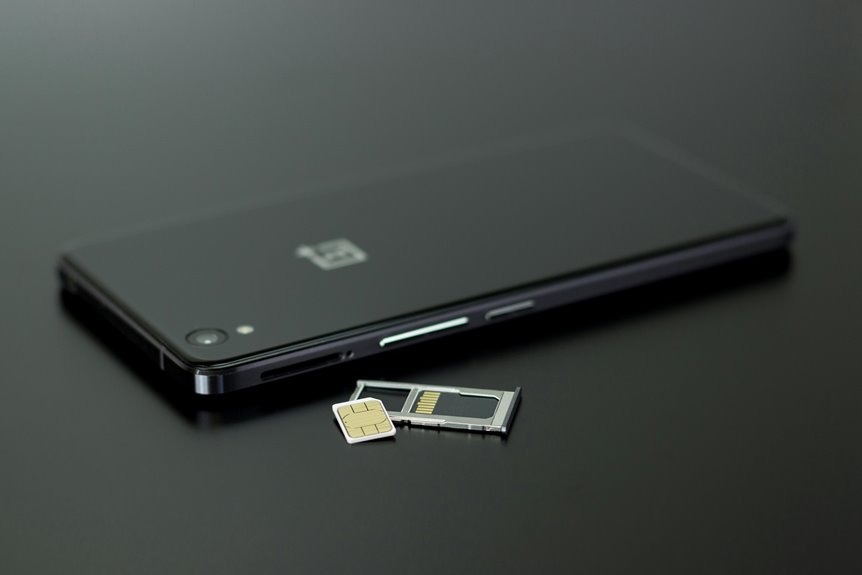
As soon as you look at smartphone storage, you’re really comparing flash memory designs that decide how fast apps open, how smoothly files move, and how long your phone stays responsive. eMMC keeps costs down, but it can bottleneck multitasking. UFS raises throughput and cuts latency, while newer versions keep pushing performance further. NAND type and wear still matter, though, and the differences aren’t as simple as they initially seem.
What Smartphone Storage Does
Smartphone storage keeps your system files, apps, photos, videos, and other user data in non-volatile flash memory, so the data stays intact whenever the phone powers off. You rely on data retention basics every time you reopen an app or view a saved image, because the memory preserves bits without constant power.
A storage controller design manages read, write, and erase operations, and it helps balance speed, wear, and reliability across the device. You also benefit from compact flash packages that fit mobile hardware, support quick access, and keep your phone responsive.
In your pocket-sized system, storage acts as the durable workspace that lets you save, retrieve, and update content without losing it between sessions.
eMMC Storage in Phones
One common flash-storage format you’ll find in entry-level phones is eMMC, the Embedded MultiMediaCard standard built on NAND flash. You’re getting a compact, economical storage package that combines the flash array and controller in one chip. In eMMC controller design, the device handles wear leveling, bad-block management, and basic command translation for the phone’s system software.
Through eMMC compatibility layers, your phone can treat storage as a standardized block device, which simplifies integration across vendors. This architecture suits mass-market devices because it keeps cost low and implementation straightforward. Whenever you’re choosing a budget handset, eMMC usually means dependable everyday storage for apps, photos, and system files, even though it doesn’t offer the expansion headroom or advanced management found in newer mobile storage families.
Why UFS Is Faster Than eMMC
UFS is faster than eMMC because it uses a more advanced structure with higher throughput and much better random I/O performance.
You get a modern controller design that handles reads and writes more efficiently, so your phone spends less time waiting on storage. UFS also supports command queuing, which lets multiple requests line up and execute with less idle time.
That matters during you open apps, load games, or move large files, because your device can serve many small tasks faster. eMMC uses a simpler interface and slower parallelism, so it bottlenecks sooner under real workloads.
If you want a phone that feels responsive and belongs in the fast lane of daily use, UFS gives you the storage behavior you need.
UFS 2.1 Vs UFS 3.1 Vs UFS 4.0
Upon you compare UFS 2.1, 3.1, and 4.0, you’ll see each step raises sequential read and write throughput, reducing app load and file-transfer latency.
UFS 3.1 improves performance and power efficiency over 2.1, while UFS 4.0 nearly doubles bandwidth again with lower energy per bit moved.
You should treat these gains as both speed and thermal advantages in modern smartphones.
Read And Write Speeds
As you move from UFS 2.1 to UFS 3.1 and then UFS 4.0, both sequential and random performance rise sharply, which directly improves app launches, file transfers, and overall responsiveness.
In UFS 2.1, you get solid everyday speed; UFS 3.1 pushes throughput far higher, and UFS 4.0 raises it again with stronger sustained writes and quicker random access.
You’ll notice less lag whenever your phone loads large games, indexes media, or saves 4K video.
Real-world gains depend on benchmark methodology, queue depth, and workload mix, so don’t trust a single headline number.
Higher write rates also help reduce write amplification during intensive tasks, which keeps performance steadier under pressure.
Whenever you value speed, you’re in the group that feels the difference immediately.
Power Efficiency Gains
Power efficiency improves with each UFS generation, so UFS 3.1 and UFS 4.0 can deliver more throughput per watt than UFS 2.1 while completing the same storage tasks faster.
You get this gain from higher interface efficiency, better controller optimization, and tighter voltage scaling that cuts wasted energy during bursts and idle periods. UFS 2.1 still performs well, but it needs more time at active power states to move the same data, so total energy use rises.
UFS 3.1 reduces that penalty, and UFS 4.0 pushes it further with a more efficient PHY and smarter power management.
Should you want a phone that feels fast and stays cool, these gains matter. You’re part of the group that benefits from every milliwatt saved.
How NAND Type Changes Speed
NAND type directly affects smartphone speed because each cell stores a different number of bits, changing how quickly the flash can read, write, and endure erase cycles. You’ll notice the difference in responsiveness. SLC durability tradeoffs favor the fastest writes and longest life, but you get low capacity. TLC density impact raises storage per chip, yet slows programming and reduces endurance. | Type | Speed effect |
| — | — |
|---|---|
| SLC | Highest |
| MLC | High |
| TLC | Moderate |
| QLC | Lowest |
Choose wisely: your phone’s smoothness, app installs, and file saves depend on this balance. More bits per cell mean tighter voltage margins, so controllers spend longer verifying data. That extra work can add latency, especially under heavy use and near full capacity.
eMMC vs UFS for Everyday Use
When you compare eMMC and UFS for everyday use, the difference shows up in how fast your phone opens apps, saves photos, and handles background tasks. eMMC is the older standard and still appears in entry-level devices, with lower write speed and fewer random IOPS than UFS.
In storage benchmarks, that gap is easy to measure: eMMC 5.1 peaks around 250 MB/s read and 125 MB/s write, while UFS 2.0 reaches about 350 MB/s read and 150 MB/s write. You’ll notice UFS also feels more responsive when your device is busy.
Should you want a phone that fits your routine and stays compatible with mainstream software and hardware, UFS is the stronger choice. eMMC can still work well, but it suits lighter use and tighter budgets.
How Smartphone Storage Affects App Loading
App loading speed depends heavily on storage read performance and random access latency, because your phone must pull app code and assets from flash memory before anything appears on screen. When you tap an icon, fast UFS can cut app launch latency by fetching small files and executable data more efficiently than older eMMC.
That means you get into the app sooner, with less waiting and fewer stutters, which helps your device feel responsive and familiar. Background task loading also benefits, since the system can read data while you keep using the phone. Slower storage forces longer pauses, especially when many apps compete for access. If you want a smooth daily experience, storage speed matters as much as CPU power for everyday apps and multitasking.
Why Storage Matters for Camera and Video
A smartphone’s camera and video pipeline depends on storage speed because every photo, burst sequence, and 4K clip must be written quickly enough to keep the capture session from stalling.
When you tap the shutter, the phone uses camera buffering to hold frames in memory before storage commits them. If your flash memory can’t accept data fast enough, you’ll see dropped bursts, slower previews, or recording pauses. High video bitrate modes push even harder, because the encoder keeps feeding large data streams. UFS devices usually handle these workloads better than older eMMC storage, so you get smoother capture and fewer interruptions.
If you care about dependable shooting, storage isn’t background hardware; it’s part of your creative workflow, and your team of devices performs best when it keeps up.
Why Storage Uses Less Power
You use less power because flash storage reads data with low-energy electrical access instead of driving moving parts.
When the controller stays idle, NAND and UFS can enter low-power states that cut background drain.
Compared with spinning disks, flash avoids motor and actuator losses, so it’s inherently more efficient in mobile devices.
Lower Energy Reads
- No motor spin-up
- Faster direct access
- Lower energy per read
That efficiency helps you stay connected longer, especially whenever your device handles frequent small reads from system files, apps, and media.
In practice, flash gives your phone a leaner read path and a better battery profile.
Idle Power Savings
Because flash storage has no spinning motor or read/write heads, it doesn’t need to keep moving parts active whenever the phone is idle. You benefit from lower standby draw because NAND can park in deep idle states and wake quickly for requests. That supports battery standby optimization, especially whenever you leave apps cached and the screen off.
| State | Effect |
|---|---|
| Idle | Minimal controller activity |
| Deep sleep | Reduced leakage current |
| Wake | Fast resume path |
Your storage team uses tight power gating to cut sleep mode leakage without hurting responsiveness. In practice, this means the chip maintains data retention while drawing only tiny currents. For you, that translates into fewer top-ups, steadier overnight drain, and a phone that feels ready whenever you need it.
Flash Vs Spinning Disks
Flash memory also beats spinning disks on power draw because it doesn’t rely on a motor, actuator, or rotating platter to access data. You get lower active and idle energy, which matters in phones that live on battery budgets. In flash storage history, engineers moved from bulky mechanical media to compact NAND because solid-state access removes friction losses and spin-up spikes.
- Faster wake times
- Lower thermal output
- Better endurance per watt
These mechanical drive drawbacks make HDDs a poor fit for mobile hardware. Whenever you read or write data, flash cells switch electronically, so you avoid seek delays and constant rotation. That efficiency helps you keep apps responsive, extends runtime, and fits the dense, reliable storage stack you expect in modern devices.
Does Storage Capacity Affect Speed?
Storage capacity can affect speed, but not in a simple linear way. You’ll hear storage size myths that bigger always means faster, but the real capacity speed limits depend on the flash architecture and controller, not just gigabytes.
In the same UFS family, a 256 GB model may feel quicker than a 64 GB one because it can spread writes across more NAND dies and parallel channels. That said, capacity alone doesn’t guarantee higher read or write rates.
eMMC and UFS specs define the ceiling, while NAND type—TLC, MLC, or SLC—shapes latency and throughput. So when you compare phones, look at interface generation, random IOPS, and sustained transfer behavior. That’s how you choose storage that fits your performance needs and community expectations.
How Storage Wear Affects Lifespan
Every write and erase cycle chips away at flash longevity, so your phone’s storage doesn’t last forever even though it has no moving parts. You’re existing with NAND cells that face wear cycle limits, and each program/erase event slowly degrades the oxide layer.
- Heavy installs, deletions, and camera bursts raise stress.
- Wear leveling spreads use, but it can’t stop aging and data retention loss.
- Near end of life, cells need more correction and hold bits less reliably.
You usually won’t notice at first, because controllers reserve spare blocks and rewrite data behind the scenes. Still, the platform you belong to depends on finite endurance, so backups matter. Unless you keep storage fuller and hotter, wear accelerates; unless you keep it cool and leave free space, you help it age more gracefully.
Which Phones Use eMMC vs UFS?
So, which phones use eMMC versus UFS?
You’ll usually find eMMC in budget phone models, where manufacturers prioritize low cost, adequate capacity, and acceptable everyday performance. It’s common in entry-level Android devices, older handsets, and tablets that don’t need high I/O throughput.
UFS appears in mid-range and premium flagship phones because it delivers much higher read and write speeds, lower latency, and better random access behavior. That means you get faster app launches, smoother multitasking, and quicker media handling.
When you’re choosing a device for long-term responsiveness, UFS is the stronger option. In case you’re joining the value segment and just need reliable storage for calls, apps, and photos, eMMC can still fit the job.
How to Check Your Storage Type
How can you check your phone’s storage type? Open your Storage settings menus and look for device specs, model info, or internal storage labels. Should the interface name eMMC or UFS, you’re done.
- Check Settings: Go to Settings > About phone > Storage details.
- Run Diagnostic app checks: Use your OEM’s hardware app or a trusted system-info tool.
- Match the model: Verify your phone’s exact model online, then compare it with manufacturer specs.
You’ll often see eMMC on older or entry-level devices and UFS on newer mid-range or flagship phones. Should your menu only show capacity, not interface type, the diagnostic route is the fastest way to confirm it.
Stay with your device family; the labels usually tell you what’s inside, clearly and quickly.
Which Storage Type Should You Choose?
You should choose UFS when you want faster app launches, higher sequential throughput, and stronger random I/O than eMMC.
eMMC still makes sense whenever you want lower cost and can accept slower writes and launches.
When you’re considering NVMe-based storage, expect top-tier performance with higher power, thermal, and platform complexity tradeoffs.
UFS Speed Advantages
UFS pulls ahead of eMMC via a clear margin, making it the better choice whenever speed matters most. You get stronger speed benchmarks because its controller architecture supports full-duplex transfers, so reads and writes can overlap instead of queueing. That means your apps open faster, large files move sooner, and multitasking feels tighter and more responsive.
- Higher sequential throughput for media and installs
- Better random I/O for app launches
- Lower latency under mixed workloads
If you want storage that keeps pace with modern Android workflows, UFS gives you a clear technical advantage. You’re not just buying faster numbers; you’re joining the performance tier built for smoother daily use, quicker updates, and less waiting when every second counts.
eMMC Budget Benefits
When speed isn’t the top priority, eMMC can still make sense because it’s cheaper, widely available, and efficient enough for basic smartphone tasks. You get cost savings from a mature NAND-based design that’s easy for manufacturers to source and validate. Its controller and interface are straightforward, so simpler integration can reduce board complexity and help keep device prices down.
In entry-level phones, eMMC handles calls, messaging, light apps, photos, and media without wasting budget on premium storage. Should you want a device that fits the value segment, eMMC lets you stay in the mainstream without paying for features you won’t use. You’re choosing practical capacity, predictable behavior, and a proven platform that supports affordable smartphones.
NVMe Performance Tradeoffs
NVMe-based storage pushes smartphone performance beyond standard UFS via using a more advanced, parallelized interface that cuts latency and improves throughput for demanding workloads.
You’ll feel faster installs, smoother editing, and shorter load times, but you’ll also face NVMe latency costs from controller overhead and tighter power budgets.
- Better random access: parallel queue limits still let you saturate CPU and NAND paths.
- Higher peak speed: large file transfers benefit most, especially in flagship devices.
- Lower efficiency: sustained gaming can drain battery faster than UFS.
Should you want top-tier responsiveness and you’re okay with extra heat, NVMe fits your circle.
Should you value balanced endurance, price, and battery life, UFS remains the smarter choice for most users.
Frequently Asked Questions
What Is the Difference Between nor and NAND Flash?
NOR flash is optimized for direct code execution and commonly holds boot firmware, while NAND flash delivers denser storage at lower cost. Use NOR for firmware access and system startup, and NAND for large, fast, high capacity data storage such as in smartphones.
Which NAND Type Offers the Best Endurance?
SLC provides the strongest endurance because each cell stores only one bit. That design reduces stress on the flash and helps the drive last longer under heavy write use.
How Many Erase Cycles Can Smartphone Flash Survive?
Your smartphone flash can endure about 3,000 to 2,000,000 erase cycles, depending on the cell type. It lasts longer with smaller writes, and its erase cycle limit determines flash wear longevity.
Can Smartphones Use microSD With Internal Storage?
Yes, a smartphone can use a microSD card alongside built in storage if the device supports microSD expansion, but the card will usually be slower, less durable, and less suitable for apps than the phone’s internal flash memory.
What Makes eMMC Outdated Compared to UFS?
eMMC is outdated because its slower half duplex interface and lower transfer efficiency create a bottleneck. Apps open more slowly and multitasking feels less responsive than on UFS, which supports faster and more efficient parallel data transfers.




