

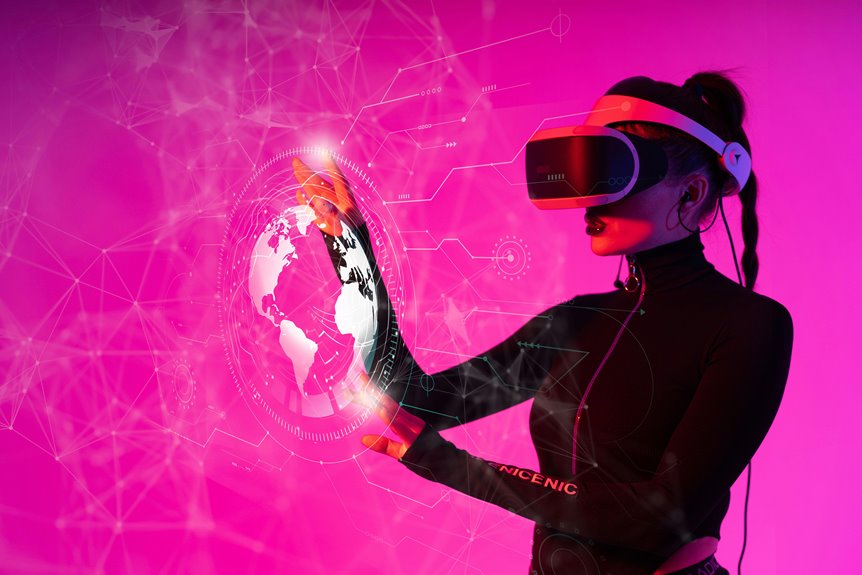
Whenever you use augmented reality, you’re not just looking at a screen—you’re placing labels, arrows, and 3D objects into the space around you. Cameras, depth sensors, and tracking software keep those overlays locked to surfaces as you move. That sounds simple, but matching scale, motion, and lighting is what makes AR feel usable instead of distracting, and the hardest part is often what you don’t notice initially.
What AR Overlays Add to the Real World
AR overlays add a digital layer that stays anchored to the physical world in real time, so you can see labels, arrows, alerts, and 3D objects appear exactly where they belong.
You get contextual labels that identify machines, products, or places without breaking your flow, and dynamic annotations that update as the scene changes.
These elements don’t just decorate your view; they guide attention, clarify relationships, and make complex spaces feel more readable.
Whenever you move, the overlay moves with you, keeping alignment tight and meaning immediate.
That responsiveness helps you feel confident in shared workspaces, classrooms, or public environments, where the same visual cues can help everyone stay oriented.
In practice, AR turns ordinary surfaces into responsive information layers.
How AR Overlays Work
To make an overlay feel seamless, your device has to understand the scene in real time: its camera feeds imagery into computer vision systems that detect surfaces, edges, objects, and depth, while SLAM tracks position and builds a live 3D map of the environment.
You then get digital content anchored to those cues, so labels, arrows, and models stay locked to the right place as you move. Depth sensing and sensor fusion refine stability, and the rendering engine updates viewpoint, lighting, and occlusion so the virtual layer looks native to the room.
With low latency, the system responds fast enough to preserve instant alignment, keeping you inside the experience instead of waiting on it. That responsiveness is what lets you feel like you’re part of a shared, augmented space.
Core Devices That Power AR
Whenever you use AR headsets and glasses, smartphones and tablets, you’re relying on devices that capture your surroundings, process visual data, and render overlays in real time.
Sensors and tracking chips keep those layers locked to your movement through combining camera input, motion data, and spatial mapping. Together, they make the digital content feel anchored to the physical world instead of floating out of place.
AR Headsets And Glasses
As AR headsets and glasses shrink augmented reality from a phone-screen experience into a hands-free layer on your field of view, they make digital content feel anchored to the physical world in real time. You wear them to keep overlays aligned as you move, so labels, arrows, and warnings stay useful without breaking your focus. Their cameras, depth sensors, and processors work together to map space, while low-latency rendering preserves realism. In enterprise security, they can restrict access and verify identity; in workplace ergonomics, they reduce strain while keeping instructions in sight.
- Spatial tracking keeps content stable.
- Transparent optics preserve situational awareness.
- Voice and gesture inputs feel natural.
- Battery design shapes all-day comfort.
When you adopt them, you join a workflow that feels immediate, precise, and shared.
Smartphones And Tablets
| Capability | What you experience |
|---|---|
| Live view | Digital elements sit on your surroundings |
| Touch control | You tap, drag, and rotate with ease |
| Portable access | AR follows you anywhere |
Your device becomes a shared gateway: shopping guides, learning tools, and route cues appear where you’re standing, helping you feel included in the scene. With every scan, you move through a layered world that reacts instantly and keeps you connected.
Sensors And Tracking Chips
Behind every responsive AR overlay on your phone or tablet, sensors and tracking chips keep the digital layer locked to the physical world. You rely on accelerometers, gyroscopes, magnetometers, and depth sensors to measure movement, orientation, and distance in milliseconds. Tracking chips fuse those signals with camera data, so your arrows, labels, and models stay glued to surfaces as you walk, tilt, or turn. Good sensor calibration matters because tiny errors can make overlays drift, shimmer, or slide off target.
- Motion tracking translates your hand and device movement into stable spatial updates.
- Sensor fusion reduces noise and keeps frame-to-frame alignment precise.
- Depth sensing helps virtual objects hide behind real edges naturally.
- Low-latency processors let you feel included in the scene, not behind it.
Common AR Uses in Daily Life
You use AR route-finding overlays to place arrows, markers, and route cues directly onto streets or indoor spaces, so directions stay aligned as you move.
You can also scan products to try on glasses, clothes, or makeup virtually, letting the digital model track your face or body in real time.
In interactive learning, you see labeled 3D objects, animated guides, and situational text that respond to your position, making each lesson feel immediate and spatially grounded.
Navigation Overlays
As you’re traversing an unfamiliar street, augmented reality can layer real-time directions directly onto the world around you, superimposing arrows, route markers, and turn cues onto sidewalks, roadways, and building edges. You stay oriented because the system tracks your position with computer vision, GPS, and sensor fusion, then refreshes the overlay as you move. It can add traffic signal cues at intersections and route confidence indicators whenever a path looks clear or crowded.
- Follow floating arrows that align with curb cuts and crosswalks
- Watch turn prompts snap to landmarks you can trust
- Read hazard alerts before you step into traffic
- Keep pace with low-latency updates that feel seamless
Shopping Try-Ons
Upon shopping with augmented reality, your phone or smart glasses can place glasses, shoes, makeup, or furniture directly into your view so you can judge fit, style, and scale before buying. Computer vision tracks your face, feet, or room, while depth sensing and SLAM lock each item to your body or space with low-latency precision.
You see how frames rest on your nose, how lipstick matches your tone, or how a sofa fills your corner, and the overlay updates as you turn. Better virtual try on accuracy helps you compare options quickly, while realistic lighting and occlusion make the result feel grounded.
That gives you fitting room confidence, because you’re not guessing alone—you’re seeing what suits your look, your home, and your community.
Interactive Learning
Interactive learning turns everyday spaces into guided lessons, letting your phone or AR glasses place labels, arrows, and 3D models directly over what you’re seeing in real time. You can study anatomy on a tabletop, trace circuits on a bench, or follow repair steps without leaving the scene. The system tracks surfaces with computer vision and SLAM, so overlays stay aligned as you move.
- Tap an object to reveal definitions.
- Watch animations show concealed mechanisms.
- Join peers in collaborative problem solving.
- Practice hands on experimentation with instant feedback.
Because the digital layer updates continuously, you stay oriented, confident, and included in the lesson. AR makes learning feel personal, shared, and immediate.
Augmented Reality in Shopping and Retail
When you shop with real-time augmented reality, digital product details appear instantly on top of the physical store or item, creating a responsive layer that stays aligned as you move. You can compare sizes, materials, and prices without breaking your flow, and the interface feels like it belongs in the aisle with you.
Retailers use computer vision and low-latency rendering to keep labels, ratings, and stock data anchored to each product. Digital window displays can adapt to time, crowd density, and style, while personalized product recommendations guide you toward items that fit your taste and budget.
As you scan shelves, the system updates in milliseconds, so you’re not just browsing—you’re participating in a shared, intelligent shopping space that feels made for you.
Augmented Reality in Navigation
The same real-time overlays that help you compare products in a store can guide you through a city street with far more precision. You see arrows anchored to sidewalks, turn prompts aligned with intersections, and distance cues that update as you move.
Computer vision and sensor fusion keep the path locked to the world, so your route confidence stays high even if GPS drifts between buildings. For pedestrian safety, the system can flag crosswalks, signal timing, and busy lanes before you step off the curb.
- Live rerouting reacts to closures in seconds.
- Map layers can highlight entrances, stairs, and elevators.
- Depth-aware rendering helps overlays stay readable near traffic.
- Hands-free cues let you keep your eyes on the street.
Augmented Reality in Learning and Training
You can use augmented reality to practice skills interactively, with digital prompts and objects aligned to the task in real time.
As you move, the system tracks your actions and updates guidance instantly, so you learn with precise, situation-aware feedback.
This creates a hands-on training environment where instructions, corrections, and visual cues stay anchored to what you’re actually doing.
Interactive Skill Practice
As learners practice a procedure, augmented reality can place step-by-step cues, labels, and animated guidance directly onto the physical task in real time, making skill rehearsal feel immediate and grounded in setting.
You can repeat skill drills while the overlay tracks each motion, showing where your hands, tools, or gaze need to align. Tight feedback loops let you compare your action with the expected path, so you adjust quickly and stay confident.
- Map parts, controls, and safe zones to the workspace
- Highlight errors before they become habits
- Reinforce muscle memory through repeated, situational practice
- Support team training with shared visual references
You’re not practicing alone; you’re training inside a responsive environment that helps you belong, improve, and excel at the procedure together.
Real-Time Guided Learning
Real-time augmented reality can guide learning via placing instructions, labels, arrows, and animated cues directly onto what you’re seeing, so the lesson unfolds inside the task itself.
You follow each step as the system anchors guidance to tools, parts, or surfaces with low-latency accuracy. That means you don’t leave the environment to study a manual; you learn while acting.
The overlay adjusts lesson pacing, slowing complex steps and speeding through familiar ones, so you stay oriented. Immediate feedback loops confirm correct motions, flag errors, and suggest the next move before confusion grows.
In training, this creates a shared rhythm: you, the device, and the task work together. You’ll feel supported, not singled out, as the guidance fits your situation and keeps momentum steady.
Augmented Reality in Gaming and Entertainment
- You chase collectibles that anchor to tables, walls, and sidewalks.
- You trigger combat, puzzles, and score updates through real-time sensing.
- You join immersive crowd experiences where shared visuals sync across devices.
- You watch concerts, sports, and story events layer data, avatars, and effects into the scene.
Because the system tracks position and depth continuously, the experience stays believable, social, and fast enough to keep you connected to the action.
AR Design Principles That Feel Natural
Whenever AR works well, it doesn’t just add graphics to a scene—it makes those graphics feel like they belong there. You guide that effect through matching scale, viewpoint, and lighting so each overlay sits inside your environment instead of floating above it.
Motion harmony matters: whenever you move, labels, arrows, and models should track smoothly, with no jitter or delay that breaks trust. Spatial continuity keeps the experience coherent as you walk, turn, or raise your hand, so digital elements stay anchored to the same physical point.
You also need clear visual hierarchy, restrained color, and familiar interactions. Whenever you design this way, you don’t feel like a spectator—you feel included inside a shared layer of reality.
Common Limits of Augmented Reality
Even whenever augmented reality feels seamless, you still run into hard limits in tracking, latency, lighting, and occlusion. You might notice overlays drift when your device loses visual anchors, or lag whenever the scene changes too fast. Bright sun, low light, and reflective surfaces can break alignment, while real objects often block graphics imperfectly.
- Tracking degrades on blank walls and fast motion.
- Latency makes labels feel detached from your hand.
- Battery drain shortens sessions before your task ends.
- Device overheating can throttle performance and dim displays.
You’re part of a growing AR community, but hardware still constrains immersion. Better sensors, smarter rendering, and cleaner environments help, yet you’ll still balance realism against power, heat, and frame-rate limits.
Privacy Issues Around AR Overlays
As AR overlays become more context-sensitive, they can quietly expose more than just labels and arrows. You might stream camera frames, spatial maps, and location traces to make each overlay feel seamless, but that same pipeline can reveal faces, screens, badges, and private spaces.
If your app stores those signals, data retention becomes a real risk, because old scans can outlast the moment they served. You also need bystander consent, since people near you didn’t choose to be analyzed or annotated.
Clear notices, local processing, and short-lived logs help you protect trust without breaking immersion. While you design for privacy, you’re not limiting AR’s power; you’re giving your community confidence that digital layers won’t turn everyday life into surveillance.
Where Augmented Reality Is Headed Next
Augmented reality is headed toward systems that understand surroundings in real time, so your overlays will soon feel less like additions and more like responsive parts of the physical world. You’ll move through spaces where computer vision, SLAM, and depth sensing stitch data into a vibrant map around you.
- Future hardware will shrink into lighter glasses with longer battery life.
- AI will predict what you need before you ask.
- Spatial audio will guide you without crowding your view.
- Ethical governance will shape access, consent, and trust.
As networks speed up and rendering improves, you’ll see labels, arrows, and collaborators anchored with precision. That means your team can share the same scene, language, and intent, creating a stronger sense of belonging in every environment.
Frequently Asked Questions
How Accurate ARe Real-Time AR Overlays Indoors?
Indoors, real time AR overlays can reach centimeter level accuracy, but sensor drift and changes in lighting can reduce precision. Spatial anchors help keep overlays fixed in place, so the system can recenter tracking and maintain alignment with the room.
Do AR Overlays Drain Battery Quickly?
Yes, they can. Battery use drops faster when the app keeps tracking motion, rendering graphics, and scanning the environment. Efficient AR apps lower the load by limiting sensor use and adjusting visual detail, which helps keep overlays smooth while extending device life.
Can AR Work Without an Internet Connection?
Yes, AR can work without an internet connection if the app is built for offline use and handles processing locally. You can still get overlays, tracking, and labels from the device, but cloud features will not update until the connection is restored.
How Does AR Handle Moving Objects and People?
You track people and moving objects with motion tracking and object recognition, so overlays stay attached to them. As bodies shift, AR recalculates positions each frame, predicts movement, reduces jitter, and keeps the experience steady and immersive.
What Happens When Lighting Is Too Dim for AR?
When light is too weak, an AR device starts to lose its grip on the scene. Tracking becomes less precise, the camera opens longer to compensate, and that extra exposure brings more noise and delay. Overlays can drift, refresh more slowly, and anchors may fail to stay locked until the scene gets brighter.




