You depend on computer networks every time data moves between devices, but the path it takes is more intricate than it looks. You send packets through wired or wireless links, and protocols decide how they’re routed, checked, and delivered. Routers, switches, and access points each handle a different layer of control, yet latency, bandwidth, and security still shape the result in ways that aren’t always obvious.
What Is a Computer Network?
These elements let you belong to a larger digital environment without isolating each device. Networks support local, metropolitan, and wide-area arrangements, so you can connect across rooms, campuses, or continents. You rely on this framework for email, video chat, and Internet access.
Each connection serves a defined role, and each component must work together to maintain consistent, usable communication across the network.
How Computer Networks Move Data
Data communication moves information via converting it into electromagnetic signals and carrying those signals across a transmission medium between a sender and a receiver.
You see signal flow as the ordered movement of bits through wired or wireless paths, where protocols shape timing and interpretation. Your network usually splits a message into packets, tags them for packet delivery, and routes them toward the destination with minimal delay.
Each packet can travel independently, so sequencing helps you rebuild the original data correctly. You also rely on error detection and flow control to keep transmission accurate and stable.
Whether you send email, video, or files, you join a system that preserves reliability, timeliness, and integrity while data crosses distance.
The Main Parts of a Computer Network
In a computer network, you can trace every exchange to four main parts: the sender, the receiver, the transmission medium, and the protocol.
You initiate the message with network hardware such as a computer or mobile device, and another node accepts it. The medium carries signals through cable or wireless links, while the protocol sets the rules that keep your exchange understandable and reliable.
Whenever you map these parts, you can see how network topology shapes connectivity, direction, and reach across the system. This structure helps you belong to a coordinated network where each device has a defined role.
How Routers, Switches, and Access Points Work
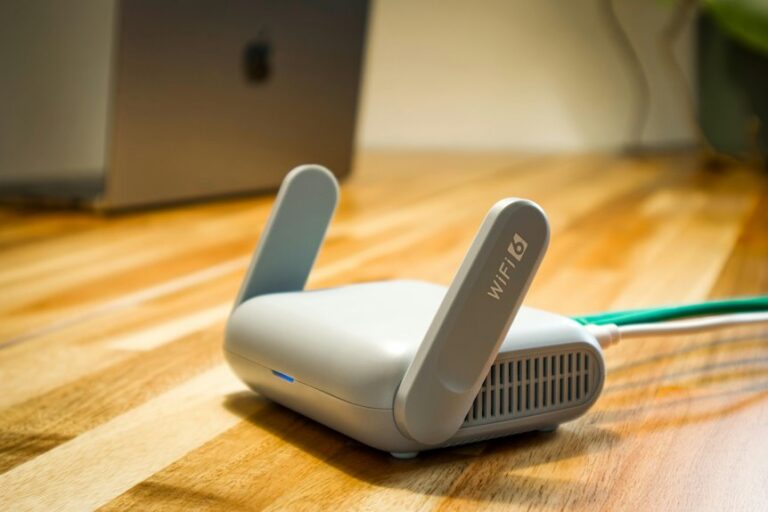
Once the sender, receiver, medium, and protocol are in place, the network still needs devices that direct traffic at different scales, and that’s where routers, switches, and access points come in. You use a router to move packets between networks; its router design checks addresses, selects paths, and keeps traffic flowing toward the right destination.
You rely on a switch inside a local segment to connect devices efficiently, and switch forwarding sends frames only to the port that matches the learned MAC address. You also use an access point to extend wireless connectivity, translating radio signals into network access for nearby devices. Together, these devices help you stay connected, reduce unnecessary traffic, and support accurate, timely communication across the system.
Types of Computer Networks
Computer networks are commonly classified according to the geographic area they cover and the scale of communication they support, so you can distinguish between LAN, MAN, and WAN based on distance, ownership, and performance requirements. In a network classifications overview, you’ll see that a LAN serves a room, building, or campus with high speed and tight administrative control.
A MAN links sites across a city or metropolitan region, giving your organization broader reach. A WAN spans countries or continents, letting you connect dispersed users and systems through carrier-managed infrastructure. This network scope comparison helps you choose the right design for latency, cost, and manageability.
Whenever you evaluate these types, you join a shared structure that makes planning, troubleshooting, and scaling more disciplined and reliable for everyone involved.
Wired vs. Wireless Networks
After comparing LAN, MAN, and WAN across geographic scope, you can also evaluate them based on how they carry data: wired networks use physical media such as twisted-pair copper, coaxial cable, or fiber optics, while wireless networks rely on electromagnetic waves over radio or infrared channels. You’ll usually choose wired links whenever you need stable throughput, low delay, and stronger interference control, because the medium stays fixed and predictable.
Wireless links give you mobility and faster deployment, and you can extend signal range without installing cable, but performance shifts with obstacles, distance, and competing transmitters. In practice, you’ll balance convenience against consistency. Whenever your team values reliable file transfer or streaming, wired often fits better.
Whenever you want flexible access for laptops and phones, wireless keeps everyone connected.
The OSI Model in Simple Terms
Whenever you need a clear way to understand how data moves across a network, the OSI model gives you a seven-layer structure that breaks communication into manageable functions. You can treat each layer as a specialist in the stack, where layer functions define what happens and layer interactions show how one step supports the next.
At the top, you work with user data; at the bottom, you see signals moving across a medium. Between them, the layers coordinate routing, delivery, and physical transmission without mixing responsibilities. This separation helps you analyze faults, compare systems, and communicate with others who study networking.
As soon as you understand the model, you’ll belong to the group that can explain network behavior with precision and confidence.
Common Network Protocols Explained
You use TCP/IP as the core protocol suite that routes packets, controls flow, and restores messages at the destination.
You rely on HTTP to request and deliver web resources, DNS to translate domain names into IP addresses, and FTP to transfer files between systems.
Together, these protocols define how you access services, locate hosts, and move data across networks with predictable behavior.
TCP/IP Basics
Although many networked applications seem simple on the surface, TCP/IP is the protocol suite that makes reliable data communication possible across interconnected systems. You use it to structure data into packets, apply packet encapsulation, and let each layer add control information before transmission.
At the transport layer, TCP gives you sequencing, acknowledgments, flow control, and retransmission so missing or damaged data can’t quietly pass through. Port multiplexing lets one device support many simultaneous conversations and deliver each stream to the correct process. IP handles location assignment and routing, so your packets can traverse multiple networks without losing their destination context. Together, these mechanisms give you predictable delivery, efficient sharing of links, and a standards-based foundation you can trust as part of the network community.
HTTP, DNS, and FTP
As you move beyond transport and routing, application-layer protocols like HTTP, DNS, and FTP define how network services are requested, located, and exchanged. You use them every time you browse, resolve names, or move files across trusted systems. HTTP requests basics follow a client-server pattern: your browser sends GET, POST, or other methods, and servers return status codes plus content.
DNS translates human-friendly domain names into IP addresses, so you can reach the right host without memorizing numbers.
FTP file transfer lets you upload and download data, though it’s often replaced with secure alternatives.
- HTTP structures web traffic
- DNS maps names to addresses
- FTP moves files between hosts
- Together, they keep your network interactions predictable and efficient
IP Addresses, DNS, and Routing
You use an IP address as the network-layer identifier that lets packets reach the correct host.
Whenever you enter a domain name, DNS resolves that human-readable label to its matching IP address. Routing then forwards the packet across interconnected networks along the most efficient available path.
IP Address Basics
An IP address is the unique numeric label that identifies a device on a network and lets data reach the correct destination across wired or wireless links. You use it to segment traffic, identify hosts, and support efficient routing in your network.
- A private ip stays inside your local network.
- Subnet masks tell you which bits define the network and host portions.
- Routers inspect destination addresses and forward packets toward the next hop.
- Each interface needs a unique address within its scope.
When you understand these basics, you can troubleshoot connectivity, avoid address conflicts, and design cleaner network boundaries.
You’re part of a system where precise direction keeps communication stable, scalable, and predictable across connected devices.
DNS Name Resolution
How does a name become a routable address? You enter a domain name, and your client starts the DNS lookup process through checking local cache, then your resolver queries authoritative servers provided that needed.
That name to IP mapping turns human-friendly labels into IPv4 or IPv6 addresses your network can route. You rely on this hierarchy because routers forward packets only via numeric destination, not names. Provided that the record is cached, you save latency; provided that not, recursion and iteration cooperate until you get the answer.
Then your device hands the IP address to the transport and routing layers, and packets move across links toward the correct host. In your network community, DNS keeps communication scalable, decoupled, and precise.
How Networks Keep Data Secure
Network security protects data communication through controlling who can access a message, verifying that it hasn’t been altered, and preserving reliable delivery across the transmission medium.
You strengthen trust via using encryption methods and access control together, so only approved users can read or change data. That keeps your network’s community safer and more coordinated.
- Encrypt packets before they leave your device.
- Require authentication for every user and service.
- Check message integrity with hashes or checksums.
- Log activity so you can trace suspicious access.
When you apply these controls, you reduce exposure to interception, spoofing, and unauthorized modification. You also help each endpoint recognize legitimate traffic, which supports accurate communication across wired and wireless links.
Why Network Speed and Bandwidth Matter
When your network speed is high and your bandwidth is sufficient, data can move with less delay, fewer bottlenecks, and better support for real-time tasks like video calls, streaming, and online gaming. You gain stronger throughput optimization and latency reduction, so your devices respond more predictably and your team stays connected.
| Metric | Effect | Result |
|---|---|---|
| Bandwidth | More data per second | Smoother transfers |
| Speed | Faster packet movement | Lower wait time |
| Latency | Less transmission delay | Better responsiveness |
In practice, you’ll notice cleaner collaboration, faster file access, and steadier application behavior across shared networks. That matters if you rely on consistent performance to work, learn, and communicate without friction. High capacity doesn’t just move bits; it supports a shared digital environment where everyone can participate efficiently and confidently.
Common Network Problems and Fixes
Data problems usually show up as slow transfers, dropped connections, packet loss, or mismatched device settings, and you can trace most of them to one of a few core causes. You can fix them through checking configuration, capacity, and signal quality together.
- Verify IP, subnet, and gateway values.
- Restart interfaces to clear stale states.
- Apply packet loss prevention through TCP retransmission checks.
- Use network congestion control by limiting bursts and balancing traffic.
If packets still disappear, inspect cables, Wi‑Fi interference, and duplex mismatches. Then confirm routing tables and firewall rules aren’t blocking valid flows.
You’re not alone in this process; each layer can fail, but each also gives you a measurable clue. Track latency, loss, and error counts, and you’ll isolate faults fast.
Computer Networks in Everyday Life
Although you may not notice it directly, computer networks shape everyday life through moving information between your devices, services, and remote systems in real time. You rely on them whenever your phone syncs messages, your smart home devices respond, and your apps authenticate securely. In this connected space, you’re part of a coordinated data flow that values speed, accuracy, and reliability.
| Use Case | Network Role | Benefit |
|---|---|---|
| Messaging | Packet delivery | Fast communication |
| Streaming | Timely transfer | Smooth playback |
| Banking | Secure routing | Trusted transactions |
| smart home devices | Sensor exchange | Automated control |
| digital collaboration tools | Shared access | Team alignment |
You can see how protocols, transmission media, and receivers work together to keep your experience consistent, precise, and responsive.
What’s Next for Computer Networks?
You’ll see 5G and beyond push data communication toward lower latency, higher bandwidth, and denser device connectivity.
AI-driven networks can optimize routing, congestion control, and fault detection in real time, improving reliability and delivery accuracy.
Quantum networking could eventually change secure data transfer by enabling new protocols for ultra-sensitive communication.
5G And Beyond
As networks move into the G and beyond era, the focus shifts from basic connectivity to ultra-low latency, massive device density, and highly reliable real-time communication. 5G already improves throughput, jitter, and responsiveness for applications such as video streaming, telemedicine, and industrial control, while future generations will push further with edge computing, network slicing, and tighter integration of software-defined and virtualized network functions. You’ll benefit upon network governance aligns upgrades with standards evolution and keeps services interoperable.
- You get faster control loops.
- You support dense IoT deployments.
- You isolate critical traffic safely.
- You scale services without re-architecting.
This progression isn’t abstract; you’re part of a connected ecosystem that needs precise timing, predictable delivery, and resilient transport.
AI-Driven Networks
5G and beyond set the stage for networks that must react in real time, and AI-driven networks take that requirement a step further through using machine learning to monitor traffic, predict congestion, and automate routing decisions. You gain predictive traffic management, so your packets meet less delay and jitter. This shift supports autonomous network optimization, where the system tunes paths, queues, and load balancing without manual intervention.
| Capability | Network effect |
|---|---|
| Traffic analysis | Detects hotspots at an initial stage |
| Forecasting | Anticipates demand spikes |
| Routing control | Selects efficient paths |
| Anomaly detection | Flags faults faster |
| Self-tuning | Improves throughput and reliability |
You stay connected to a smarter, adaptive infrastructure that aligns performance with user needs.
Quantum Networking
Quantum networking extends computer networks beyond classical packet exchange through using quantum states to move information with new security and coordination properties. You’ll use quantum linkage to link distant nodes, so measurement results stay correlated even if channels are noisy. This lets your network support secure key distribution and tightly synchronized distributed tasks.
- You can detect interception because quantum states disturb on observation.
- You’ll rely on quantum repeaters to extend range across long links.
- You’ll still need classical control channels for routing and timing.
- You’ll gain a community of systems built for trust, precision, and scale.
In practice, you’ll balance fragile qubits, loss, and decoherence against stronger confidentiality and novel computation. As hardware matures, you’re joining the next layer of network design.
Frequently Asked Questions
What Is Jitter in Data Communication?
Jitter happens when packets arrive at irregular intervals. Even a 20 ms change can disrupt voice calls. It can cause latency spikes and media buffering, which makes playback stutter. Smooth communication depends on steady packet timing.
How Does Data Sequencing Prevent Packet Duplication?
You assign a unique sequence number to each packet. When the receiver sees the same number again, it knows that packet was already delivered, so the repeated copy is dropped. This keeps the data in the right order and stops duplicate packets from being processed twice.
What Is the Difference Between Simplex and Half-Duplex Flow?
Simplex means data travels in only one direction. Half duplex allows communication in both directions, but only one side can transmit at a time. Walkie talkies are a common example of half duplex.
How Does the Data Link Layer Handle Framing?
You identify the start and end of each frame, use bit stuffing to keep flag patterns from appearing inside the payload, and organize the bits into structured frames. You also attach address information and error check fields so the receiver can recover the data correctly and with reliability.
What Role Does Multiplexing Play in the Physical Layer?
Multiplexing allows several signals to use a single physical channel at the same time or in scheduled intervals, improving link utilization and lowering infrastructure cost. It organizes access to the medium so data flows are separated and coordinated, which helps reduce interference, contention, and delay.